


After Effects MAX 2021: Multi-Frame Rendering, Composition Profiler, Speculative Preview and more...

October 26-28
Register Here. It's free!
MAX FAQ: Find out more. See what you can learn.
MAX Sessions: Pick from a huge variety of digital video & audio courses.
Join our contest and WIN a subscription to Creative Cloud. Details here!
What's new in After Effects 22.0?
Faster Previews and Renders with Multi-Frame Rendering:
After Effects delivers on the number one feature request, Multi-Frame Rendering. You see performance gains on your system from Preview to Export, and includes a variety of features that enable you to optimize the computer for peak performance. Multi-Frame Rendering makes After Effects faster. It impacts how fast your projects can render on your computer based on the number of CPU cores, available RAM, and graphics card compute power.
Check the table below to see how much faster you can expect your project to be on your own computer.
|
|
Minimum specs |
Mid-range system |
High-end system |
|
Cores |
4-6 |
8-10 |
16-64 |
|
Memory (GB) |
16 |
16-32 |
48-128 |
|
Current speed Improvement |
1.2-1.4x faster |
1.6-1.75x faster |
2-3x faster |
Speculative previews:
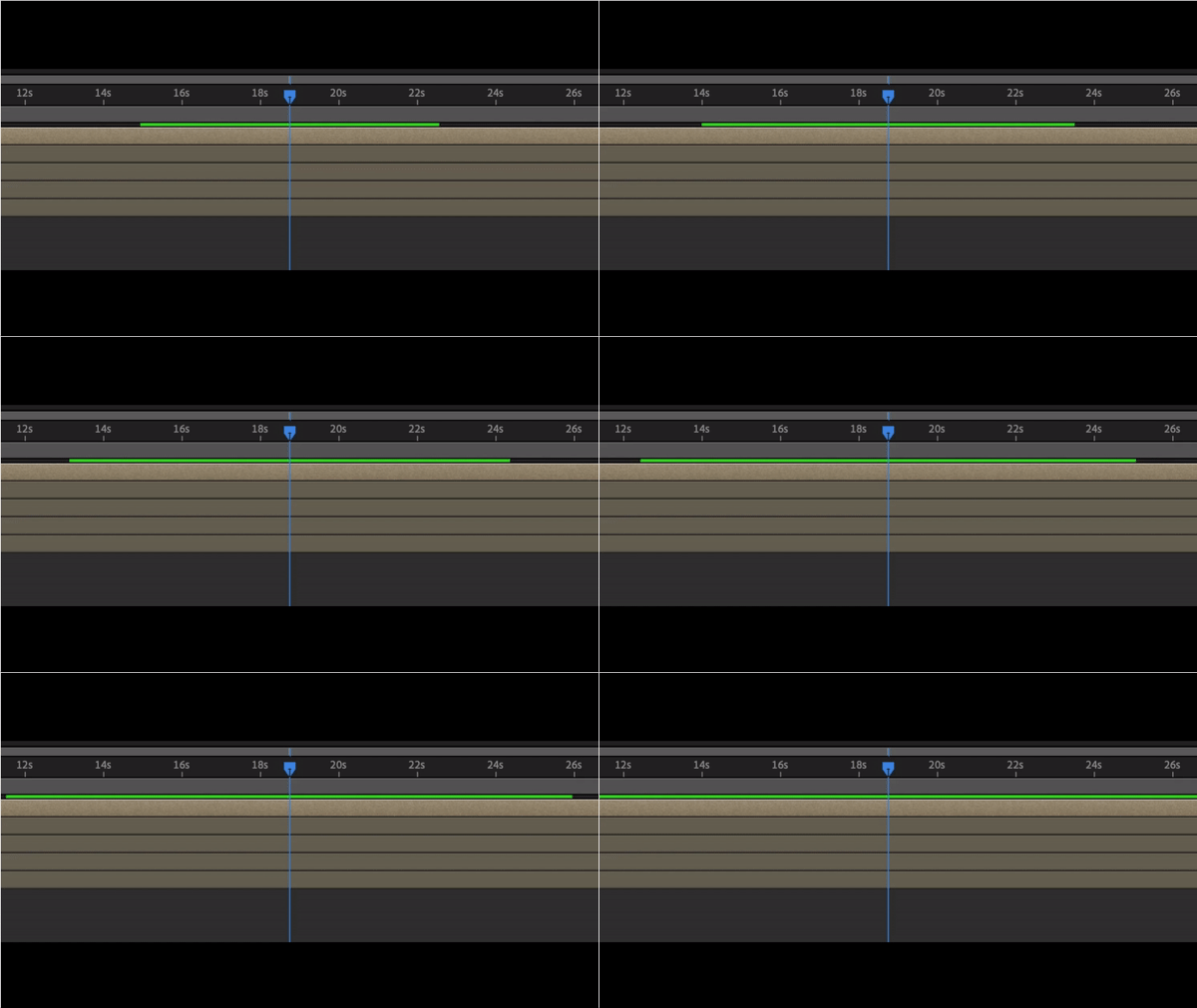
After Effects 22.0 let's you render frames while idle for an improved preview experience. After Effects renders in the background, enabling you to playback or scrub compositions quickly. So, when you come back from a break, your preview is ready to play. For more details, see Speculative preview documentation.
Composition Profiler:
Sometimes complex projects in After Effects can produce bottlenecks in rendering performance. Composition Profiler allows you to view detailed performance information for your After Effects composition including detailed comparative breakdowns of the render time for all your layers, effects, styles, and masks. That will help you to determine which layers and effects in your composition are taking the most time to render and enable you to optimize your project for faster rendering as you iterate. The Composition Profiler has a color-coding guide to understand which color depicts the expected render time for a given layer or pre-comp in your project.

For more information, refer to the documentation for Composition Profiler.
Reimagined Render Queue for remote notifications:
The reimagined Render Queue highlights what’s rendering, how much time is remaining, rendering progress and how it’s using your system. Send notifications remotely to your Creative Cloud desktop or mobile app. With the Creatively Cloud mobile app, link your notifications to your smart watch to know when your compositions are rendered, and when they're not, no matter where you are in the World.

Export faster with Adobe Media Encoder:
With Multi-Frame Rendering, export your compositions up to 3x faster using the full power of your system and without upgrading your hardware. Render while you work on your compositions while Adobe Media Encoder renders faster in the background.
Improved playback for 10-bit HEVC files:
New hardware-accelerated decoding for 10-bit 422 HEVC files provides improved playback and smoother editing with supported hardware, including Windows Intel machines.
Enable LUT Interpolation method selection:
This feature enables you to select the LUT Interpolation method from dropdown under Project Settings. Currently After Effects only supports Trilinear or Tetrahedral interpolation.
Unified version numbers:
With this major release, all the Adobe video and audio applications will align on version number 22.0, making it easier to ensure compatibility across the applications.
New Beta Features:
Scene Edit Detection: Powered by Adobe Sensei, automatically detect scene changes in an edited clip and place scenes as layers for a faster project setup. Scene Edit Detection makes it much quicker and easier to reuse part of an edited video clip.
How do I download Beta apps and provide feedback?
What's fixed?
- Fixed an issue resulting in an incorrect error message when user stops a render in progress
- Fixed an issue that resulted in an error message when render is resumed after being previously stopped.
- Resolved an issue that caused misestimation of render output file size.
- Fixed an issue that caused renders to be sent to incorrect destination folder on Windows.
- Fixed an issue that caused existing renders to be overwritten without warning on Windows.
- Fixed an issue that resulted in template-generated render output paths not being sent to Adobe Media Encoder.
- Fixed an issue where comp pixel aspect ratio was not respected in Draft 3D.
- Fixed an issue that caused jagged drawing of 3D Transform Gizmo when switching gizmo modes.
- Fixed an issue where opacity slider bar control did not move to mouse position in 3D Scene Navigation.
- Fixed an issue that caused new comps to inherit 3D view from most recently viewed comp.
- Fixed an issue that caused preview screen to flicker when creating a long text frame.
- Fixed an issue where pixels weren’t displayed at certain composition resolutions.
- Fixed an issue that caused layer markers to remain past the split point when splitting layers.
- Fixed an issue with Cinema4D that caused After Effects to crash when resetting Camera/Take.
For more information on bugs fixed in earlier versions of After Effects, visit the Fixed Issues page.
 AdChoices