


Participant
January 24, 2026
Question

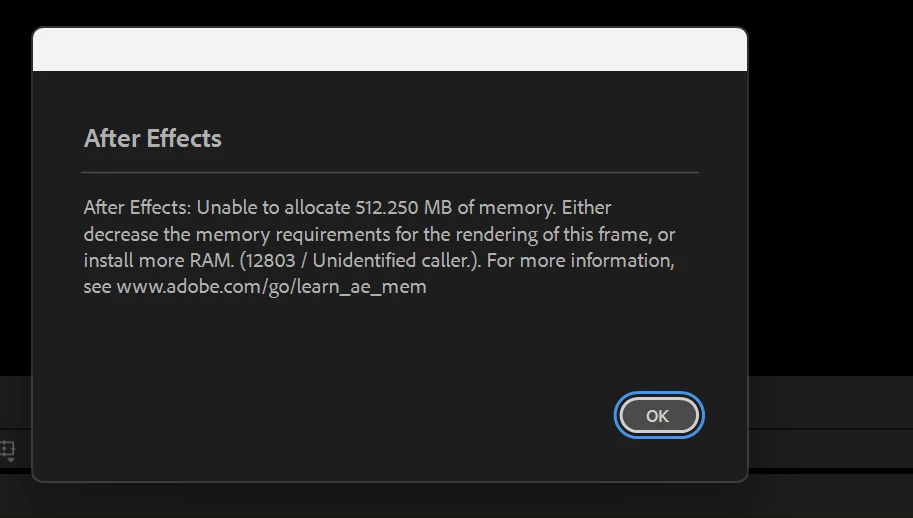
After Effects memory allocation error despite 128 GB RAM

  • January 24, 2026
  • 1 reply
  • 40 views

I’m repeatedly getting “Unable to allocate memory” (Error 12803) while previewing and rendering, sometimes failing to allocate as little as 126–512 MB, which makes no sense given my system.

This happens on relatively simple comps (text, credits), and never used to happen in older AE versions. It occurs both during preview and render, sometimes mid-render after a few minutes.


I am using AE 25.5. 


System specs:

  • CPU: AMD Ryzen Threadripper 3970X (32-core)

  • RAM: 128 GB

  • OS: Windows 11 Pro (22H2)

  • AE Memory available: 112 GB

  • Multi-Frame Rendering: Enabled (issue also happens intermittently with it off)

Disk cache is on a fast local drive, and memory preferences are correctly configured.

This feels like a regression in recent AE versions, possibly related to MFR or memory fragmentation. Looking for confirmation, workarounds, or known bugs related to this behavior.876413iFDC6FD314CFFE5DF.png
1 reply

nishu_kush
Legend
January 26, 2026

Sorry to hear about the issue, Glitchborn.


This is not a known issue. Is it happening with any specific project or with all the projects? Can you try updating After Effects to 26.0 and see if that works better?

Let me know.


Thanks,
Nishu

Participant
January 26, 2026

It is stil happening. Intermittently, 

This has never happened before in many years of using Ae, even on lower RAM systems.

Super weird, is Ae RAM managemtn gone down in quality or some tech/ code issue ? In the newer builds.


nishu_kush
Legend
January 26, 2026

What effects are you using in the project? Are there any third-party plug-ins installed? Can you try running After Effects in Safe Mode with third-party plug-ins disabled and test on a new project? That'll help us understand if it's project-specific or not.


Thanks,
Nishu