
simmy0811
Participant
January 2, 2018
Answered

After Effects Motion Tile Problem

  • January 2, 2018
  • 4 replies
  • 9809 views

Hi,

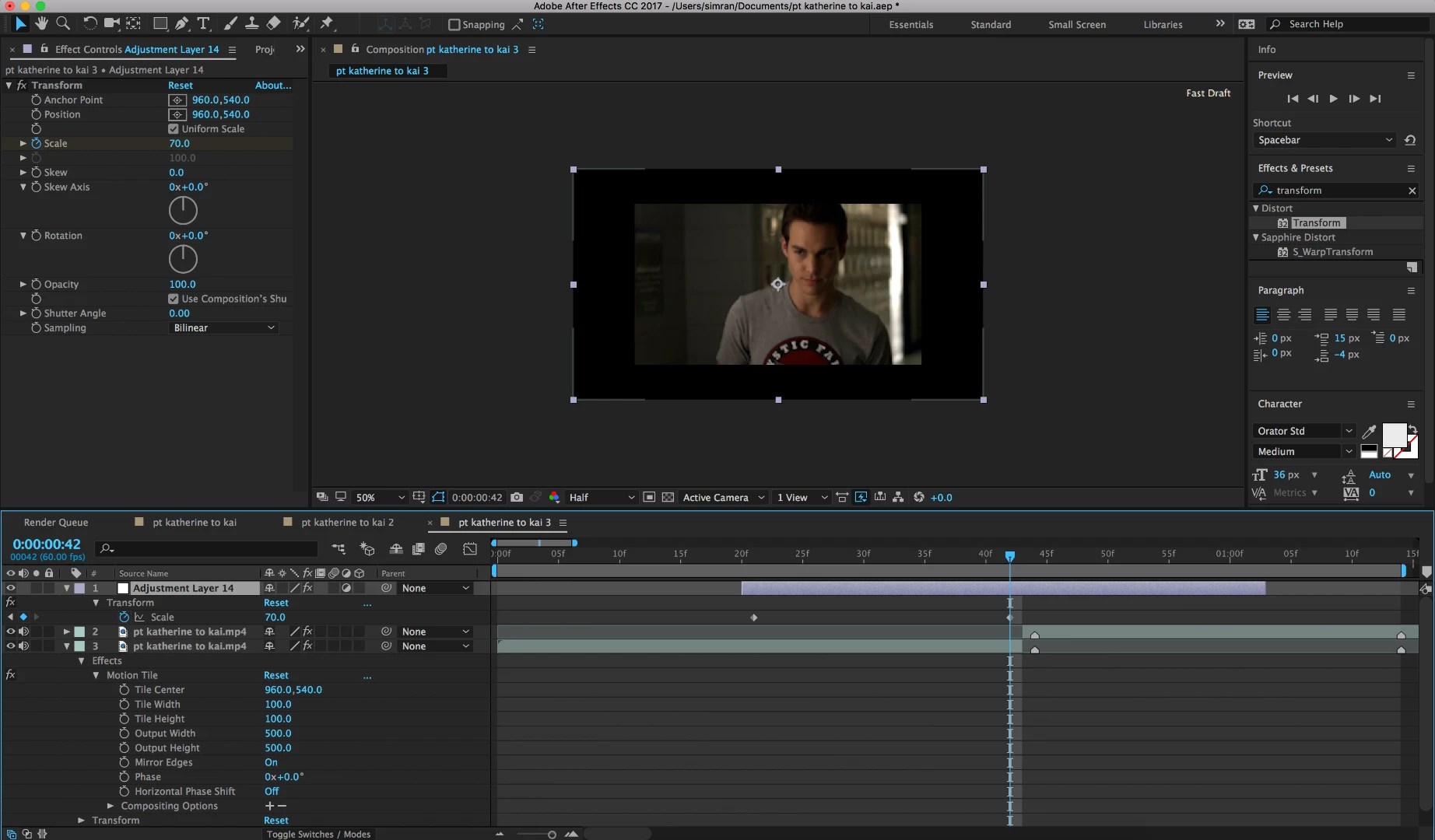
I wanted to do a simple zoom out transition between 2 clips so what I have been usually doing is to add motion tile on both the clips and on top of them add an adjustment layer. After adding the transform effect on the adjustment layer, I set the scale to 70 and recently I've been experienceing an issue where the motion tile effect on the clip disappears. The effect itself on the clip is toggled on and nothing is changed but when I change the scale on the transform, there are black borders as shown in the image.
If I change the scale measure on the actual clip itself (which is a work around but limits many things), it works (image below) and there are no black borders but I would like to know why the transform on the adjustment layer removes the effects of the motion tile on the clip.

If anyone knows the solution, please help,

Thank you

Also, I use cc 2017

This topic has been closed for replies.
Correct answer leboku

I know its been forever but what helped me was putting the motion tile on the adjustment layer and putting it on top of the transform simmy0811

4 replies

Participant
October 28, 2020

Hey guys.....well i too had a problem with motion tile....and i was just messing around with it and look what it started rendering and exporting....The problem was tht i had to higher the value of height and width between 0to 500...i had taken that to 1000 unknownly so....the problem occurred....hope this will help u out....BTW i have channel on yt naming MSD NAILED IT.....only have 100 subs plz make sure u guys subscribe it.....dont need views.... Subscribers are motivation against work❤️❤️

leboku
lebokuCorrect answer
Participant
October 7, 2018

I know its been forever but what helped me was putting the motion tile on the adjustment layer and putting it on top of the transform simmy0811

Participant
June 18, 2018

I recently had a problem like this while trying to add a transition with an adjustment layer. Instead of using an adjustment layer for the transition, pick-whip the layer to a null object then add the transition. I hope this helps.

Mylenium
Legend
January 3, 2018

I'm not clear what you expect. Effects do not change the actual layer bounds and thus undefined areas get filled with "undefined", in this case black or sometimes a user definable fill whereas MotionTile simply assumes the original layer bounds. There is nothing wrong. That's just how these particular effects work.

Mylenium

simmy0811
simmy0811Author
Participant
January 3, 2018

Hi,

I was expecting the adjustment layer way to work just like the second way as it normally did for me. Also as demonstrated in this video, it works like I would want it to but it doesn't for me: zoom with bounce shake // tutorial after effects - YouTube

Roei Tzoref
Legend
January 6, 2018

try this: got to project settings (file->project settings) and set the video rendering and effects to "software only"