Participant
November 27, 2018
Question

After Effects motion tracker isn't working properly (null object can't follow the right path)

  • November 27, 2018
  • 1 reply
  • 3484 views

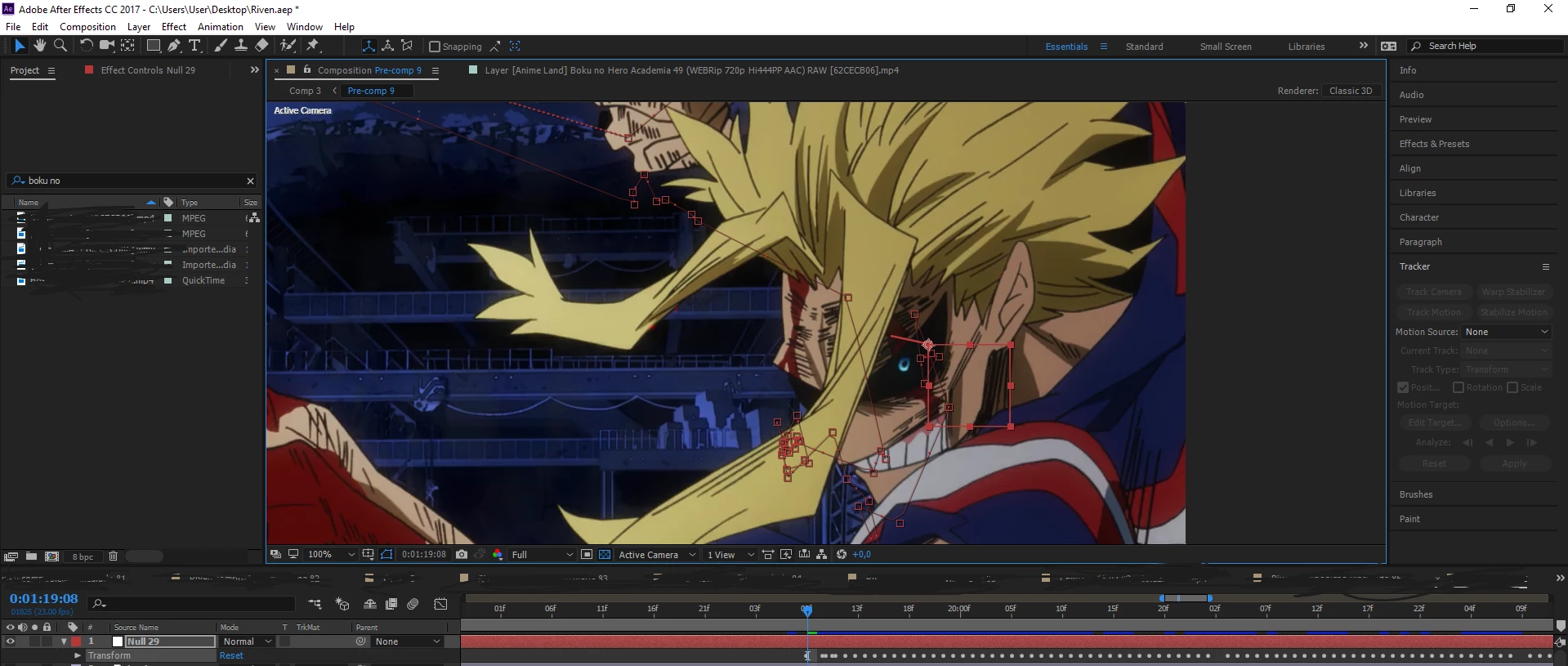
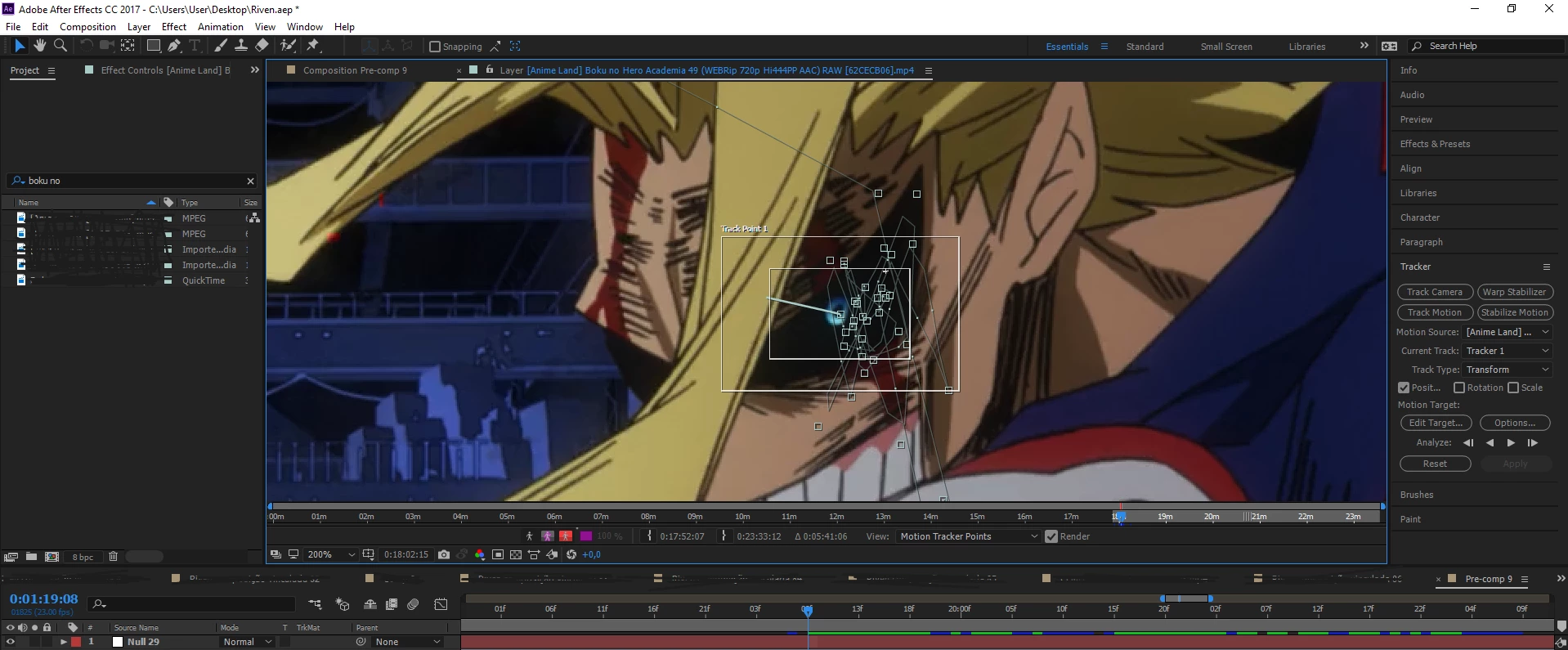
Hello, my name is Gabriel and i've created this account with the will to solve this problem. It's simple to understand, when i make a normal motion tracking and try to aplly it to a null object, the path that this object does doesn'nt follow it properly, it keeps shifting, is so strange. So i'm here to call for some help in what to do.

Here are some pictures. Thank you for the attention!
This topic has been closed for replies.

1 reply

Roland Kahlenberg
Legend
November 27, 2018

Your Feature Region (smaller rectangle) looks to be too big for this use-case. Re-size said rectangle to an area that is only little bigger than the group of pixels you want to track.

Tracking and stabilization motion workflows in After Effects

Very Advanced After Effects Training | Adaptive & Responsive Toolkits | Intelligent Design Assets (IDAs) | MoGraph Design System DEV
Participant
November 30, 2018

Hey! so, i found out what this problem is all about, it's an issue with the Attach point, this little cross that is supposed to be in the CENTER of the smaller rectangle, mine is shifting throughout the hole tracking, i'm trying to figure out how to set this in the middle using some tools, but can't find any way to solve this, at least i know what to do.

Roland Kahlenberg
Legend
November 30, 2018

The Attach Point DOES NOT have to be at the center of the Search Region; smaller rectangle. You use the Attach Point to define the location for your tracking data. In short, you can track one area defined by the Search Region and then apply tracking data onto another area.

There are off course strict requirements such that the Searched Region and Attach Point share identical movement/inertia relative to the camera.

As I've mentioned earlier, you have to adjust your Search Region to define a distinct group of pixels. In your specific case, adjust the size of the Search Region until it covers just the pupil or a smaller part of the pupil; perhaps its lower right quadrant.

Very Advanced After Effects Training | Adaptive & Responsive Toolkits | Intelligent Design Assets (IDAs) | MoGraph Design System DEV