Participant
Jan 27, 2025 6:18 AM UTC
Answered

After Effects native full screen support

I can't be able to expand my workspace to the native full screen on my Mac despite pressing the green button, please fix this as soon as possible because it becomes tough to work in such a small area

Rick GerardCorrect answer
Community Expert
Jan 27, 2025 4:41 PM UTC

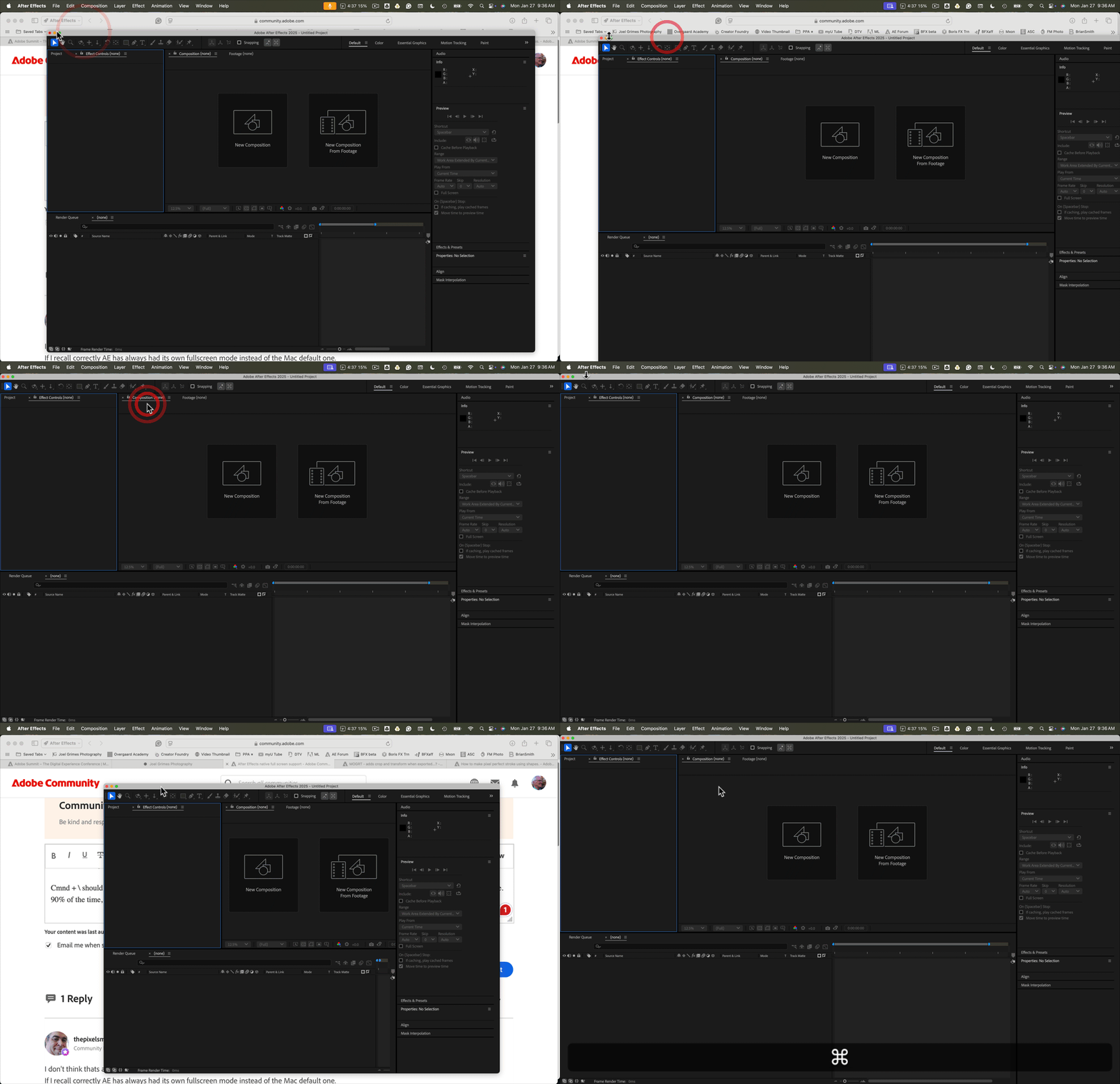
Double-clicking on any app's top bar on a Mac should expand that app to the full screen. Clicking the green button should also do the same thing.


Cmnd + \ should also expand any app to full screen, and clicking Cmnd + \ again should turn the top bar on and off. It has always worked for me. 90% of the time, I use the keyboard shortcut for all my apps.


3 replies

Rick GerardCommunity ExpertCorrect answer
Community Expert
Jan 27, 2025 4:41 PM UTC

Double-clicking on any app's top bar on a Mac should expand that app to the full screen. Clicking the green button should also do the same thing.


Cmnd + \ should also expand any app to full screen, and clicking Cmnd + \ again should turn the top bar on and off. It has always worked for me. 90% of the time, I use the keyboard shortcut for all my apps.


Translate
Participating Frequently
Oct 23, 2025 4:06 AM UTC

Close, but not quite the "full" full screen experience - native MacOS full screen would place After Effects into it's own dedicated "Space" which would then allow for easy toggling between spaces and keep AE independent from any other windows, as well as reclaiming the space occupied by the OS taskbar up top.

Translate
thepixelsmith
Community Expert
Community Expert
Jan 27, 2025 2:16 PM UTC

I don't think thats a glitch.

If I recall correctly AE has always had its own fullscreen mode instead of the Mac default one.

Translate
Jerron Smith | www.thepixelsmith.com