Participant
Oct 21, 2024 9:28 AM UTC
Question

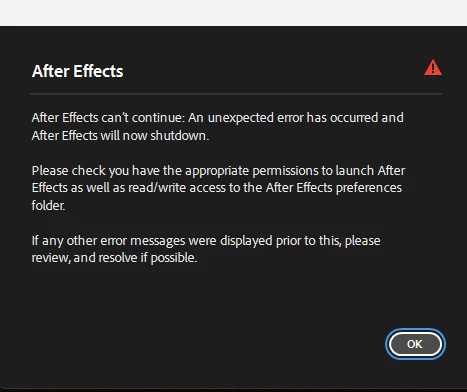
After effects Not Opening Unexpected error please check appropriate permissions to launch


5 replies

ToolfarmJP
Community Expert
Community Expert
Feb 21, 2025 3:30 AM UTC

If you move Edit menu > Preferences > Media & Disk Cache section, you can find the location of the cache disk. You change the permission of the folder.


Translate
Participant
Feb 21, 2025 6:51 PM UTC

I checked and its set to Read & Write. This is after I reinstalled an older version 24.0 Anything beyond that I can't get out of the splash screen.

Translate
Participant
Oct 21, 2024 9:29 AM UTC

please anyonbe who knows how to clear it please help me

Translate
jane-e
Community Expert
Community Expert
Oct 21, 2024 9:50 AM UTC

@lijin_4049 


I've moved your post from Creative Cloud desktop to the After Effects forum where you are more likely to get assistance. 


Were you able to launch After Effects earlier or is this a new install?


What version of AE and what is your OS?


What did you find when you checked your permissions as asked in the dialog?


Jane


Translate