
After Effects not playing files after update
I am using After Effects to import .jpg images and then sequence them out in short 5 second compositions for stop motions however after selecting ok to the "After Effects: this project must be converted from version 22.6 (Windows 64). The original file will be unchanged." I am now no longer able to see the images in the preview screen. The preview window will show black but sometimes have a blue bar across it or other colors. I've ensured the eye icon is checked in the Preview options, tried Edit > Purge > All Memory & Disk Cache which then for a while had the preview screen show completely blue. I tested exporting the composition but it showed what I see in the preview window so it is something with how the composition is handling the image files. I've gone through many past posts and tried all tried the troubleshooting steps I've found there and have used After Effects for years, but have never come accross this. Could this be from my laptop not being on the most recent OSx? I'm on BigSur 11.7.1 but this only occurred after this update. I had something similar happen in Premier Pro and was able to resolve it, but don't exactly remember what I did there or if that could apply to After Effects. 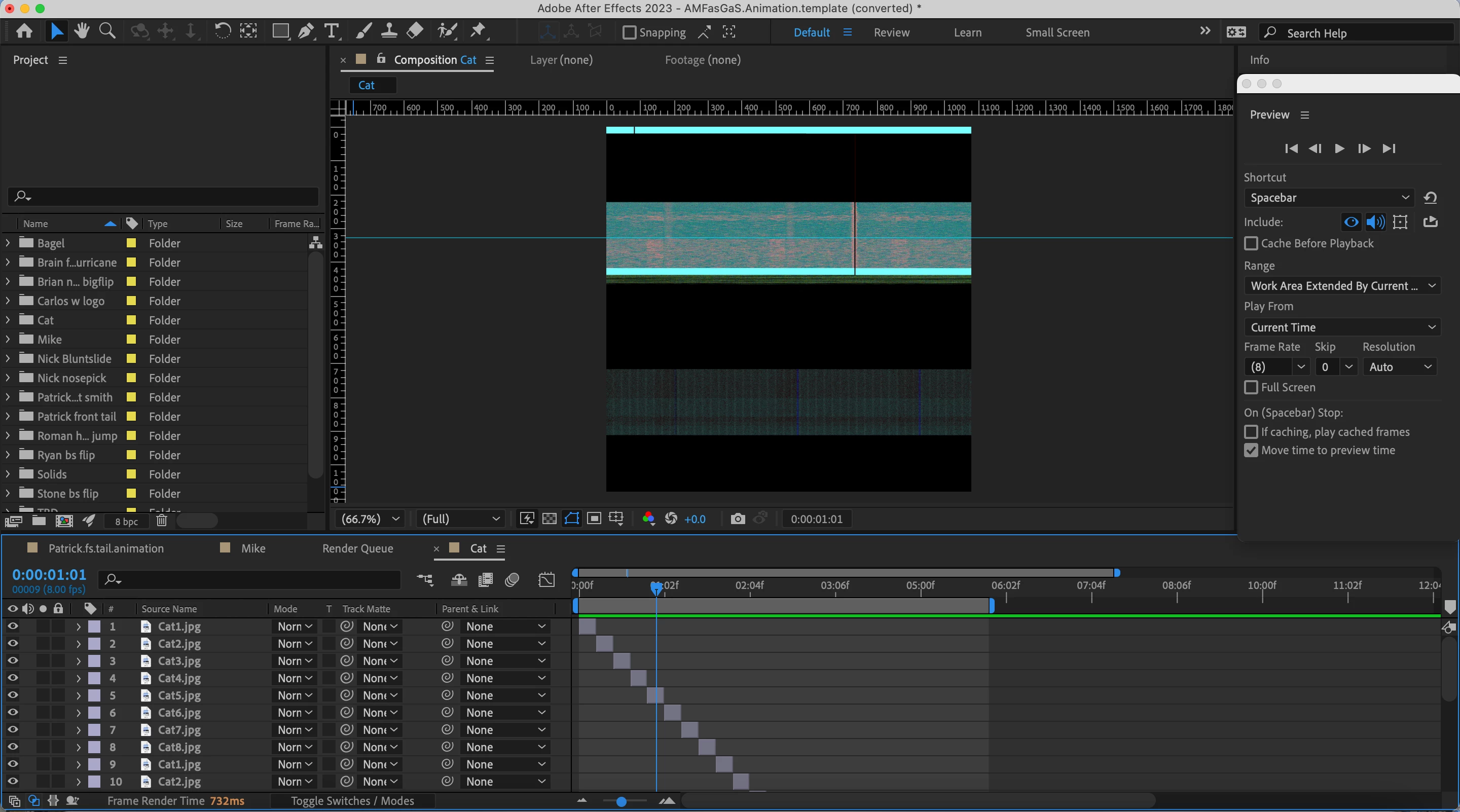
 AdChoices