Participant
Jun 28, 2018 7:33 PM UTC
Question

After Effects Not Showing all of a Font, but Premiere and Photoshop Are

Hey,

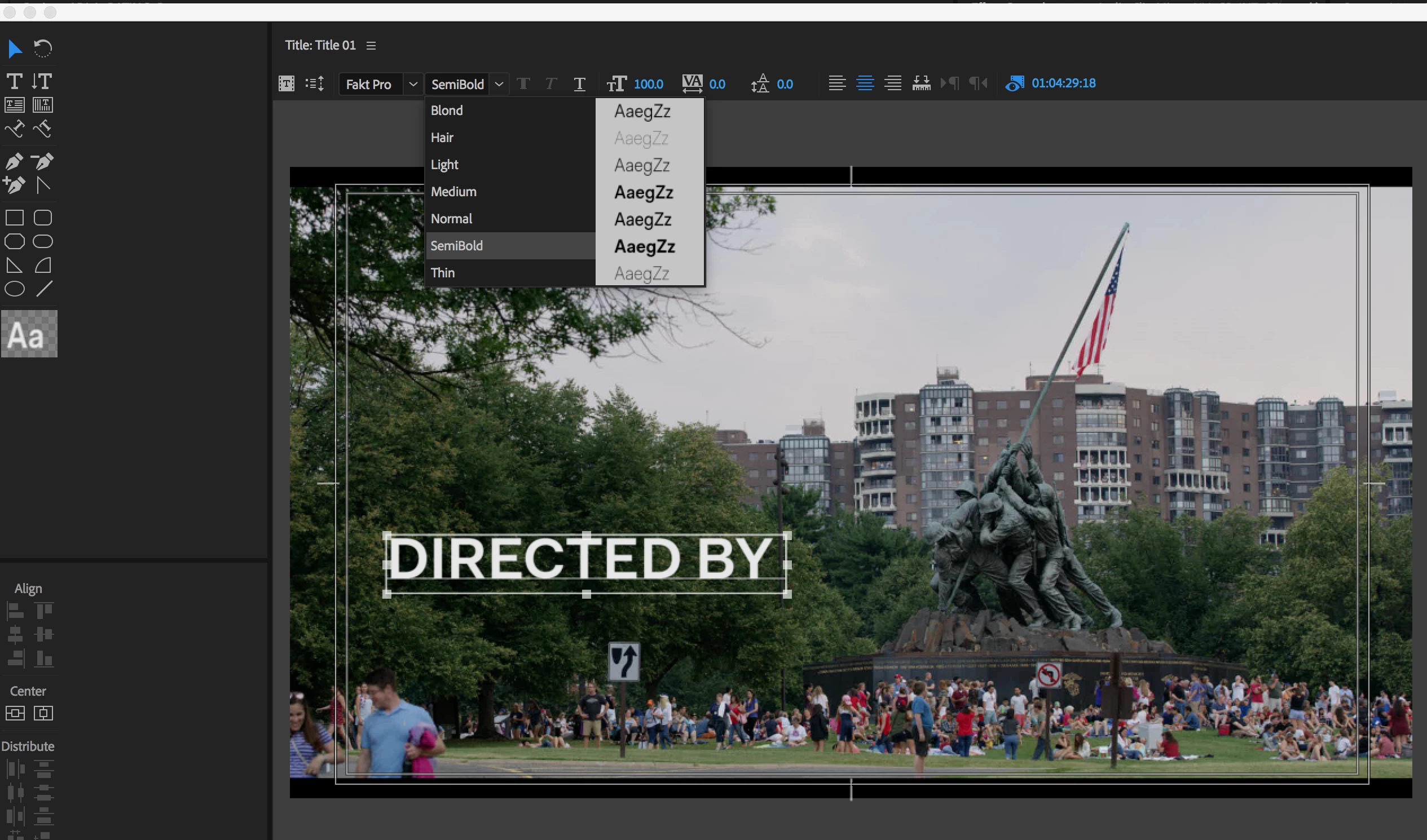
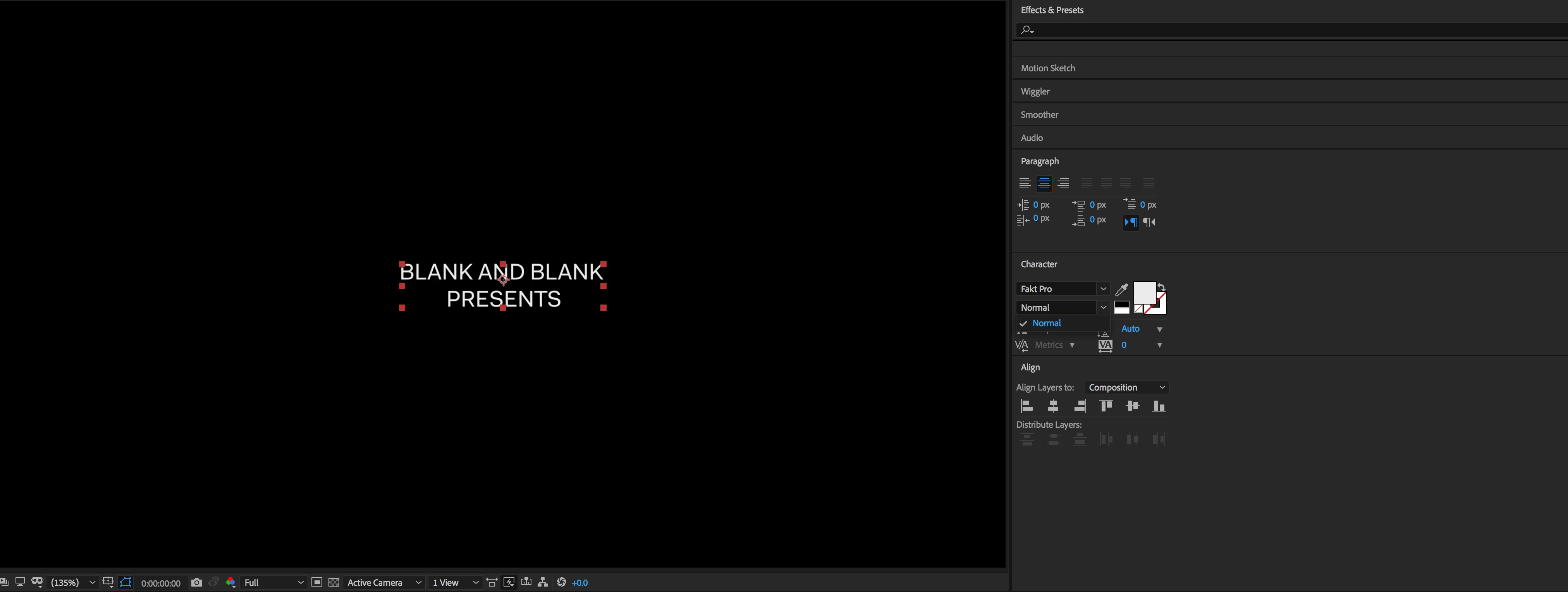
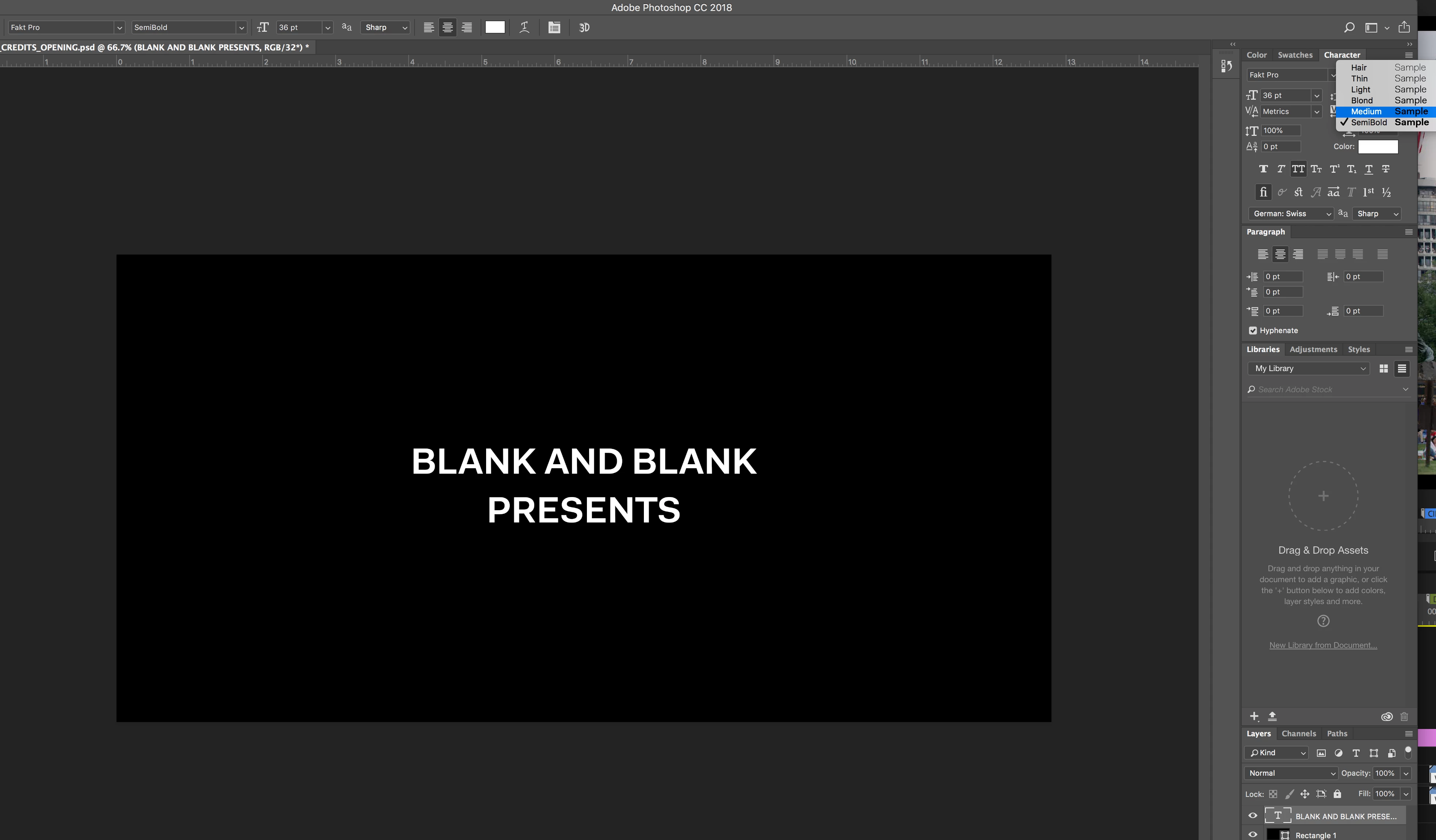
So for some reason, when I try to use a specific style of a Font family (in this case, Fakt Pro is the font family, I specifically use Fakt pro Semibold), After Effects won't list all the options.

Fakt Pro shows up as a font option, but I can only choose "Normal" as an option, not Bold, Thin, Semibold, etc.

But I don't have this problem with Premiere and Photoshop. In Premiere and photoshop, I can choose all the styles just fine.

This is really messing me up, as it has to be Semibold, and if I have to make the text in photoshop first, that severely limits the range of animations I can do. I don't understand why AE can read the font but only SOME of it, while its two sister programs can read them all just fine.
This topic is closed to new replies. Start a new post to keep the conversation going.

8 replies

Participant
Sep 25, 2024 4:37 PM UTC

I tried everything and nothing worked but here's how it worked for me:
- Close After Effects.
- Literally open Photoshop and type something with the font missing.
- Save the PSD file and close it.
-Open After effects and it's fixed. 

I was planning to add the psd file and convert it but it wasn't necesary. Hope this help some the rest! 

Translate
Participant
Jan 23, 2020 8:56 AM UTC

I have recently experienced this problem. The solution is annoyingly simple. I have checked my font library and found out, some of the fonts were installed twice. AE could'nt use those fonts. Thats it! Check your font library, and uninstall the duplications. 

Translate
Participant
Apr 16, 2021 3:56 PM UTC

I thought this was what I was encountering too, but now I've removed the duplicates and the problem is still happening:


Any advice?

Translate
Participant
Jun 3, 2021 12:53 PM UTC

Hey - not sure if you fixed this problem, but I also had a handful of fonts behaving like this in AE. They were all fixed by doing one of the following;

 - Replace TTF versions with OTF where possible

 - Google fonts, I'd installed the 'variable' versions, which don't work. When you download them there should also be a 'static' folder. Use these instead.


Hope this helps someone!

Translate
Warren Heaton
Community Expert
Community Expert
Jun 28, 2018 9:46 PM UTC

What happens if you copy and paste text from a Photoshop Text Layer to an After Effects Text Layer?

Also, have you tried importing the PS Text Layer and then converting it to After Effect Type?

I'm not certain either approach will have better results, but now and again I've had trouble with a font or variation of a showing up in the Character panel in AE and these approaches are a way of forcing the font to get chosen.  You can then see where (or if) it's the font list in AE.

-Warren

Translate
Pauline324157109epp
Participant
May 9, 2024 3:35 AM UTC

it worked for me, thanks!


Translate
Dave_LaRonde
Inspiring
Jun 28, 2018 8:02 PM UTC

Find out if it's a PostScript typeface in question.  If it is, you're best to use a previous AE version.  AE lost the ability to read certain PostScript fonts in the latest version.

Translate