Participant
August 5, 2022
Question

After Effects not Starting, Start Up Crash, Windows 11

  • August 5, 2022
  • 2 replies
  • 367 views

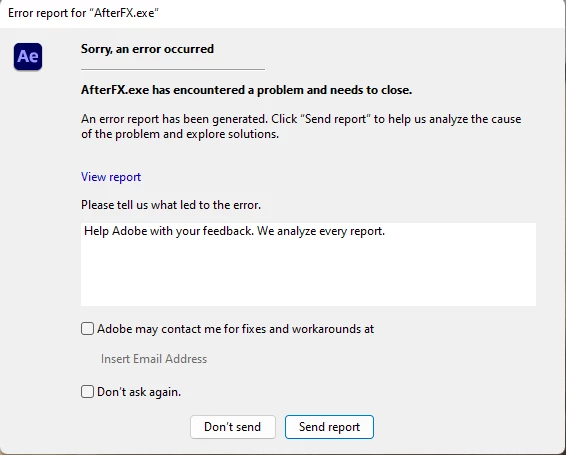
I basically tried to open AE, and it kept on showing this error, i've done a complete reinstall of Creative Cloud and AE & there has been no change whatsoever, i really want to try out AE, if there is a possible solution, i'd be really thankful. I'm also using my school account. My GPU & CPU are fine, 


This topic has been closed for replies.

2 replies

ToolfarmJP
Community Expert
Community Expert
August 6, 2022

If After Effects crashes at startup splash screen, you try to update your graphic card driver.


Participant
August 15, 2022

How do i do that?

Mylenium
Legend
August 5, 2022

Without the actual crash report from the "View Report" link and possibly other info such as the relevant crash info from the system's event viewer we can't really telly you much. Of course the most logical reason would be that this simply is a driver crash in your graphics card or another hardware component, so start by checking these things and update drivers where necessary. Anything outside that will really require more info.


Mylenium

Participant
August 5, 2022

All i know is that my drivers are updated & how am i suppose to tell if there is a driver crash?


nishu_kush
Community Manager
Community Manager
August 5, 2022

Hi A Dumb Editor lol,


Sorry for the crash.

We can that out for your if you could share the crash report here. Also, please share your system specifications (CPU, GPU. RAM, OS version).

We're here to help, just need more info.


Thanks,

Nishu