


Participant
Sep 1, 2025 12:34 PM UTC
Question

After effects not using gpu

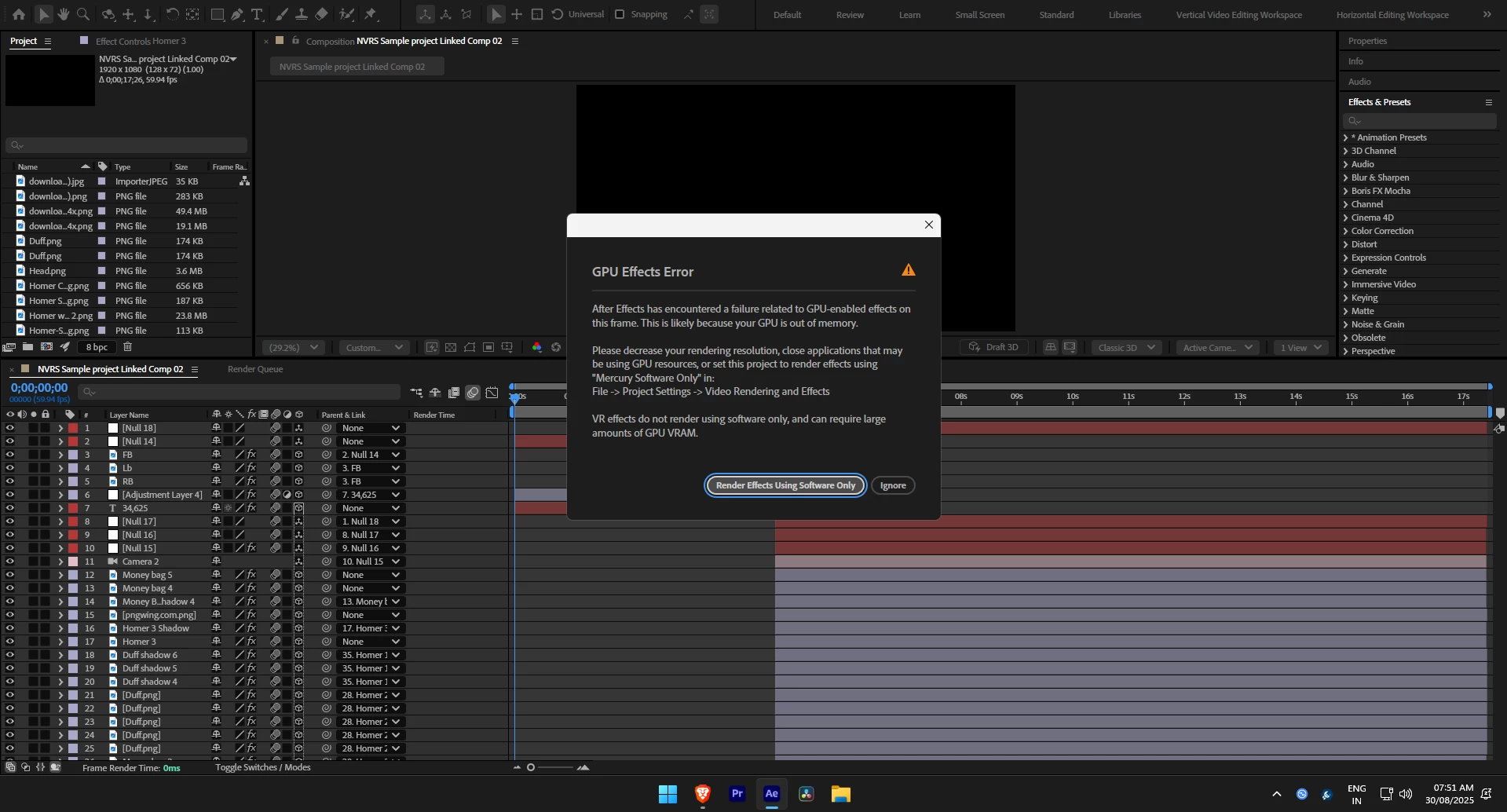
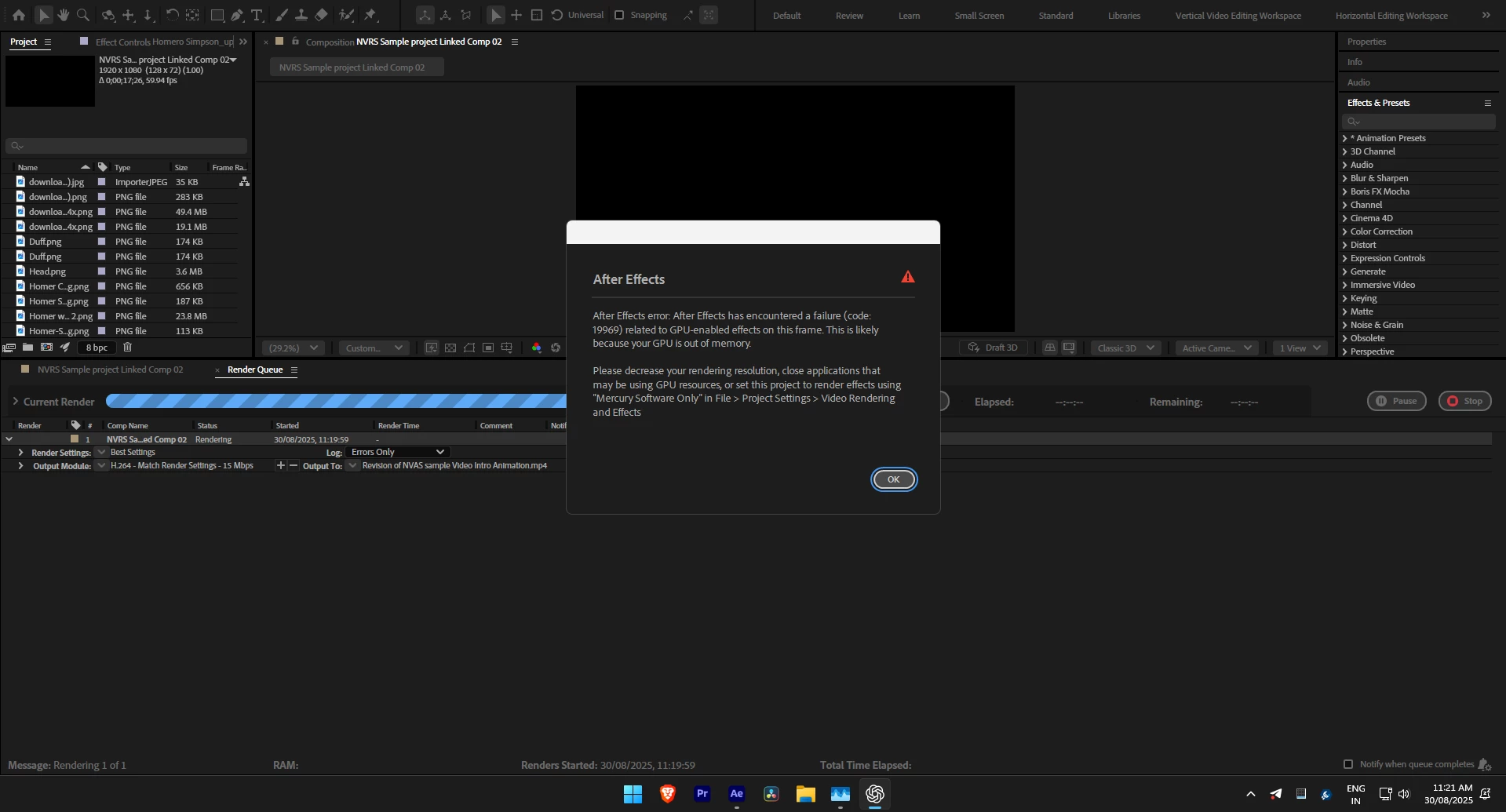
Here is the problem guys while editing in after effects, AE doesn'nt use my gpu at all, I have to constantly switch from mercury GPU accleration (OpenCL) to Mecury software only cause when i switch to mercury GPU accleration (OpenCL) an pop up appers that says your gpu is out of memory when its not even using 1gb og video memory and the rendering time is horriable it takes 15+ hrs to render an 17sec clip, If you know the solution please help and I use intel arc a750 gpu if you wanna know.
  

9 replies

ToolfarmJP
Community Expert
Community Expert
Oct 27, 2026 1:23 AM UTC

Would you try to use the proxy setting to control the load balance? You also check the task manager.

Translate
Alba27699334tz3u
Known Participant
Aug 6, 2026 7:07 PM UTC

Hey ​@narendra_3404 could you finally fix this problem? I’m experiencing something similar

Translate
Participating Frequently
Sep 9, 2025 6:04 PM UTC

Getting the same constantly, over different projects. I'm woking on a 5090 RTX on my pc
I also have a macbook pro m2 but there's no issue.


Translate
Community Expert
Sep 9, 2025 3:41 PM UTC

not sure if this is related to your issue, but you have a lot of png files in your comp that are very taxing for your system to render, try converting them to psds and see if it improves performance.

Translate
I am a Community Expert for Adobe
David.Arbor
Community Manager
Community Manager
Sep 2, 2025 5:06 PM UTC

Hi @narendra_3404,


That error implies that you're running out of GPU memory, which is why AE is falling back to CPU. Your GPU only contains 8 GB of VRAM, so you likely need to reduce the number of GPU heavy effects your comp has. If this is indeed the problem, only a GPU with more VRAM would let you render your current comp as-is without disabling more effects.


You can open your Task Manager to look at GPU usage to see if it is bottlenecking on VRAM.


Thanks,
- David, After Effects Engineering Team

Translate
nishu_kush
Legend
Sep 1, 2025 5:15 PM UTC

Hi Narendra,


Thanks for writing in. Are you getting this issue in multiple projects or a particular one? Which effects are you using? Please ensure your GPU is updated to the latest version. Do not rely on Windows to update the driver. I'd suggest doing it from the manufacturer's website.

Let me know how it goes. Moving this thread from Bugs to Discussions for troubleshooting.


Thanks,
Nishu

Translate
Participant
Sep 2, 2025 4:54 AM UTC

So yeah brother I am currenlty on the latest version of my gpu driver which is 32.0.101.7028 and I always download it from intel's website rather than windows update and Yes this error is always there in all of my projects and sometimes even when its not there the problem continues which is AE not using my GPU both while rendering media cache + while rendering the video itself, I am using After Effects 2025, Let me know if you know the solution, Thank you.

Translate
Participant
Oct 26, 2026 12:22 PM UTC

hi currently having same problem, did you find any solutions?

Translate