
szimano_pl
Participant
February 24, 2021
Answered

After Effects opening problem

  • February 24, 2021
  • 1 reply
  • 525 views

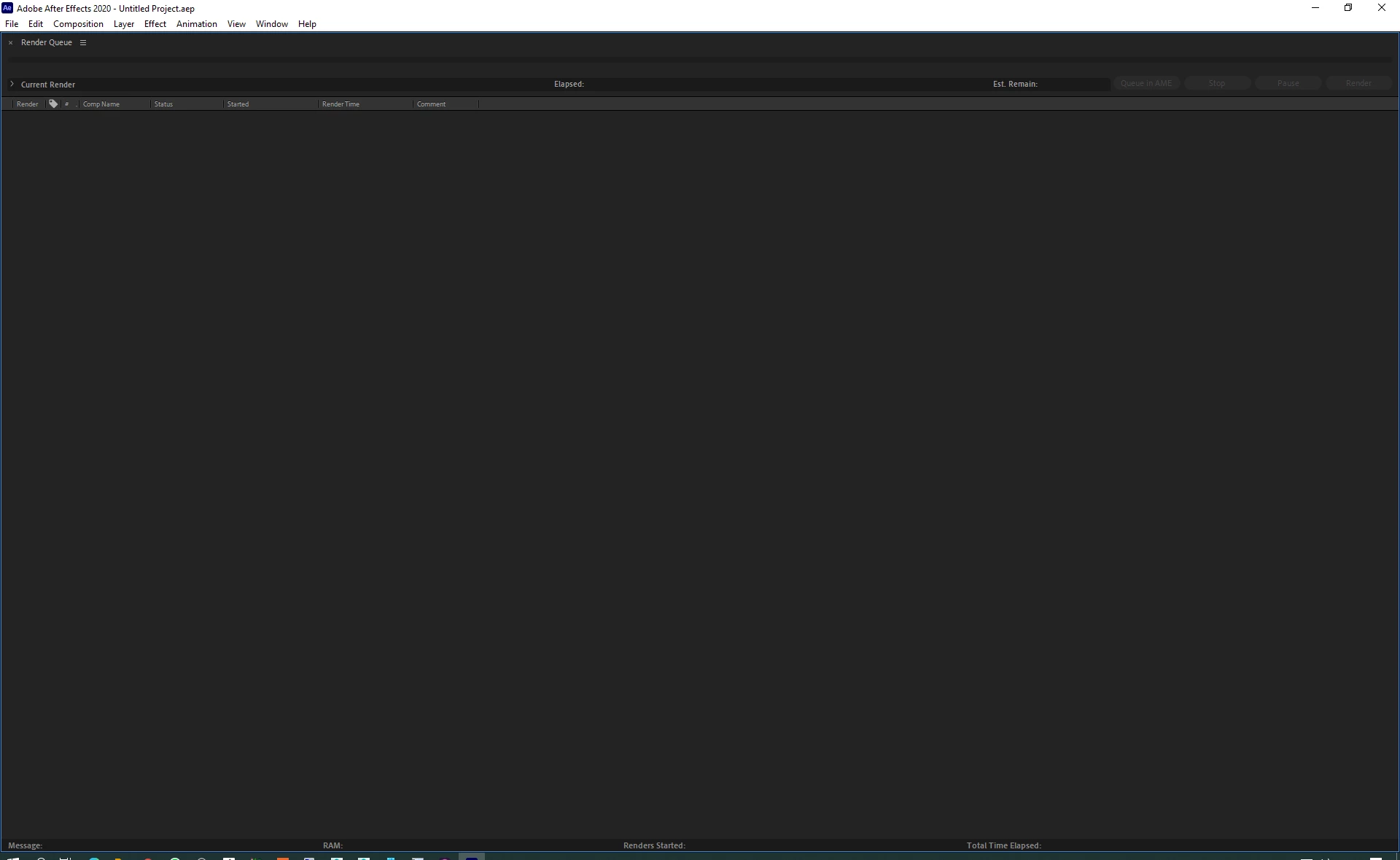
Hi guys, suddenly After Effects starts to open like this (attached video), uninstalling doesn't help, i have wiped every Adobe related file/folder from system.. and nothig, any ideas?

This same happend one day layter on another computer in our company.
This topic has been closed for replies.
Correct answer Martin_Ritter

This is AE render-only version.


Check where your shortcuts are pointing to.


For AE it is:

"C:\Program Files\Adobe\Adobe After Effects 2020\Support Files\AfterFX.exe"


For Render-Only:

"C:\Program Files\Adobe\Adobe After Effects 2020\Support Files\AfterFX.exe" -re


*Martin

1 reply

Martin_Ritter
Martin_RitterCorrect answer
Legend
February 24, 2021

This is AE render-only version.


Check where your shortcuts are pointing to.


For AE it is:

"C:\Program Files\Adobe\Adobe After Effects 2020\Support Files\AfterFX.exe"


For Render-Only:

"C:\Program Files\Adobe\Adobe After Effects 2020\Support Files\AfterFX.exe" -re


*Martin

szimano_pl
Participant
February 24, 2021

Thank you Martin!

that was the case, Dealine created file "ae_render_only_node.txt" in Documens after adding my computer to dedicated pool.