
barborap38987973
Participant
December 6, 2016
Answered

After effects - PLEASE help

  • December 6, 2016
  • 5 replies
  • 915 views

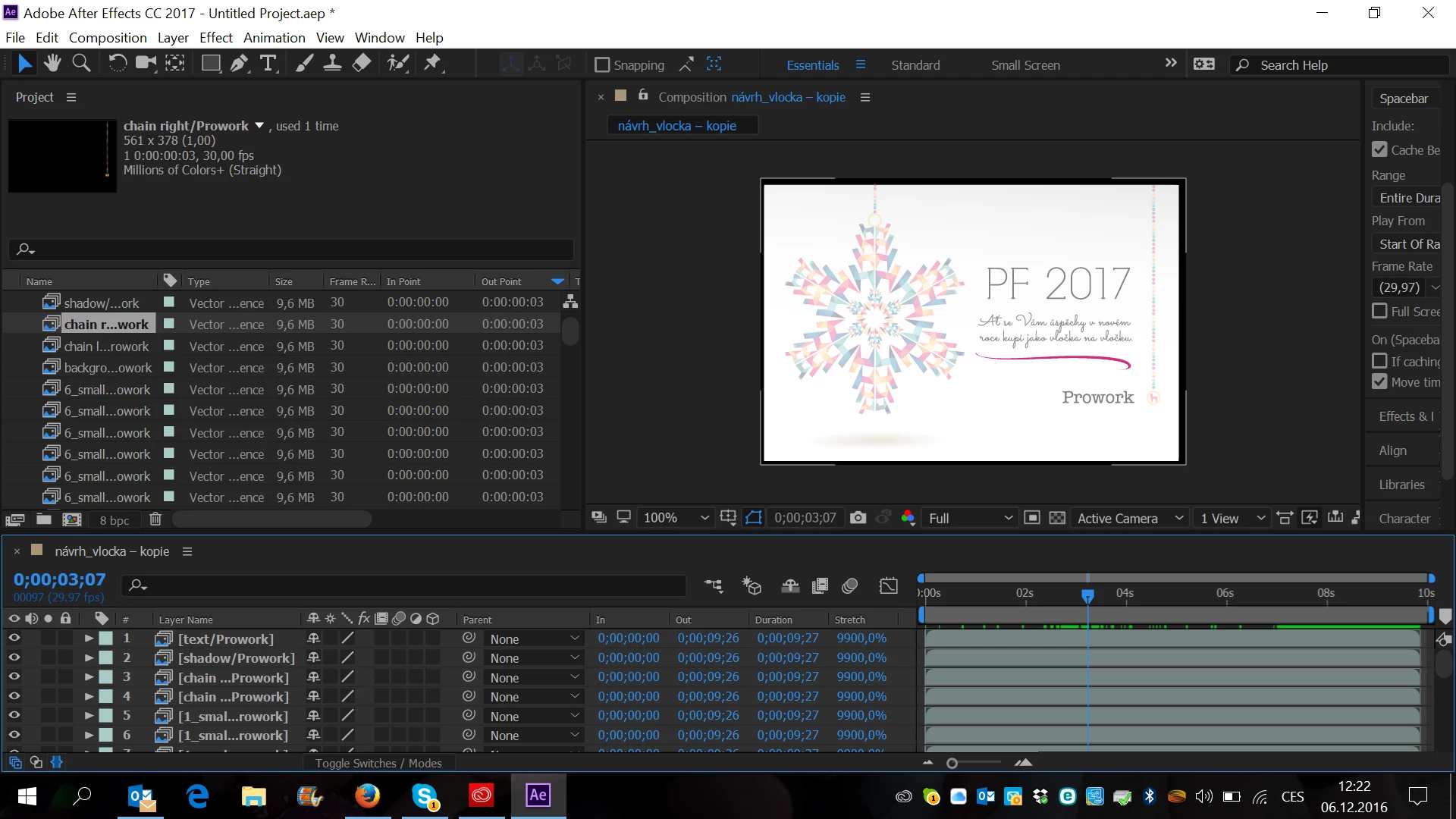
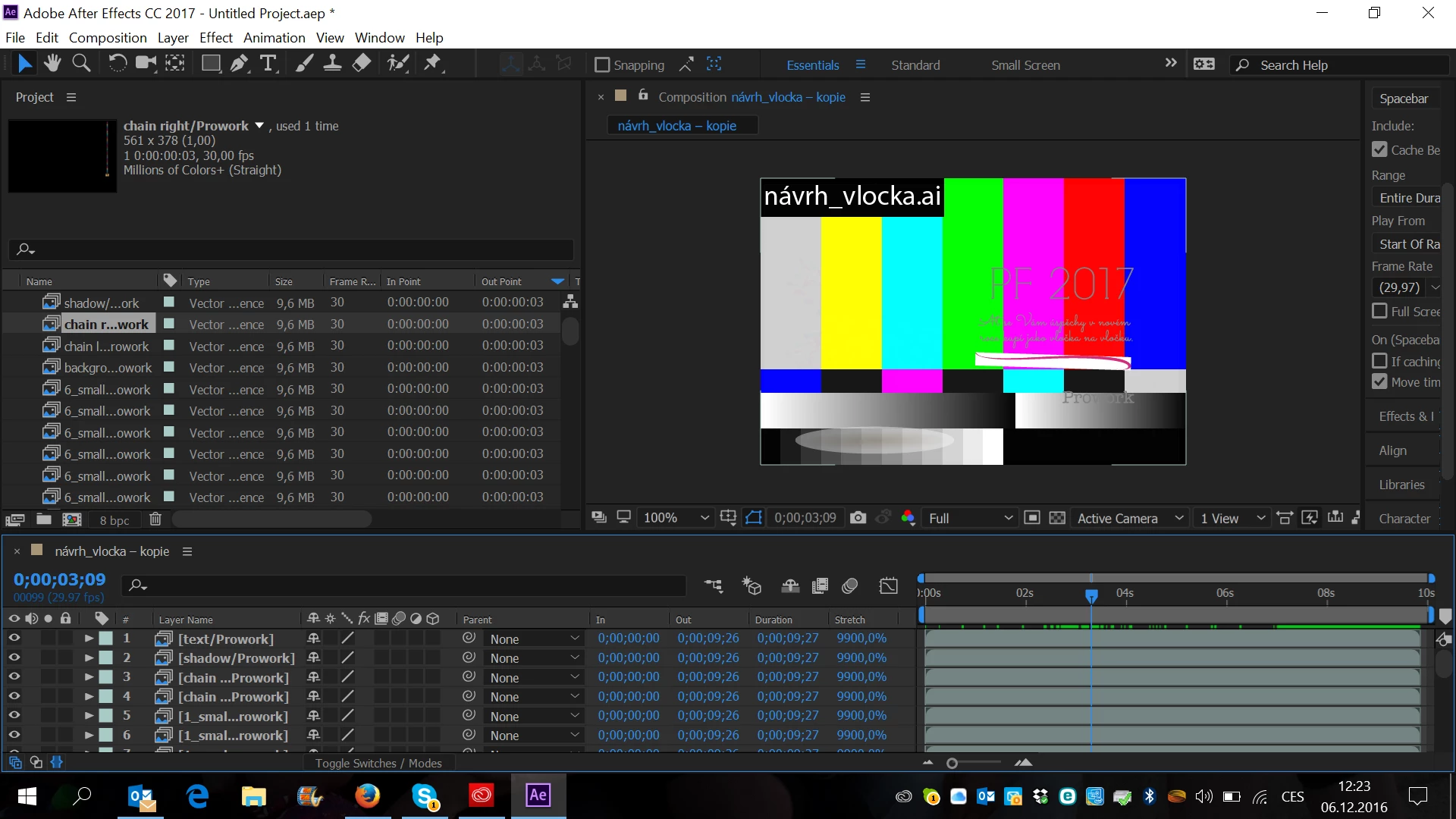
Hello, I am new to After Effects and I am animating a Christmas card for clients that I made in Illustrator. For some reason the first 3:07 seconds everything works fine and then after ´3:08 I get the error screen shown below. Only the layers of the snowflake aren´t appearing and I have no idea why. I have to have this done by tonight so I would be very grateful for any help! THANK YOU
    This topic has been closed for replies.
    Correct answer Snakedogman

    It looks like all your Illustrator elements have been imported as Illustrator sequences. You can tell because the icons look like a bunch of frames stacked on top of each other. This could have something to do with your file or layer names, causing AE to think you wanted to import an image sequence.

    Re-import your footage (right click on item in project panel -> replace footage) and be sure to uncheck "Illustrator/PDF/EPS sequence" in the import dialog.

    5 replies

    barborap38987973
    Participant
    December 6, 2016

    Thank you so much! Unchecking it did the trick!

    Snakedogman
    Inspiring
    December 6, 2016

    haha, you're right! Might prevent RSI too

    Participant
    December 6, 2016

    Oh, THAT screen (I hate that one). After Effects can't find the file, for whatever reason (sometimes, no reason at all). Look for the files in your 'Project' window in After Effects, right click on one of them and choose 'replace file'. That will open a file browser window, which will allow you to navigate back to the original file. You'll probably only need to do it once, and it will be enough to prompt After Effects to find the rest of the files there too. I hope that helps.

    Roei Tzoref
    Legend
    December 6, 2016
    right click on one of them and choose 'replace file'.

    clicking on it twice will do the same thing and could save you a few hours a year.

    Snakedogman
    SnakedogmanCorrect answer
    Inspiring
    December 6, 2016

    It looks like all your Illustrator elements have been imported as Illustrator sequences. You can tell because the icons look like a bunch of frames stacked on top of each other. This could have something to do with your file or layer names, causing AE to think you wanted to import an image sequence.

    Re-import your footage (right click on item in project panel -> replace footage) and be sure to uncheck "Illustrator/PDF/EPS sequence" in the import dialog.

    Community Expert
    December 6, 2016

    Snakedogman is correct. You should have separated all of the elements you wanted to import in illustrator so they are on separate layers then imported Import as a comp and probably retain layer size and then made very sure that import as a sequence was not checked.

    Participant
    December 6, 2016

    Assuming that the file has not been moved, have you already tried to replace/reload the .ai file?

    Looks like after 3:08 the file is missing.

    Do you get any error pop-up before the file appear missing?