
November 23, 2025
Answered

After Effects & Premiere Pro dynamic link issue

  • November 23, 2025
  • 3 replies
  • 289 views

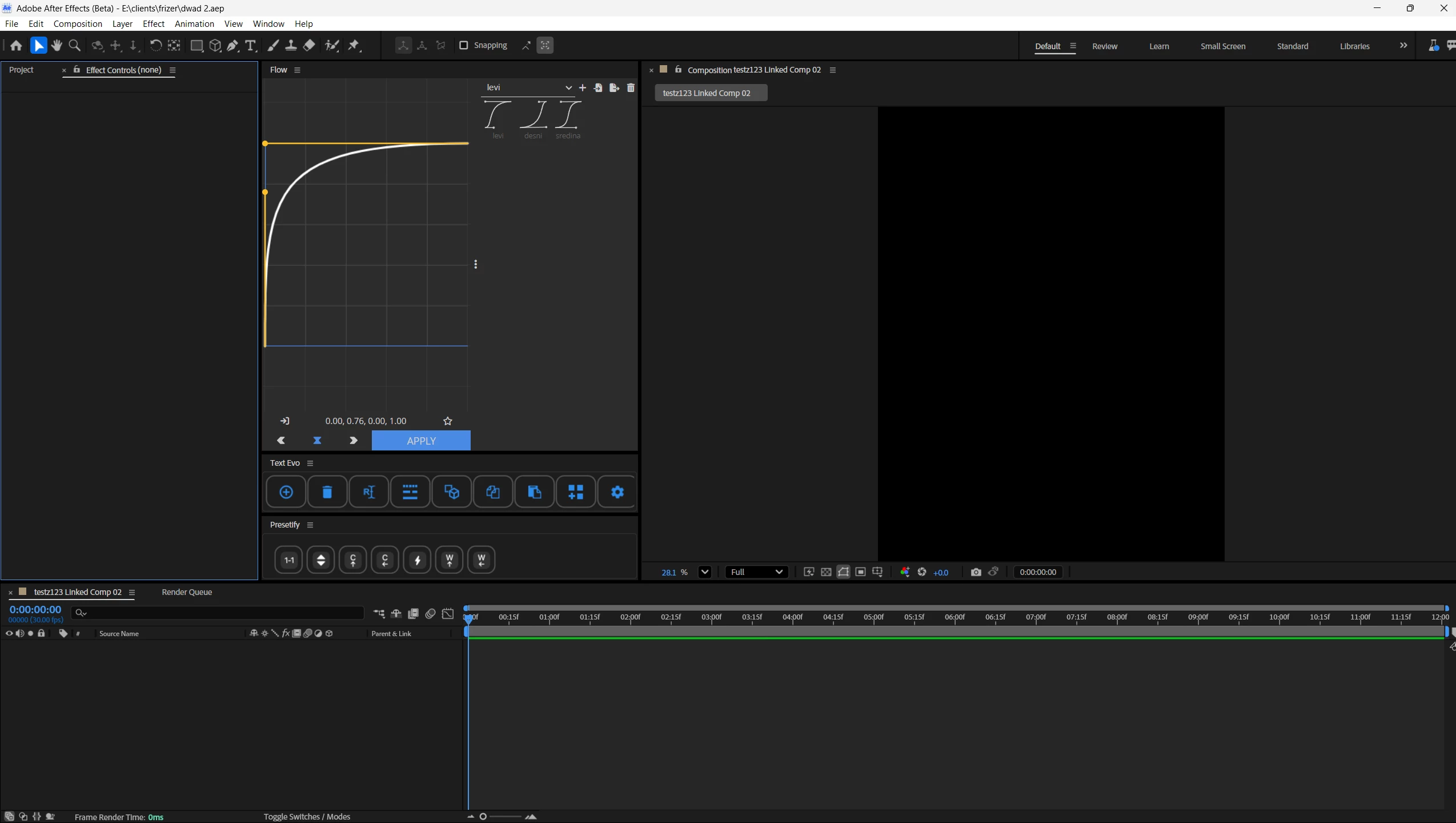
When I replace a clip in my timeline inside of Premiere Pro with an After Effects composition, my Ae opens up to an empty composition.
I'm using the BETA version of both Ae and Pr. Posting this to either find a solution or atleast let the devs know.
 

Correct answer dorocki.s

UPDATE ON THE SITUATION:

Just updated my AE, works fine now. Thanks Rob for your time and the devs for updating Ae

3 replies

dorocki.sAuthorCorrect answer
November 25, 2025

UPDATE ON THE SITUATION:

Just updated my AE, works fine now. Thanks Rob for your time and the devs for updating Ae

nishu_kush
Legend
November 28, 2025

Glad to hear that and thanks for updating the thread. Please feel free to reach out if you have any other questions.

Moving this thread from Bugs to Discussions.


Thanks,
Nishu

dorocki.sAuthor
November 24, 2025

I'm not quite sure what you mean by workflow so I'll try my best. I'm using the latest versions of both Ae and Pr. I'm on windows 11 and NVIDIA Studio drivers.

I noticed that no matter which type of video I'm working with, the dynamic link doesn't work. 

I haven't had this issue last week. I tried doing it in a new blank project, but still nothing. I even reinstalled the whole adobe "system" with the CC cleaner tool ( As well as removing all the files left by it after uninstall). Still didn't fix it. It works fine on the 25 versions of both programs but beta ones don't work properly. Even disabled all the plugins & scripts I've got installed.

Anything else I missed in this message?

Community Expert
November 24, 2025

Could you please describe your workflow a litte more so we can try to figure out what is going on?