Participant
September 8, 2021
Answered

After Effects preview not working

  • September 8, 2021
  • 3 replies
  • 6633 views

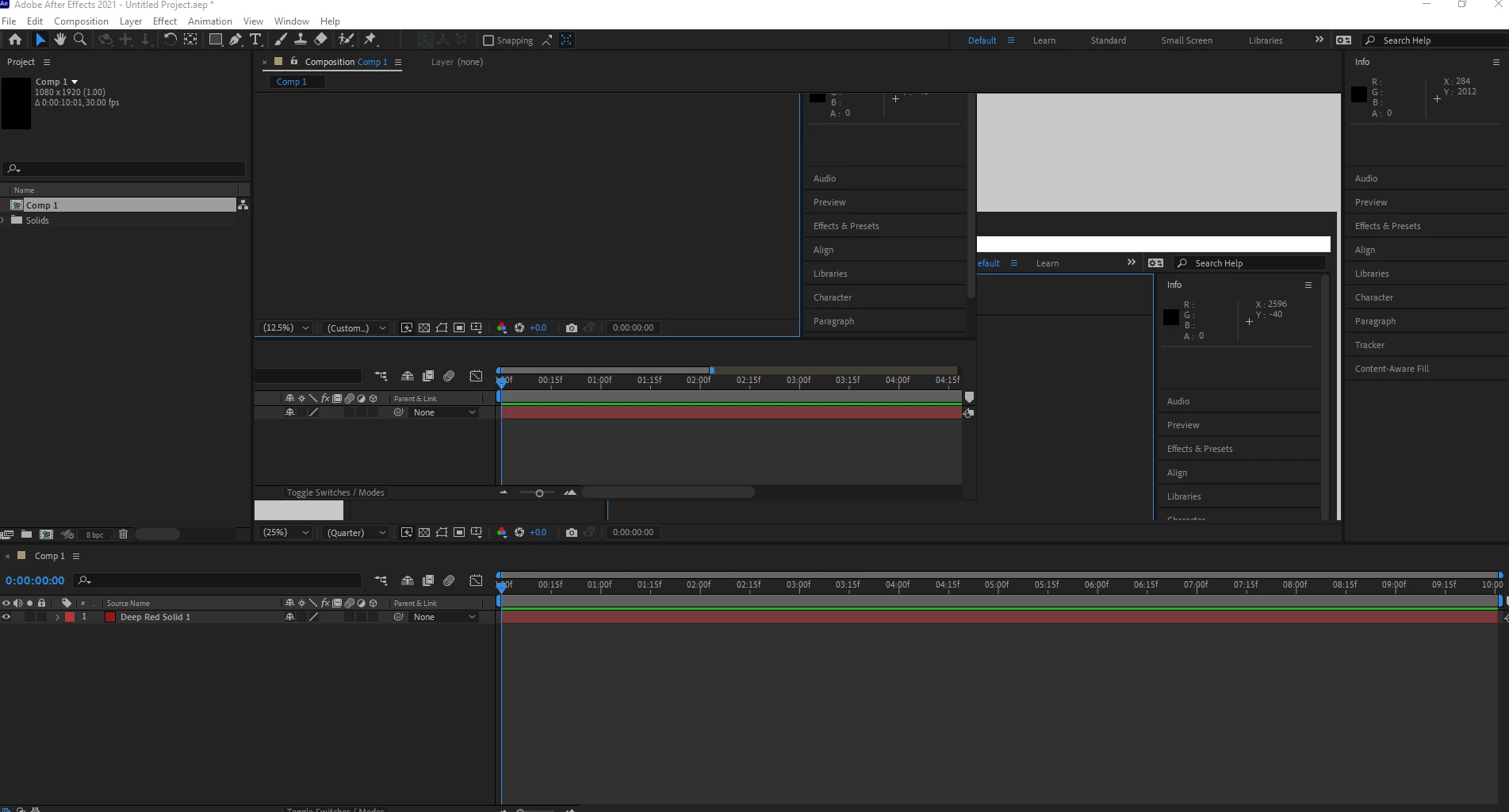
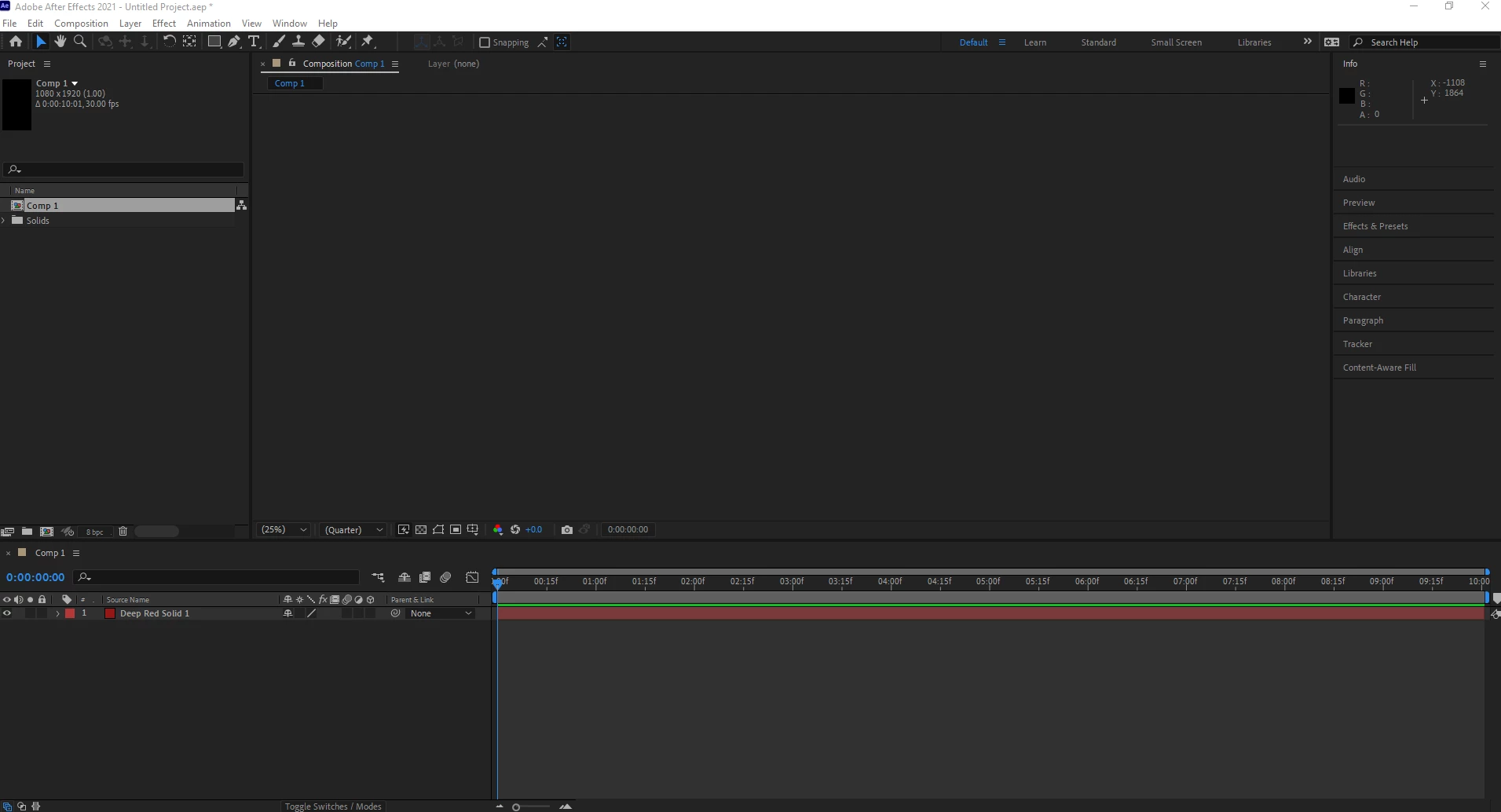
Hello. I've just installed After Effects on a new work computer, and I'm having issues getting the Preview window to play or show anything (see images below - the second one is where I have taken it off full screen then made it full screen again). The preview doen't show when not playing, and doesn't play at all.


If I have music and play, I can hear the music play but the timeline won't keep moving along.


I've tried all the usual stuff (purge cache, uninstall/reinstall, change system setting to be adjust for best appearance, etc.) but nothing has worked.

The audio only has one driver (MME) and doesn't give me the ASIO or any other option.


I can export and render without any issues, and when the cursor is over the preview area, the preview tab tells me the info about what is there (where the cursor is).


Also, After Effects always freezes on exit, and I have to force quit it (I presume this is related some how?).


Thanks


Correct answer defaultgbu6cntktvyi

Thanks Mylenium. Reinstalling the drivers did the trick and it's working now. Thanks

3 replies

Known Participant
December 10, 2021

I am having the same issues. Tried everything I found on this and several other threads. Is there any fix to this, rather huge, issue? 

Participant
January 25, 2023

Hello, I am on Win10 and happened upon a cheap workaround: while resizing the AE window (slowly to the left, then right) the image appears.  I had tried everything mentioned on Adobe forums except for updating drivers, so I suppose that is my next step. But with the workaround, was able to edit and view a cherished composition.

nishu_kush
Community Manager
Community Manager
September 8, 2021

Hi defaultgbu6cntktvyi,


Welcome to the community. Please share the following details so that we can troubleshoot the issue properly:

Also, have you tried resetting the preferences already? Here's how: https://community.adobe.com/t5/after-effects-discussions/faq-how-to-reset-trash-preferences-in-after-effects/td-p/10634342

Let us know, we're here to help.


Thanks,

Nishu

Participant
September 8, 2021

Thanks Nishu. Because it's a work computer I asked our IT team to take a look and they reinstalled the drivers and now it works fine. Thanks

nishu_kush
Community Manager
Community Manager
September 9, 2021

Thanks for udpating the thread.

Feel free to reach out if there are any other questions.


Thanks,

Nishu

Mylenium
Legend
September 8, 2021

The same old boring answer: You need to spend some time straightening out your system's drivers and their configuration as well as the relevant hardware acceleration settings in AE. Even if the system is new, it may alreeady have outdated OEM drivers or at least versions that may not be compatible with the latest version of AE. I know it's annoying, but there simply is no magic "Make this work!" button and since you haven't offered any actual system information we can't be more specific than that.


Mylenium

defaultgbu6cntktvyiAuthorCorrect answer
Participant
September 8, 2021

Thanks Mylenium. Reinstalling the drivers did the trick and it's working now. Thanks