Participant
February 5, 2018
Answered

after effects project wont render as h.264 please help

  • February 5, 2018
  • 1 reply
  • 2433 views

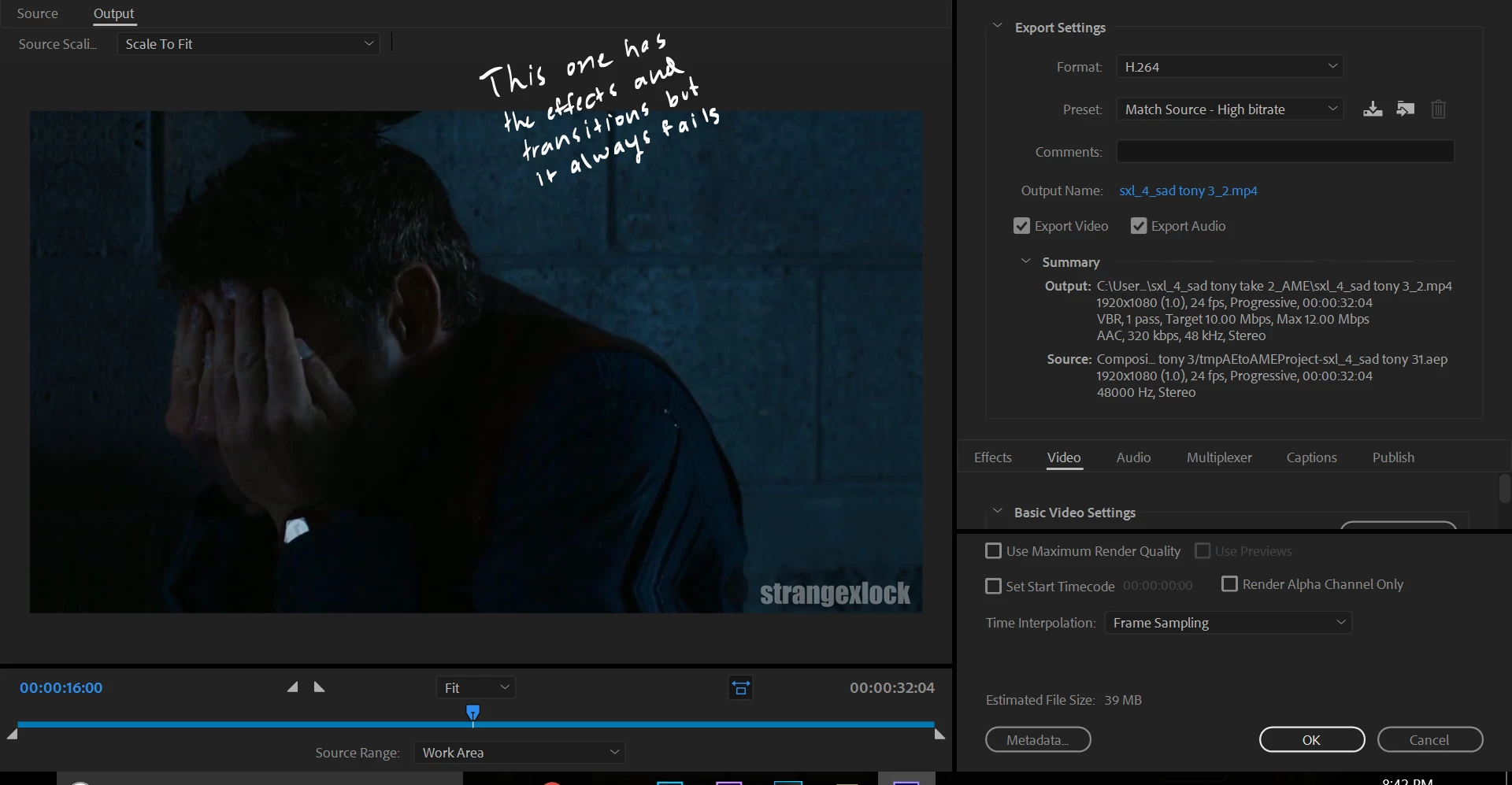
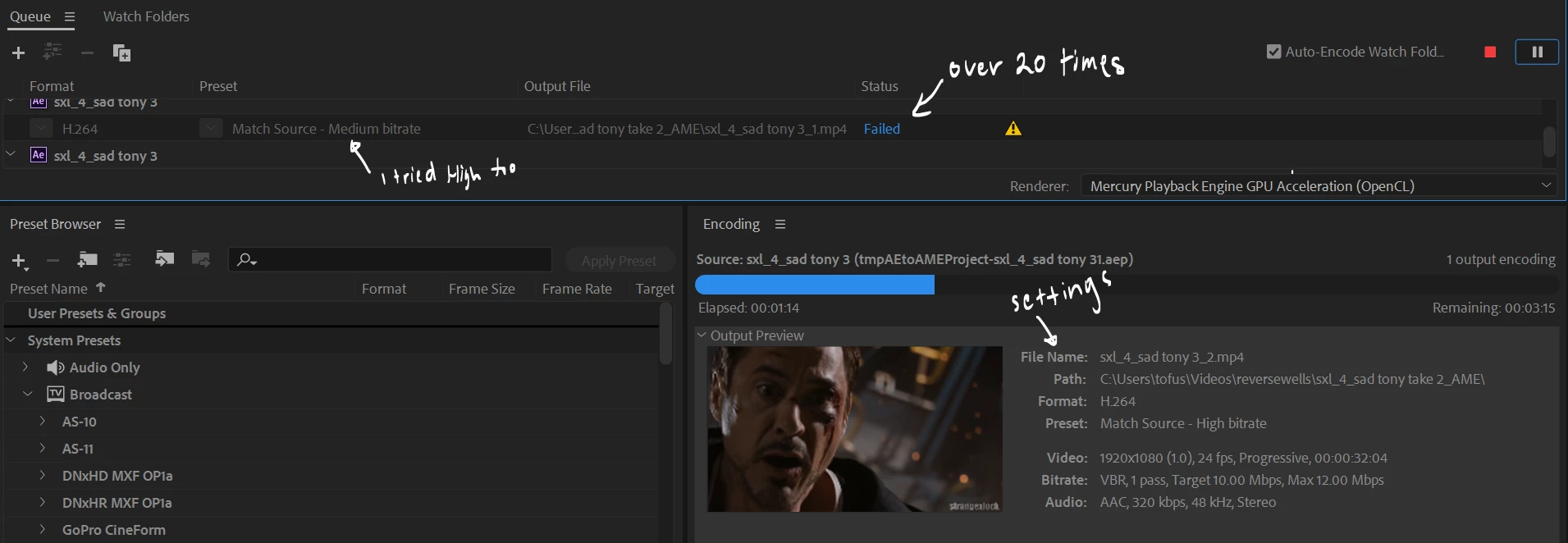
I'm new to editing and very new to after effects. I've been trying for at least 5 hours to render my 30 second video edit. I tried using adobe media encoder to render as a h.264 but over the course of over 20 tries, all of them say:

Export Error

Error compiling movie.

Render Error

Render returned error.

Writing with exporter: H.264

Writing to file: \\?\C:\Users\tofus\Videos\sxl_4_sad tony_ae.mp4

Writing file type: H264

Around timecode: 00:00:32:03

Rendering at offset: 32.125 seconds

Component: H.264 of type Exporter

Selector: 9

Error code: -1609629695

Then I tried to use AE render queue to render as a .mov but it only rendered the audio. Then I tried to render as an .avi but it did not render my effects, transitions nor overlay. I've tried almost everything, even changing output location. Can anyone please help me? Thank you! I've looked everywhere on the internet and I can't find a solution. I worked really hard on this edit and I don't want to see it go to waste.

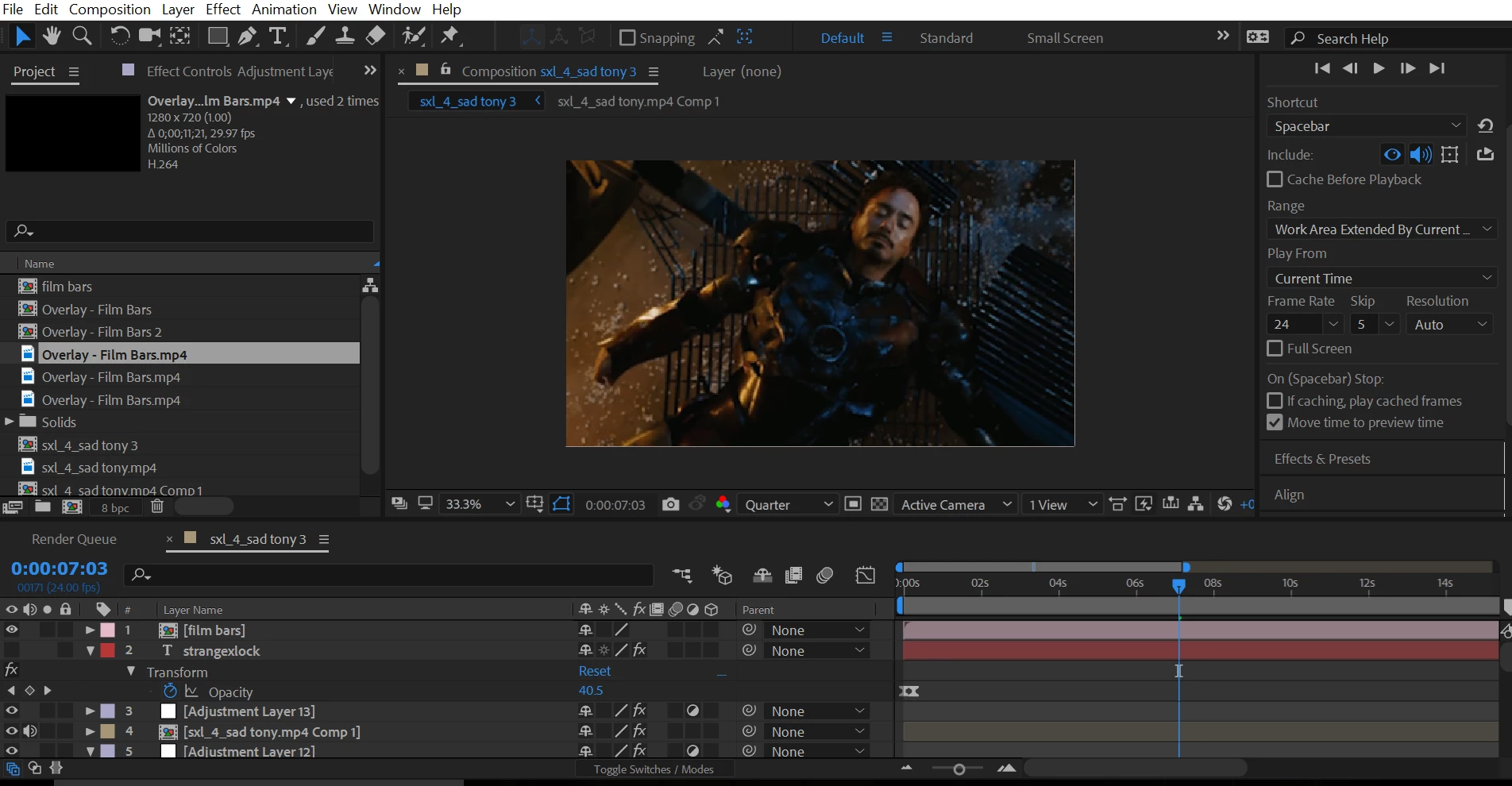
Here are some screenshots:
This topic has been closed for replies.
Correct answer Rick Gerard

If you are constantly having a render fail on a certain frame then the problem is most likely with that section of the composition. Go to that frame and select all layers, press the U key twice and look for all modified properties. If nothing unusual pops out then the problem may lie in your original footage.

I see that you are using MP4's as source footage. It looks like it is pirated taken from feature films or trailers (be careful about copyright if you intend showing this all over the place).  MP4's are notorious for glitches and decoding problems when you use them as source footage in a project. You should never intentionally render footage that is to be used in a production using a highly compressed interframe (GOP) codec format like MP4. You can't help but add compression artifacts and loose quality when rendering your final product.

If you can't figure out what is going on at the point in the comp where the render fails then post a screenshot with the modified properties of all layers involved revealed. If you still can't fix it try splitting the comp and rendering a production format digital intermediate of both sections, then combine those renders into a final movie.

BTW, it also looks like you are using AE to edit a movie. It was never designed to do that. AE is for making shots that you can't make any other way. Premiere Pro is for editing those shots into a movie. Short sequences that cannot be created any other way are OK but most AE comps for most people that make a living doing visual effects and motion graphics are only a few seconds long. Most of my work is in dramatic films and most of my comps are one shot under seven seconds. I did a comp today that was only 16 frames long. I had to fix nine frames, it took 8 layers, motion tracking, blend modes, and about 3 hours and it was part of a nearly 12 second shot in a Premiere Pro sequence that would not work without those 16 frames being processed in AE.

1 reply

Rick GerardCommunity ExpertCorrect answer
Community Expert
February 5, 2018

If you are constantly having a render fail on a certain frame then the problem is most likely with that section of the composition. Go to that frame and select all layers, press the U key twice and look for all modified properties. If nothing unusual pops out then the problem may lie in your original footage.

I see that you are using MP4's as source footage. It looks like it is pirated taken from feature films or trailers (be careful about copyright if you intend showing this all over the place).  MP4's are notorious for glitches and decoding problems when you use them as source footage in a project. You should never intentionally render footage that is to be used in a production using a highly compressed interframe (GOP) codec format like MP4. You can't help but add compression artifacts and loose quality when rendering your final product.

If you can't figure out what is going on at the point in the comp where the render fails then post a screenshot with the modified properties of all layers involved revealed. If you still can't fix it try splitting the comp and rendering a production format digital intermediate of both sections, then combine those renders into a final movie.

BTW, it also looks like you are using AE to edit a movie. It was never designed to do that. AE is for making shots that you can't make any other way. Premiere Pro is for editing those shots into a movie. Short sequences that cannot be created any other way are OK but most AE comps for most people that make a living doing visual effects and motion graphics are only a few seconds long. Most of my work is in dramatic films and most of my comps are one shot under seven seconds. I did a comp today that was only 16 frames long. I had to fix nine frames, it took 8 layers, motion tracking, blend modes, and about 3 hours and it was part of a nearly 12 second shot in a Premiere Pro sequence that would not work without those 16 frames being processed in AE.