Participating Frequently
December 21, 2016
Question

After Effects Script UI Panel problem - 4k screen - please help!

  • December 21, 2016
  • 6 replies
  • 4282 views

hi all - have a really frustrating problem with 3rd party script ui panels in adobe after effects.

I have bought  a dell xps15 laptop last month and this is my only complaint.  I'm an animator and frequently use 3rd party scripts (Duik, rubberhose, motion2, rift etc) these are absolutely essential to my workflow with character animation, with no sensible alternative to duik out there, paid or otherwise.  All the scripts seem to work fine except for drop down menus.  on ONLY 3rd party scripts, the ui dropdowns are cut short and clipped somehow, making items unselectable as your cursor cant reach them (see screengrabs)
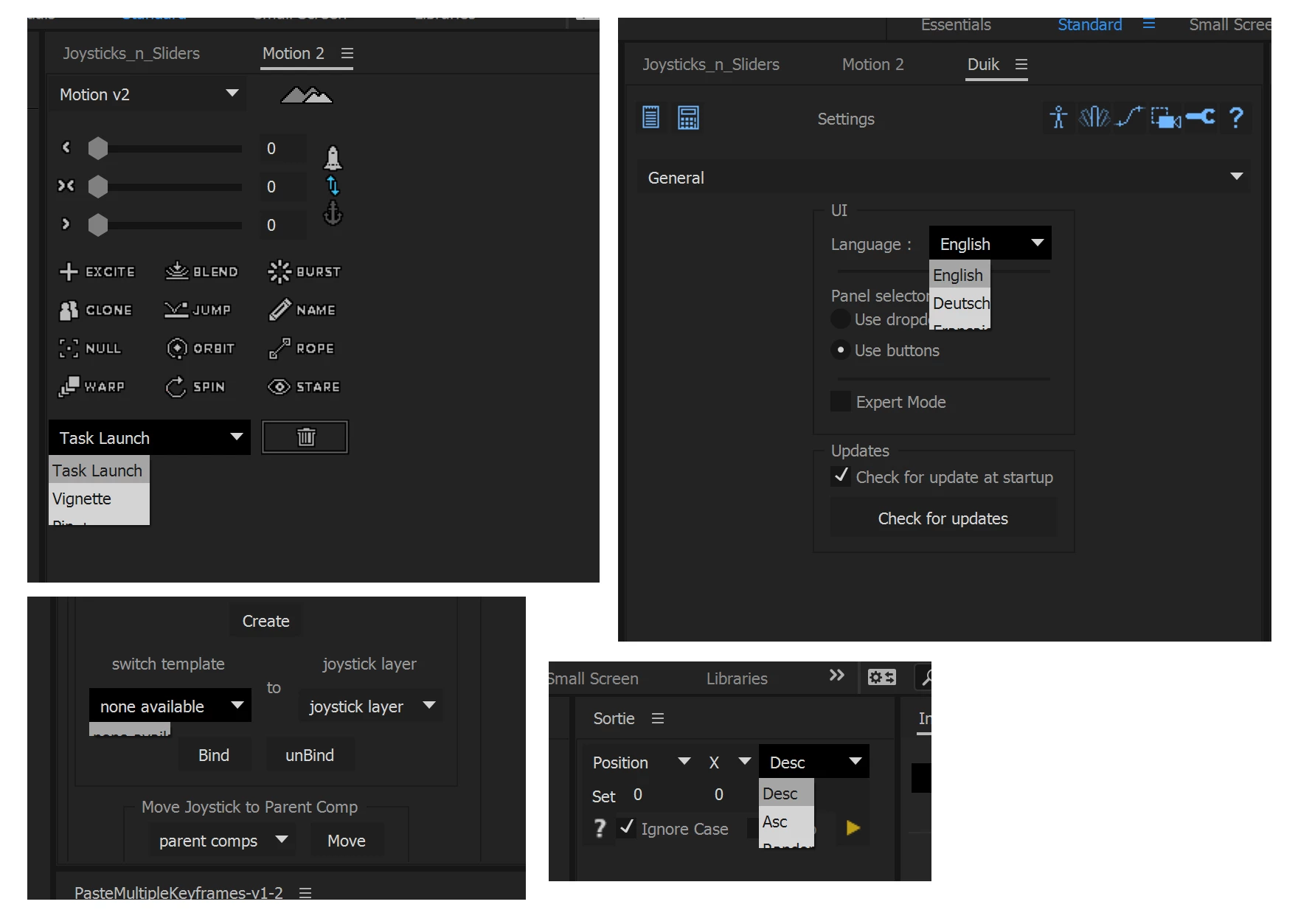
I've noticed that this dropdown problem only happens with docked scripts, and normal native after effects dropdowns are unaffected (see screenshot)
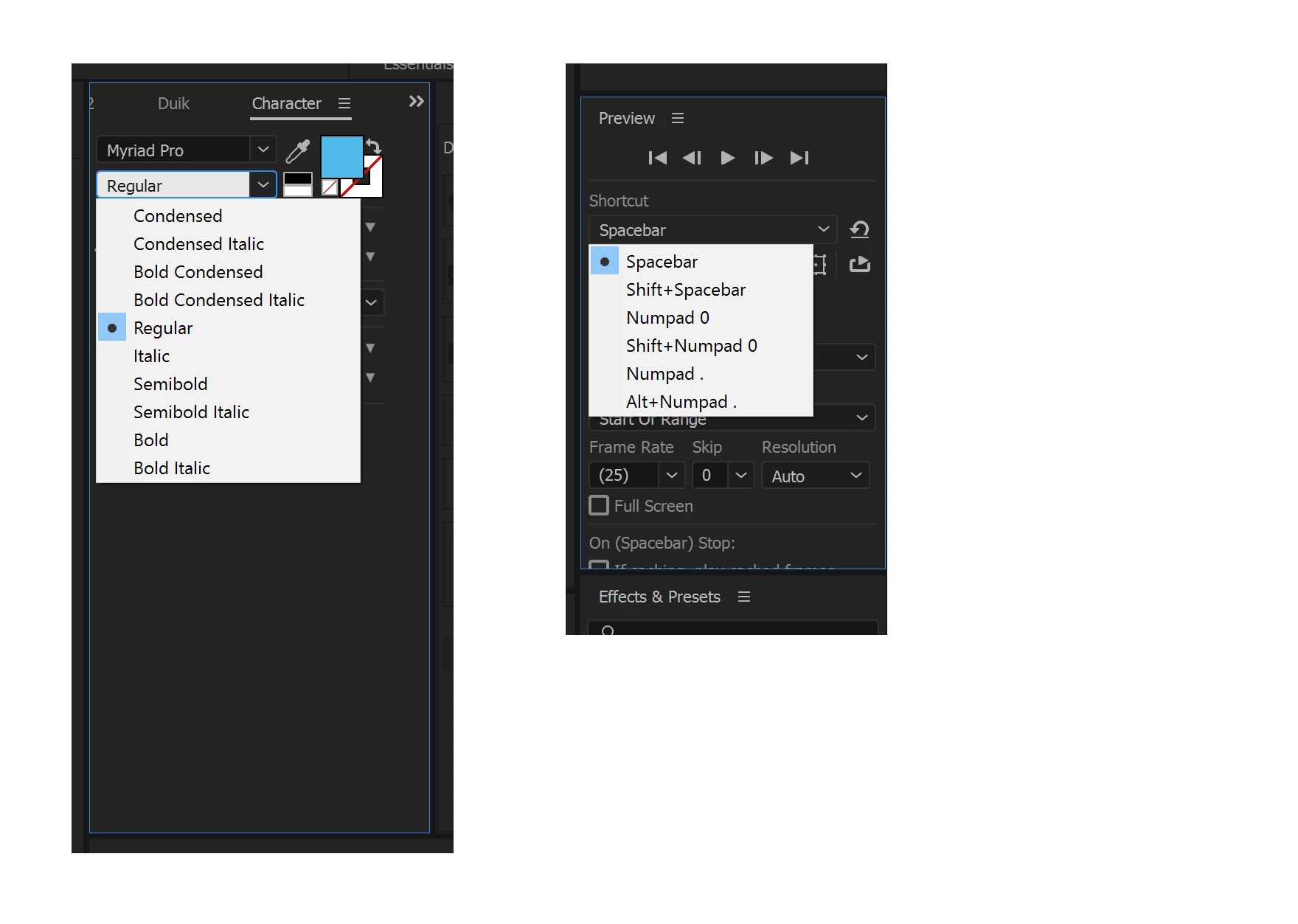
I really need to know if this is something i can fix, as this makes my laptop unusable for a vast amount of my work which is obviously pretty ridiculous.

not sure if this is a windows 10 or an adobe problem or both - any ideas?

THINGS IVE TRIED WITH NO SUCCESS:

- switching on/off gpu acceleration

- testing ui panels docked and undocked

- reinstalling scripts

- changing font/window size in windows 10

- adding/decreasing amount of assigned memory to ae

- testing scripts on AE 2014, 2015.3 and 2017

- shouting

- swearing

- crying

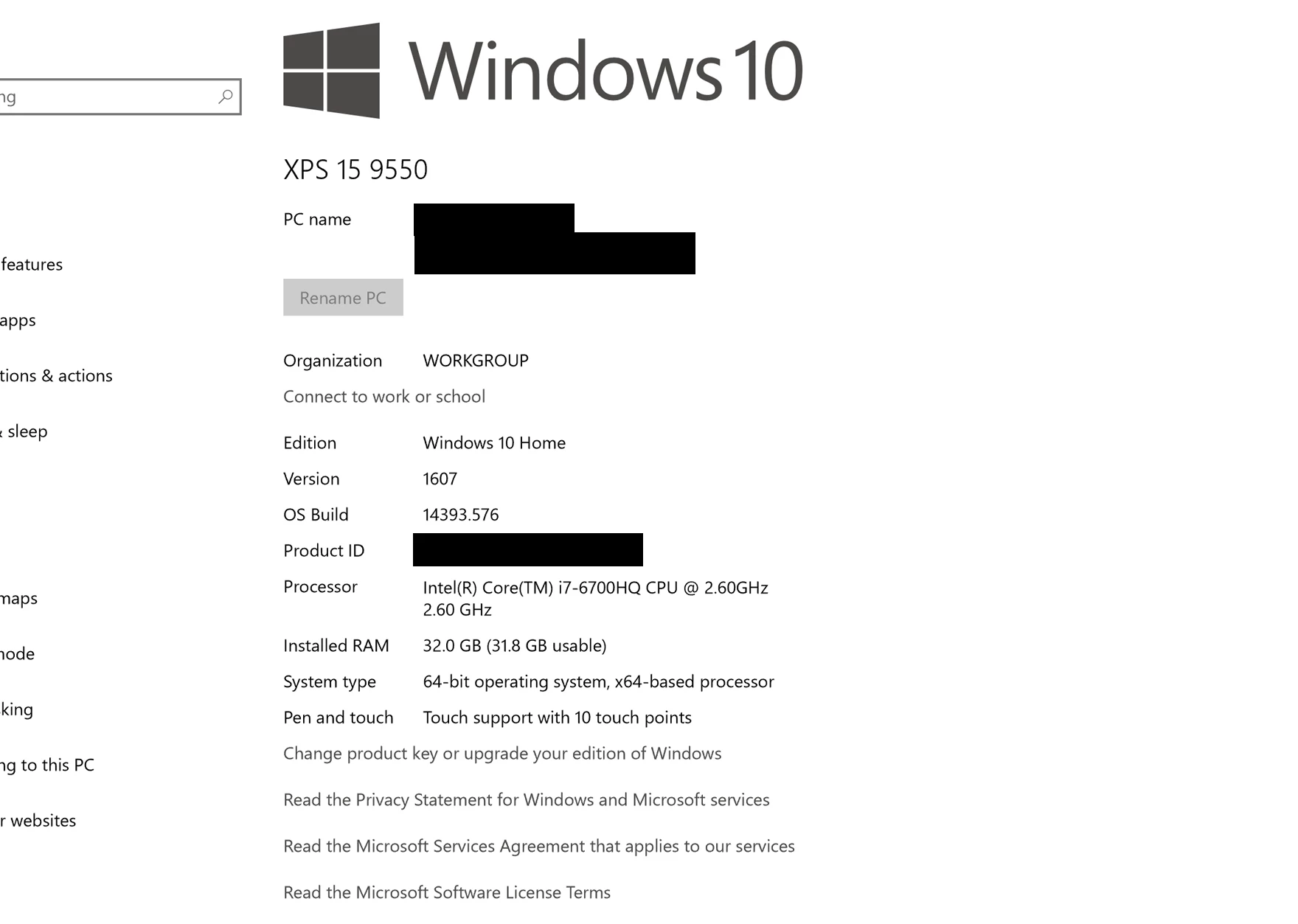
I've put my system specs in the screenshot below and can supply any other info needed - even better, if you own a dell xps15 with the 4k screen, PLEASE SEE IF YOU CAN REPLICATE THIS PROBLEM - would be amazing to know if this is just my system or is being replicated!

thanks in advance guys!!!

This topic has been closed for replies.

6 replies

Participating Frequently
May 19, 2017

In my case a workaround is to move the window which contains the dropdown as high as possible. When a big dropdown is longer than the AE window this clipping issue occurs. Bugreport was send.

ae-win10-bug.png

Szalam
Community Expert
Community Expert
May 19, 2017

What version of AE are you using? I'm pretty sure this was fixed in last month's update.

Jugglenaut
Participant
May 19, 2017

This issue looks to have been rectified. I am no longer experiencing these problems on my tablet. Thanks.

Horshack
Legend
April 12, 2017

You should be able to scroll through the clipped options of those drop-down menus by clicking on it with the mouse then using the up/down arrow keys on the keyboard.

Participating Frequently
April 12, 2017

I was going to post a new discussion for this but I found this from January. Has there been any updates on this? it's been 3 months and I am running the most recent version of AE. I've submitted bug reports twice with a couple of months between them, it's very weird this hasn't been addressed yet.

jeromek64762347
Participating Frequently
April 10, 2017

We are also experiencing this issue on a script that has been working without problems for 2 years now. We've been updating the script to solve minor bugs that arise with new versions of AE, but we haven't found a good fix for this issue on our end. Please fix this Adobe!

Szalam
Community Expert
Community Expert
April 12, 2017

Reminder: if you are experiencing this issue, posting on the forum is fine - commiseration can be cathartic, but you should really file a bug report too. Those are what gets tracked according to Adobe.

Jugglenaut
Participant
February 28, 2017

bevlak,

As a workaround, I find that you can click on the drop down menu and then press the first letter of the function you are trying to call. For example the Sort function in Motion 2 can be selected by clicking on the menu drop down and pressing the S button. This appears to be the case for Duik as well. A pain in the a$$ to be sure but a working temporary solution nonetheless. Hope this helps.

Regards,

Robert

Kevin J. Monahan Jr.
Community Manager
Community Manager
January 31, 2017

Hi bevlak,

Sorry for this frustrating behavior. We really should fix this issue and I will provide feedback to the product team on your behalf. Others have chimed in with similar issues. Please file a bug report to add your voice to the issue. That way, I hope it will be fixed that much sooner. Every report is like a vote. The more votes, the more likely we see a fix sooner.

Thanks,
Kevin

Kevin Monahan - Sr. Community and Engagement Strategist – Adobe Pro Video and Audio
Jugglenaut
Participant
February 14, 2017

Greetings,

I'm experiencing the very same thing on my Wacom Mobile Studio Pro 13. Thank god this issue doesn't exist on my desktop otherwise production would come to a screeching halt. Unsatisfactory. This needs to be attended to immediately. You can most certainly bet that I'll be filling out a bug report.

Respectfully,

Robert