


After Effects - Selecting layer as the comp size and not just the object
Hi Guys,
I am new to After Effects and still learning on a course.
The problem I have with the file I am working on is as follows:
I can select objects but via the layers panel in the timeline. I cannot select an object/graphic from the composition window because when I do so, it is selecting the top layer from the layers panel in the timeline.
When I select an object via the layers panel, the resizing handles appear but around the whole composition size. It no longer appears directly around the object.
Sizing handles around the entire comp makes it extremely difficult to find the center point of the object I want to animate. As an example I have attached a screenshot which will show you the object I am trying to animate and where the resizing boxes are (off the comp stage). Is there a way I can correct this or am I in trouble here with no solution?
Any help is much appreciated!
Thanks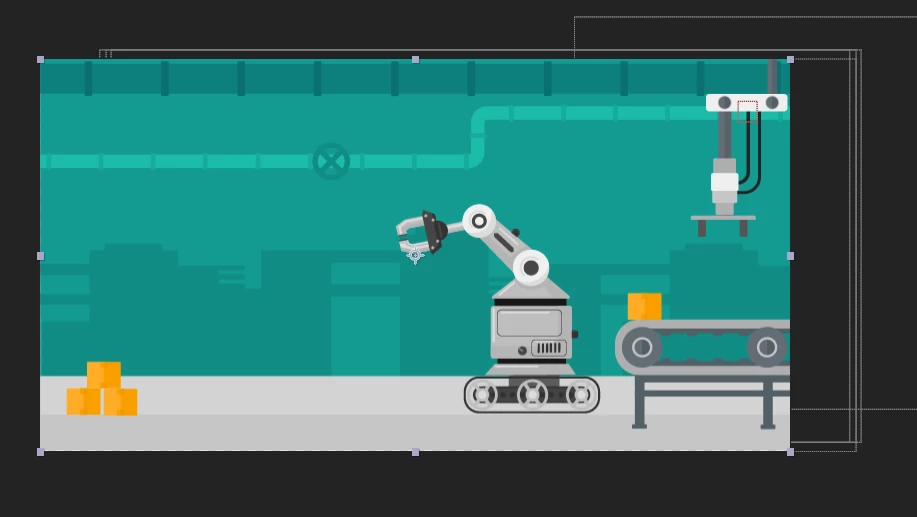
 AdChoices