


Participant
Sep 16, 2018 3:34 PM UTC
Question

After Effects Stop Responding on File Importing.

After Effects Stop Responding on File Importing.  I am on the latest updated version.

Whenever I drag and drop a file into after effects it freezes however if I go right click>import>file and import the same file that way it import the file instantly.

Just drag and drop freezes. How can I correct this issue.
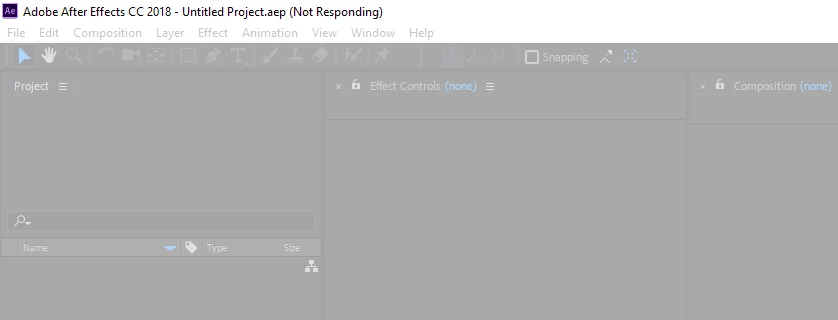
This happens on any type of file, even images, jpg, png, doesnt matter if I drag and drop it after effects freezes.

System

CPU - thread ripper 1950x

Ram - 32gb @ 3333mhz

Drive - 2 nvme samsung 960 pro

OS - windows 10 1804

    This topic is closed to new replies. Start a new post to keep the conversation going.

    21 replies

    Gilarino2
    Participating Frequently
    Sep 25, 2024 11:22 PM UTC

    Happening still.  I can't use this program without the ability to import.  WTH?


    Translate
    Participant
    Nov 25, 2022 9:24 AM UTC

    Hi, for everyone struggling with the .psd import, here is a workaround:

    Import the .psd as footage. Then put it in new composition, then right click on the file in the compo:
    Create - Convert to Layered Comp


    Works like a charm, I hope this helps:) 

    Translate
    Participant
    Oct 13, 2023 9:01 AM UTC

    I found. This problem appears when there are a lot of layers in psd. I merged some layers and it is ok now. Try this

    Translate
    ToolfarmJP
    Community Expert
    Community Expert
    Jul 24, 2022 1:44 AM UTC

    When you double click the image file, what application is launched? If one of Adobe products is not launched, you change the property of the file to make sure Photoshop or other Adobe products are used to open the file.


    Translate
    Participating Frequently
    Jul 7, 2022 2:34 PM UTC

    The only way around this that works for me is to open the file in bridge and place it in AE, save project re-open.

    Translate
    Participating Frequently
    Jul 7, 2022 2:14 PM UTC

    I cannot import or drop the pds file, it still freeze, I am so frustrated with AE, please fix it!

    Translate
    Community Expert
    Sep 16, 2018 5:32 PM UTC

    Reboot, re-launch and try again. If you still have problems make sure your version of AE is up to date. If it is, uninstall and re-install AE using the Creative Cloud app. Your AMD CPU may be a problem. I've seen several posts by folks with AMD processors and After Effects. This is just one of them: AE on Ryzen 1700 not performing/rendering even close to expected ...

    Let us know if you have any success.

    Translate
    Participant
    Sep 16, 2018 10:56 PM UTC

    Thanks for your suggestion, I tried everything you suggest but this issue still rises. as far as amd is concerned I have no other issue with after effects at all so idk hope it isnt a amd problem, the issue is not a deal breaker since I can always go the right click>import mode and that works flawlessly just the drag and drop is just so much more convenient for my workflow.

    I will be doing a fresh install here in a few days, so hopefully that clears up the issues.

    Translate
    Participant
    Sep 18, 2018 9:47 PM UTC

    does anyone have any help? I uploaded the task manage view of what is crashing etc.

    Translate