


Cameraman84
Known Participant
February 5, 2017
Answered

After effects Sum Numbers & expressions

  • February 5, 2017
  • 1 reply
  • 4519 views

Goodmorning guys and to all forum!

I would like to ask a question...I would like to build a project which I will change two numbers and all of the following take place automatically! Explain...

Part 1:

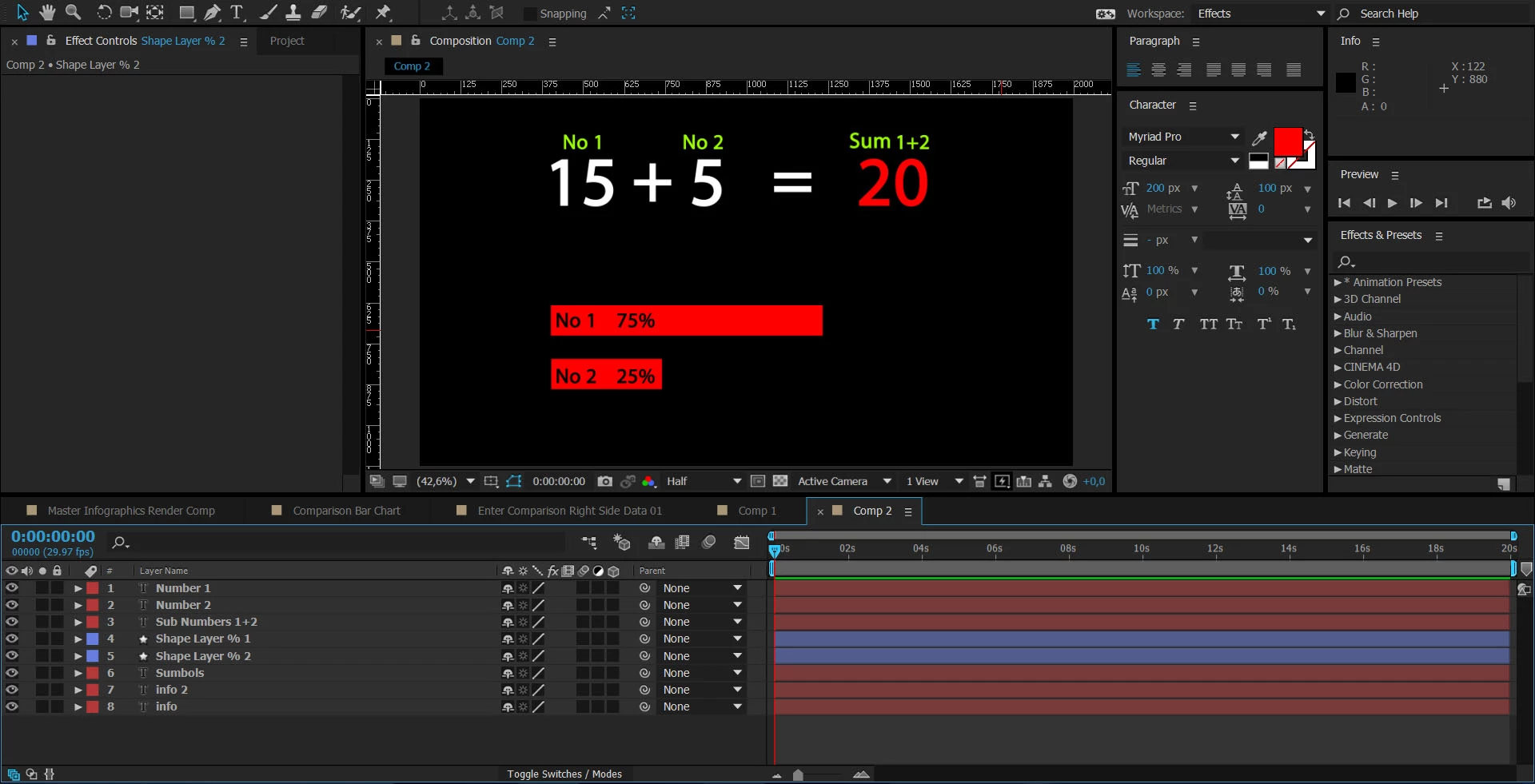
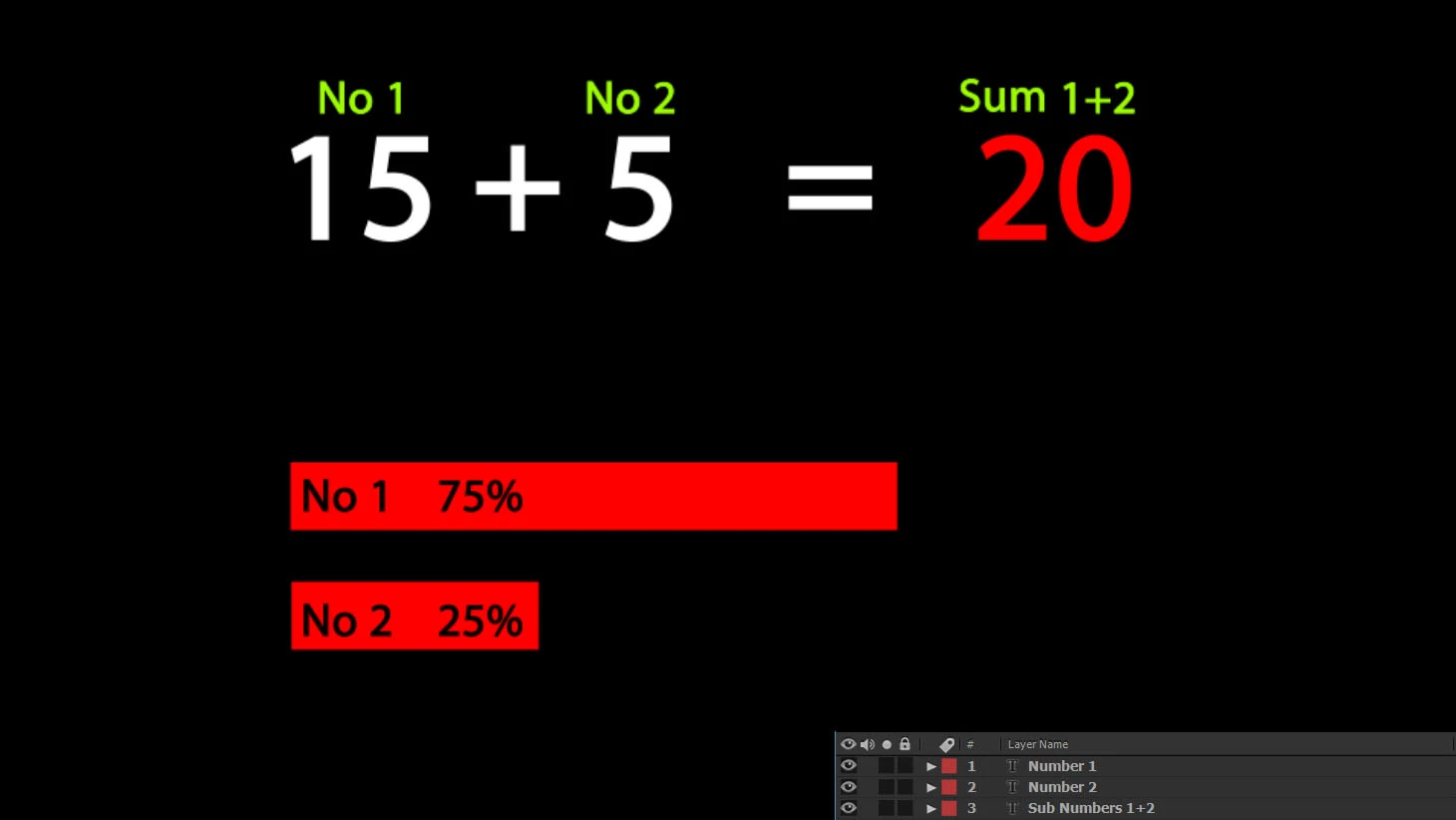
I have to layers, Number 1 and Number 2. Suppose I put to the No1 the value 15 and to the No2 the value 5. Automatically i want to a new layer sum this numbers (20) like the photo.
Part 2:

Next, I would like to built a chart below take the prices automatically according to the numbers that I gave. Explain...

From the above sum, i want the layer with the value 20 understands automatically that is the 100%. So to the chart the shapes changes automatically and understands that for the No1 with the value 15 is the 75% (15*100/20) and for the No2 with the value 5 is the 25% (5*100/20).

Probably i need for the value of the mumbers a Solid with Numbers effect and not a text? And if someone knows the expressions...

Sorry for my english, is not very well

Thank you all - Σας ευχαριστώ όλους (in Greek)

friendly John K.

Correct answer Mylenium

In your code the reference merely points to the layer name. A correct notation would be

thisComp.layer("A").text.sourceText

Mylenium

1 reply

Mylenium
Legend
February 5, 2017

No requirement for any Numbers effect. Native text layers can happily accept all kinds of expressions in their source Text property and in case of an addition, it works just like in the real world: a+b=c. Conversely, converting to percentages would be merely another division and multiplication, though yopu would wire it through a linear() interpolator. Therefore you get:

a=15;

b=5;

c=a+b;

percent_a=linear(a,0,c,0,100);

percent_a=linear(b,0,c,0,100);

The same formulas could then be applied to the scale of a rectangle or a linear wipe effect to control the length of your bars. You really don't need much more than this trivial stuff. Of course you may want to link the inputs to sliders or the actual input text layers for easy changes.

Mylenium

Dave_LaRonde
Inspiring
February 5, 2017

...however, I reecommend that you avoid LARGE numbers.  You would soon run out of room on the screen.