



Piotr5C95
Inspiring
October 9, 2023
Answered

After Effects - Synch problem - window, too big for screen

  • October 9, 2023
  • 2 replies
  • 361 views

Hello,
I've been encountering a persistent problem with Adobe After Effects on my Mac, and I'm hoping you can assist me in resolving it.
I think it is rellyed to my synch. from windows but i dont know how to fix that.

(macOS Monterey, screen: 15,4'' 2800x1800, at windowsa I'm working at lower resolution 1980x1080)
When I'm opening After Effect on Mac window is super big:
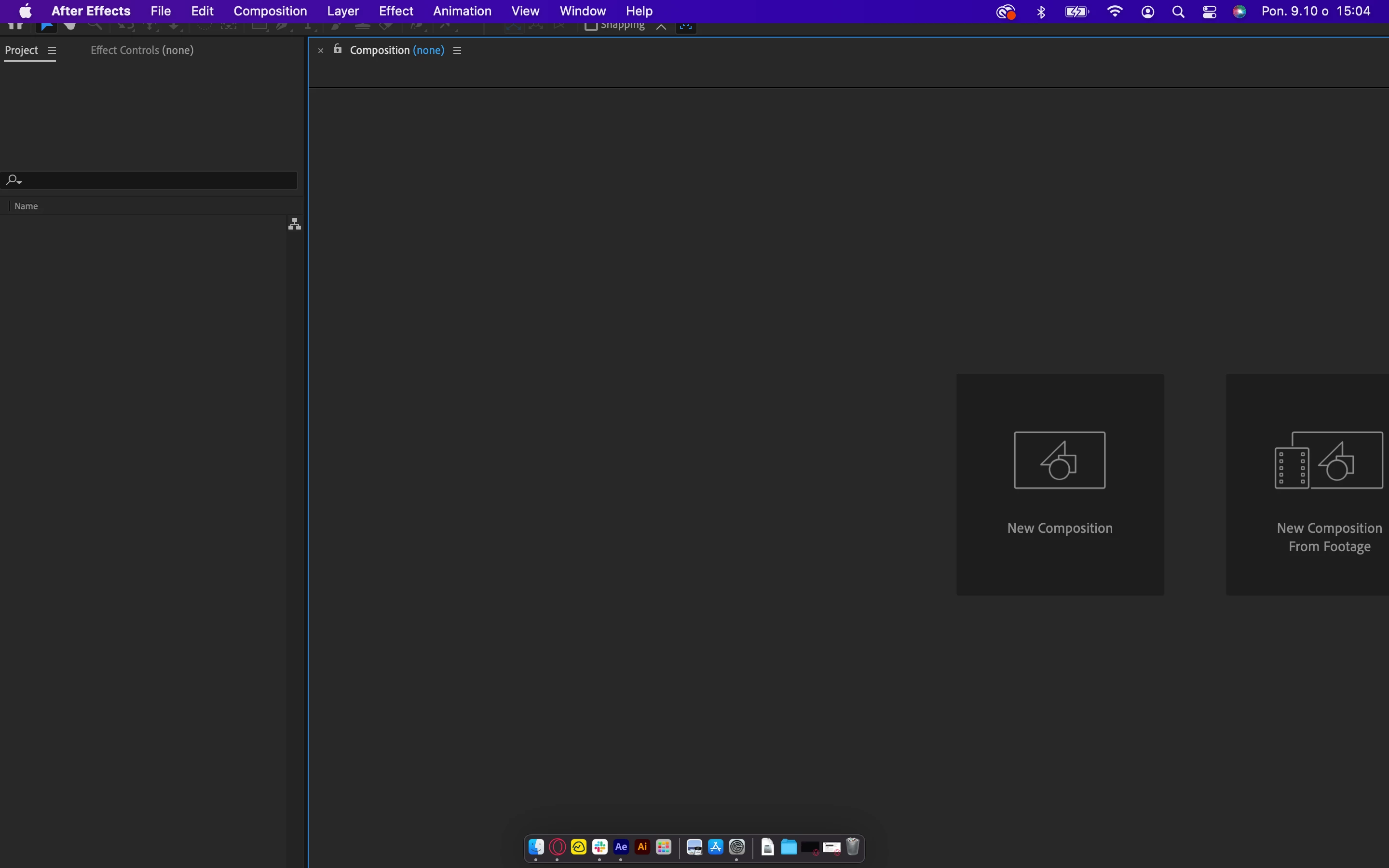

So everytime I need to go to After Effects -> Synch Settings -> Menage Synch Settings -> automaticly clear settings(...), close the program, and reopen it.

This sequence seems to restore normal functionality temporarily. However, the issue reoccurs after I close the program again. It's important to note that I don't encounter this problem when using After Effects on a Windows system; it appears to be specific to my Mac.

I'm reaching out to inquire if I might be overlooking something or if there's a solution to this inconvenience. Any guidance or assistance you can provide would be greatly appreciated.

This topic has been closed for replies.
Correct answer Piotr5C95

Ok, I have fix, if anyone need it, I'lll post it here:

go to system preferences -> Doc and menu -> menu bar -> automatic hide (press twice) 
after that After effect will resize to screen size.
And change access for this folder to 'write and read':
do the same for the folder named 24.2 (it can be named differently depending on verision of AE)


2 replies

Piotr5C95
Piotr5C95AuthorCorrect answer
Inspiring
March 14, 2024

Ok, I have fix, if anyone need it, I'lll post it here:

go to system preferences -> Doc and menu -> menu bar -> automatic hide (press twice) 
after that After effect will resize to screen size.
And change access for this folder to 'write and read':
do the same for the folder named 24.2 (it can be named differently depending on verision of AE)


Kartika Rawat
Community Manager
Community Manager
October 10, 2023

Hi Piotr5C95!

Thank you for reaching out. Could you try resetting workspaces and see if that helps? https://adobe.ly/48MvQrt


Let us know how it goes. 

KR

Piotr5C95
Piotr5C95Author
Inspiring
October 11, 2023

So i did this:


but it is similar to my fix. It restore normal functionality temporarily and the issue reoccurs after I close the program and reopen it again.

I heve even tried to upload new settings (synch. settings), but it didnt do anything.