

Participant
Nov 13, 2024 8:39 PM UTC
Answered

After Effects - Time black rectangle

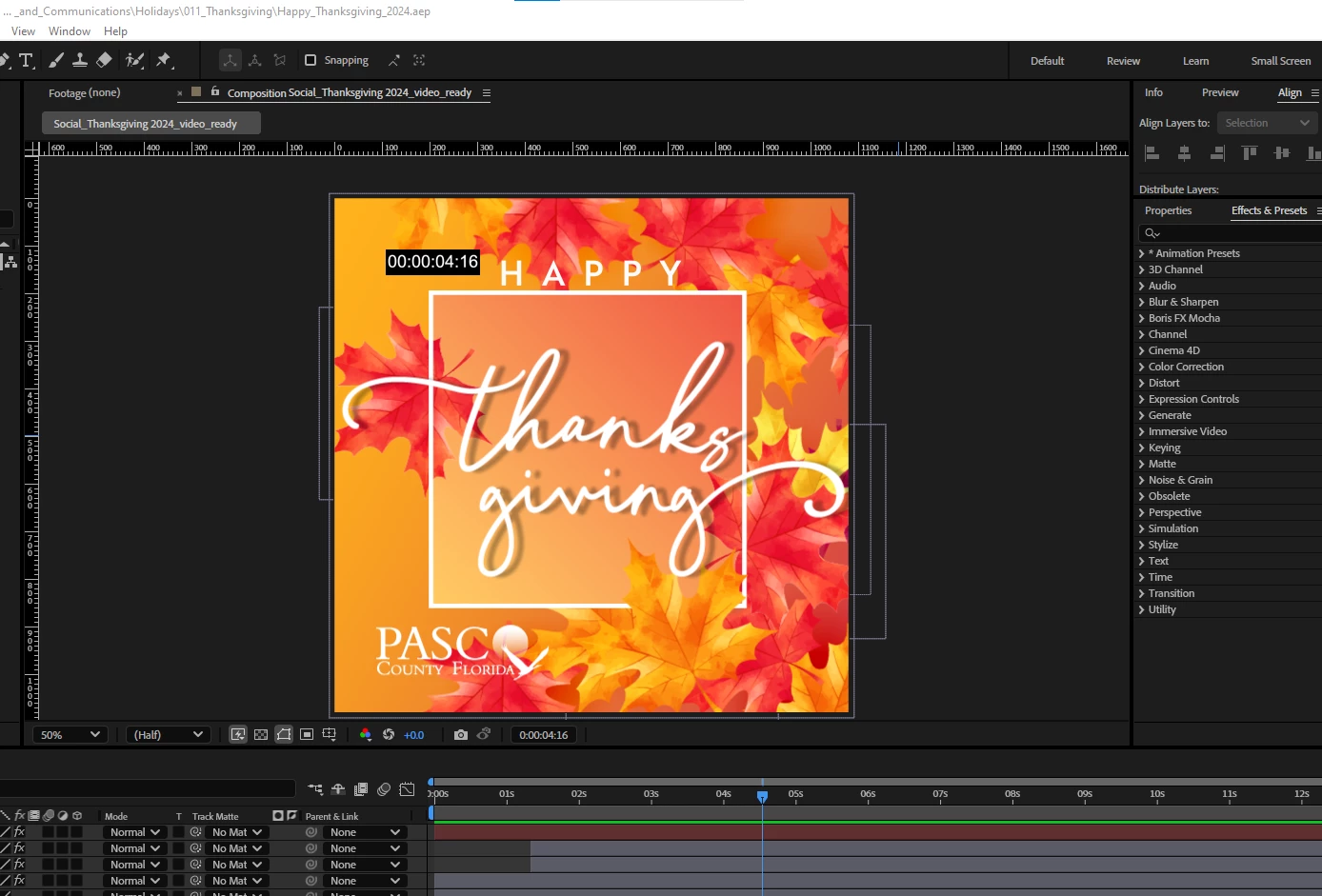
Do somebody know how to get rid of that TIME CONTROL black rectangle on my After Effects Screen? It appears also when I export my video or gif animated.

 

This topic is closed to new replies. Start a new post to keep the conversation going.
Wendy ZunigaCorrect answer
Participant
Nov 13, 2024 9:39 PM UTC

Thank you so much, I got it. I'm not so expert in After Effects, but a timecode effect was on, in the first layer I tested. I errased it and build again that layer. No problem.

Fixed, Thank you!


3 replies

nishu_kush
Legend
Nov 14, 2024 2:42 PM UTC

Glad to hear that it helped. 

Moving this thread from Bugs to Discussions.


Thanks,

Nishu

Translate
Wendy ZunigaAuthorCorrect answer
Participant
Nov 13, 2024 9:39 PM UTC

Thank you so much, I got it. I'm not so expert in After Effects, but a timecode effect was on, in the first layer I tested. I errased it and build again that layer. No problem.

Fixed, Thank you!


Translate
Nov 13, 2024 9:01 PM UTC

I can't see your whole timeline from the image but it looks like an effect or expression/preset that is enabled on a layer that is outputting the time. Try turning on and off each layer until it goes away and then see what effects or expressions you have on that layer.

Translate