AFTER EFFECTS TIMELINE WILL NOT UPDATE PREVIEW AFTER MEDIA ENCODER RENDER
To conserve time on a render, I used the dynamic link feature to render straight into media encoder. This was great! When I went back to my Ae project file though to make some revisions, I noticed that everything outside of my pre-compositions were not updating. Audio seemed to work fine when I changed it but no matter what I did, I still got the same preview as the one I had rendered. EVEN IF I DELETED EVERYTHING IN THE SEQUENCE, EVERYTHING STILL PLAYED BACK FROM THE OLD RENDER. I tried copying the project file over to see if that fixed it but the dynamic link is still intact. THIS IS A HUGE PROBLEM BECAUSE NOW I CAN'T EDIT ANY OF MY SEQUENCE AT ALL! I have multiple pre-compositions that allow me edit perfectly fine while inside them but on my main sequence I cannot change anything. I really need a fix! I'd appreciate any help! Thanks. The below pictures are before and after deleting pre-compositions.
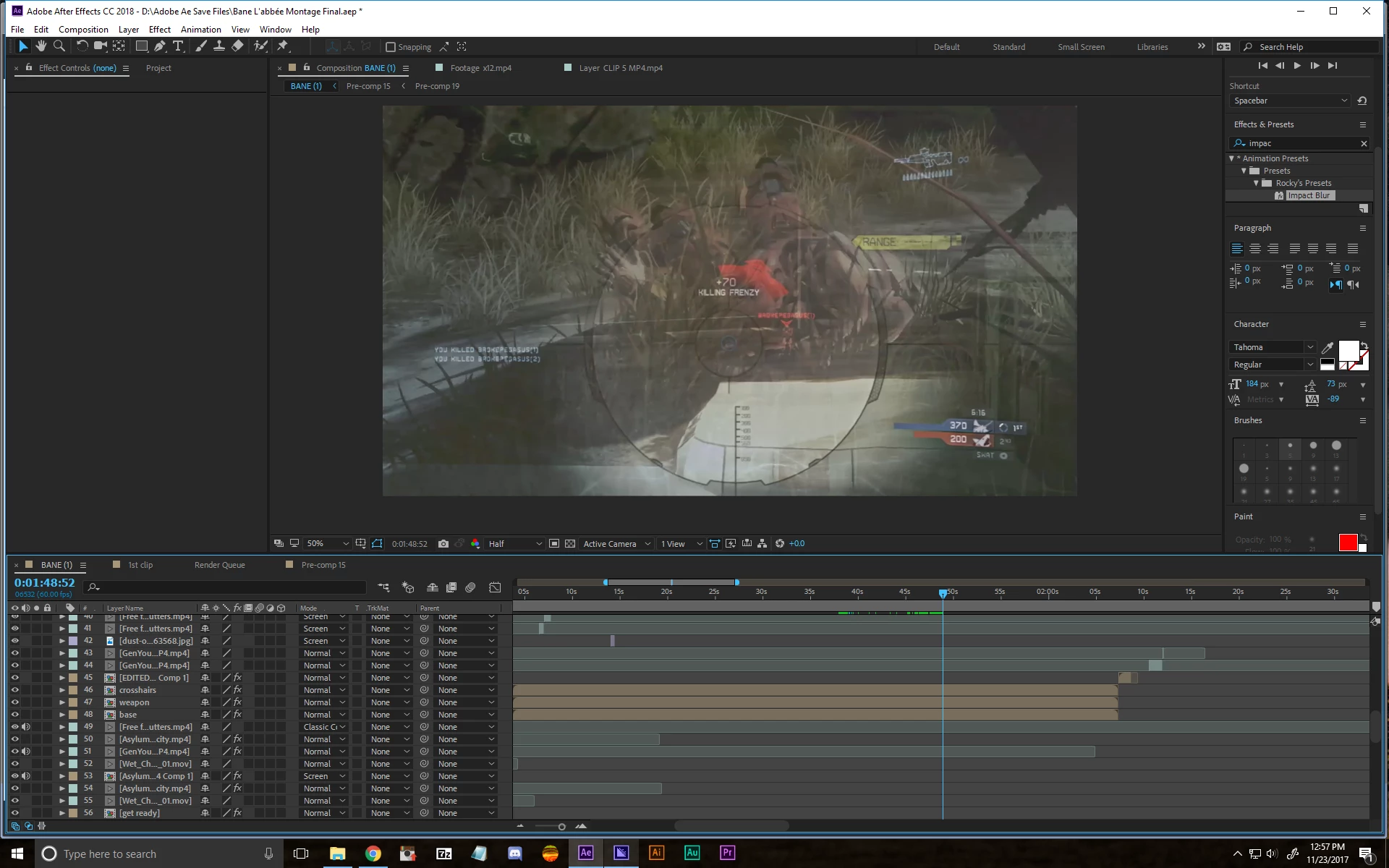
.png)

 AdChoices