ninose11
Inspiring
February 28, 2025
Answered

After Effects - trouble setting up an audio-driven expression-animated numbers counter

  • February 28, 2025
  • 1 reply
  • 614 views

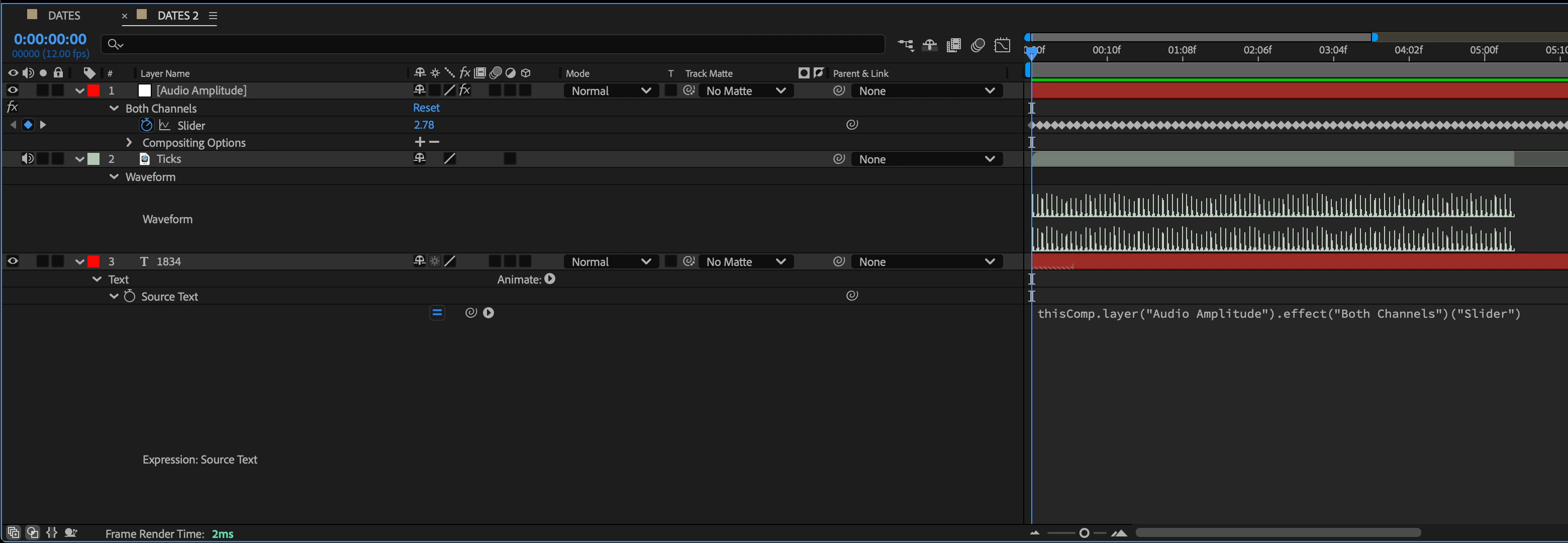
I'm trying to animate a numbers counter showing the historical progress of time 1834 to 1934 where the counting up is driven by audio ticks. To do this,

[1] I added an mp3 audio file to my timeline

[2] Converted the audio file to keyframes and noted the audio threshold as "3"

[3] Added a text layer and option clicked Source Text

[4] Pickwhipped Source Text to Audio Amplitude


I'm not sure what I need to do next,  but I have two major problems:

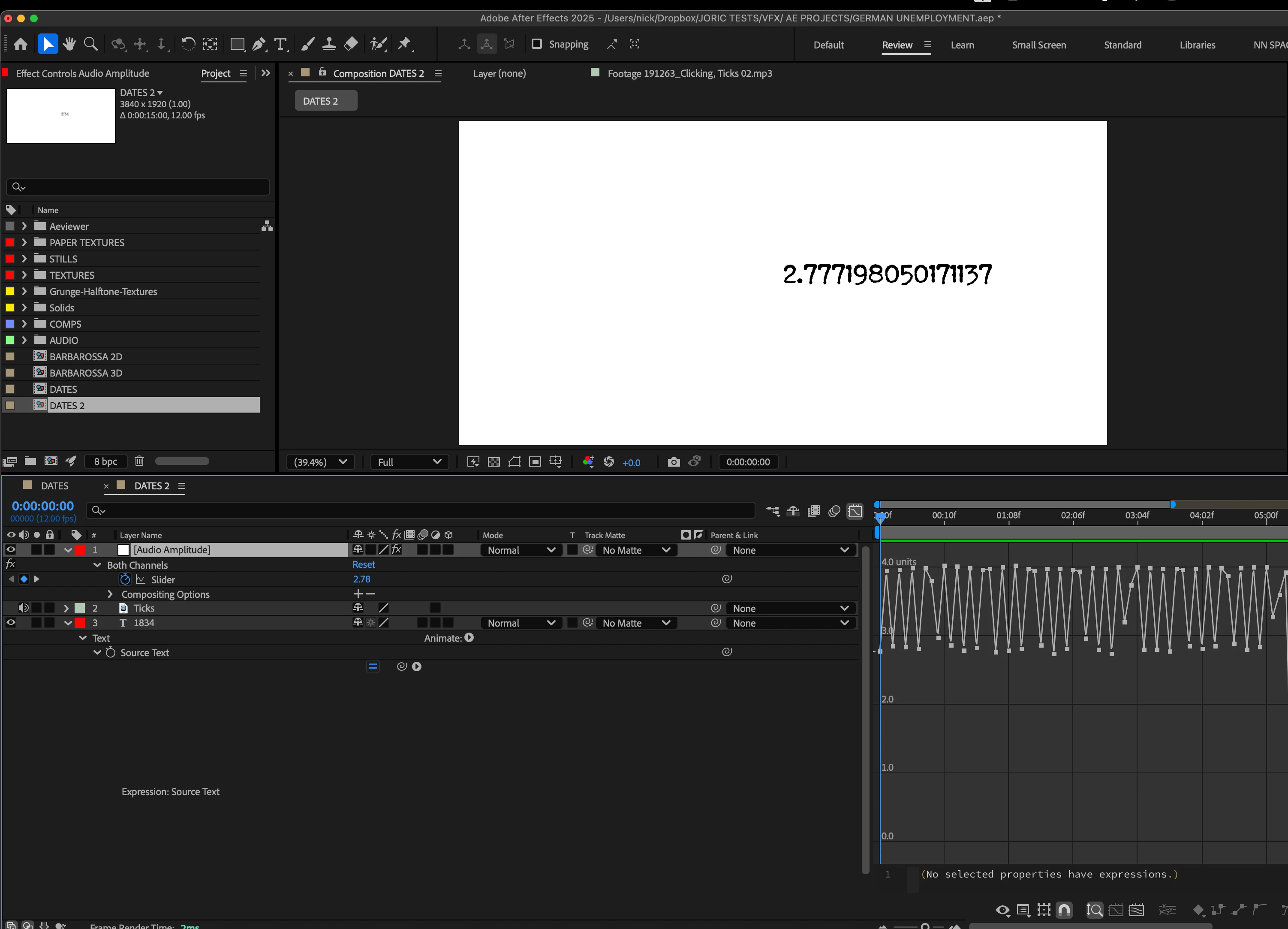
[A] I'm seeing single digits instead of the yearly counting up that should be going from 1834 to 1920. 

[B] And I have a huge set of decimals when I entered these two integer numbers.


Thank you very much in advance to anyone who can help me resolve this. 


Correct answer ShiveringCactus

I was copying that from memory, the square brackets at the end of line 1 needed to be regular ones.


But I've had a chance to play now, try this:

var p = thisComp.layer("Audio Amplitude").effect("Both Channels")("Slider");
var txt = 1833;
if(p.numKeys > 0){
    n = p.nearestKey(time).index;
    if(n > 0){
		txt += n;
    } 
}
txt

1 reply

ShiveringCactus
Community Expert
Community Expert
February 28, 2025

By pick whiping the audio levels to the text layer, you are telling the text to display the value of the audio level, not the next year.

What I think you are trying to do is use the click track to generate a change in the audio.


You probably need something like this code from Dan Ebberts to trigger the change based on keyframes:


p = thisComp.layer("Audio Amplitude").effect("Both Channels")["Slider"];
n = 0;
if (p.numKeys > 0){
n = p.nearestKey(time).index;
if (p.key(n).time > time) n--;
}
n > 0 ? time - p.key(n).time : 0;


Now that's to drive opacity, so instead you might need an array of years and use n as the counter, something like:

var yearArray = [];
yearArray[0] = "1836";
yearArray[1] = "1837";

yearArray[n]

I'm not in front of After Effects at the moment, but that's the gist anyway.

ninose11
ninose11Author
Inspiring
February 28, 2025

Hi shiveringcactus. Thanks so much for getting back to me and helping me out. 

I entered all that code, but I'm still not seeing anything change. 

I'm essentially wanting to have a numbers counter show the yearly progress of time from 1834 to 1934, so the span of 100 years. The problem is that I'm now getting another error:


ShiveringCactus
Community Expert
ShiveringCactusCommunity ExpertCorrect answer
Community Expert
March 1, 2025

I was copying that from memory, the square brackets at the end of line 1 needed to be regular ones.


But I've had a chance to play now, try this:

var p = thisComp.layer("Audio Amplitude").effect("Both Channels")("Slider");
var txt = 1833;
if(p.numKeys > 0){
    n = p.nearestKey(time).index;
    if(n > 0){
		txt += n;
    } 
}
txt