Participant
January 12, 2018
Answered

After Effects - warning : fonts that are not currently available

  • January 12, 2018
  • 1 reply
  • 13574 views

Dear community,

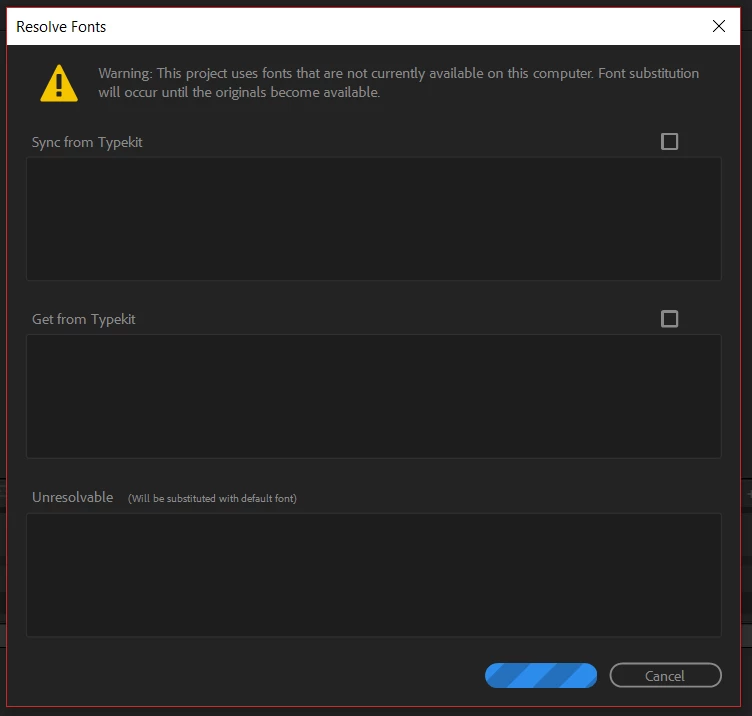
I have an issue on  Adobe After Effects 2018. I received a project file , and trying to open it, but the window pops up and says:

"This project uses fonts that are not currently available on this computer. Font substitution will occur until the originals become available."

There is not available any button than Cancel.

How to know which fonts are missing and how to fix the issue to open the file as originally created?
This topic has been closed for replies.
Correct answer Roland Kahlenberg

That error message is very likely a well-known and irritating TypeKit bug that loves to report FAKE NEWS!!!!!! :-D


To find out if you're truly missing any fonts, just type "Missing Fonts", without the quotation marks, into the Search Box, in the Project Panel.

More info here - new commands for finding missing footage, missing effects, and missing fonts in After Effects CC (12.0) | Creative Cloud…

1 reply

Roland Kahlenberg
Roland KahlenbergCorrect answer
Legend
January 12, 2018

That error message is very likely a well-known and irritating TypeKit bug that loves to report FAKE NEWS!!!!!! :-D


To find out if you're truly missing any fonts, just type "Missing Fonts", without the quotation marks, into the Search Box, in the Project Panel.

More info here - new commands for finding missing footage, missing effects, and missing fonts in After Effects CC (12.0) | Creative Cloud…

Very Advanced After Effects Training | Adaptive & Responsive Toolkits | Intelligent Design Assets (IDAs) | MoGraph Design System DEV