basel hazem
Known Participant
August 25, 2018
Question

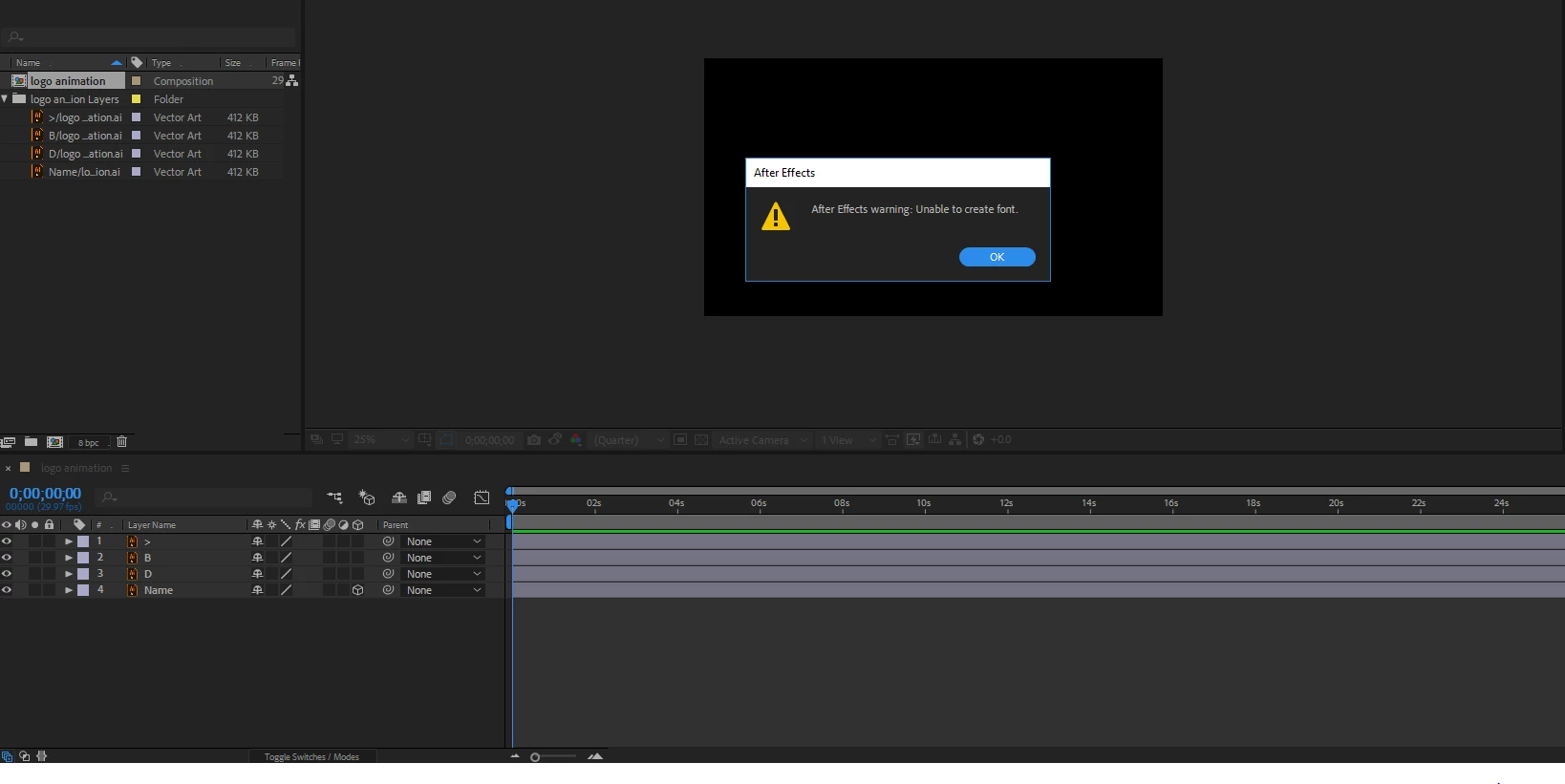
after effects warning : Unable to create font when i'm using 3D layer, any solution?
  • August 25, 2018
  • 8 replies
  • 3288 views

    This topic has been closed for replies.

    8 replies

    dylanc46306584
    Participant
    December 10, 2018

    I had this exact problem. Use fontreg to repair font registry files and you should be good to go. I believe this is a windows only fix but there may be a similar fix for macs

    basel hazem
    Known Participant
    August 26, 2018

    I deleted all the font on my pc and still this error is appearing!!

    yes i do get the same error!

    Mike_Abbott
    Legend
    August 26, 2018

    All I can suggest at this stage is that you do an After Effects preferences reset:

    Quit AE. Hold down Ctrl (Cmd on Mac) Option, Shift immediately after launching AE.

    You'll get a dialog asking if you want to reset your preferences. Click OK.

    Mike_Abbott
    Legend
    August 26, 2018

    I'm beginning to think this might just be a corruprted font on your system - and is nothing to do with the scene specifically. Do you get the same error if you create a new project and enable 3D?  Otherwise I'm sorry but I really don't know what is going on.

    basel hazem
    Known Participant
    August 26, 2018

    basel hazem
    Known Participant
    August 25, 2018

    I converted all layers into shapes but the error still there

    Mike_Abbott
    Legend
    August 25, 2018

    If you converted your Illustrator layers into shape layers - see my suggestion above - you should have shape layers with a star incon in the timeline. I don't see any.

    basel hazem
    Known Participant
    August 25, 2018

    Yes it is an imported illustrator file, this error appear when I click on the 3D layer (3D mood) so I can't do any 3D animation because of this error

    Mike_Abbott
    Legend
    August 25, 2018

    1. Check what 3D render you are using in AE - I suggest Cinema 4D

    2. Try converting your Illustrator file into a shape layer:

    Layer menu > Create > Create Shapes from Vector Layer

    basel hazem
    Known Participant
    August 25, 2018

    thnak's mr mike, but unfortunately  it didn't work !

    Mike_Abbott
    Legend
    August 25, 2018

    We need more information.
    Are you getting this error when you double click on the Composition to open it? Or are you trying to do something with an imported Illustrator file? If so, what?

    Mike_Abbott
    Legend
    August 25, 2018

    Do you have a font in the Illustrator file you're importing?

    If so: try:  Type menu > Create outlines   in Illustrator and see if that helps.
