Participant
March 18, 2020
Question

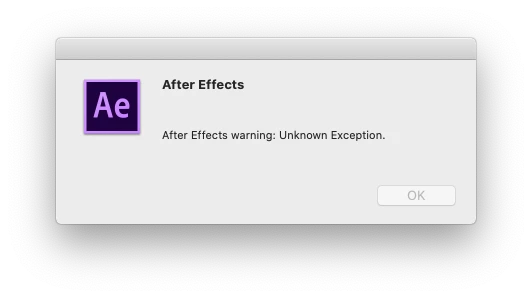
After Effects warning: Unknown Exception. (AE 17.0.5, Mac Catalina 10.15.3)

  • March 18, 2020
  • 1 reply
  • 4705 views

Hi All,

After Effects 17.0.5

System: Mac Catalina 10.15.3


After not using AE for a few weeks I all of a sudden get two error overlays, when trying to launch AE. 


  1. I try to launch the application:
  2. First overlay shows: "After Effects warning: Unknown Exception."
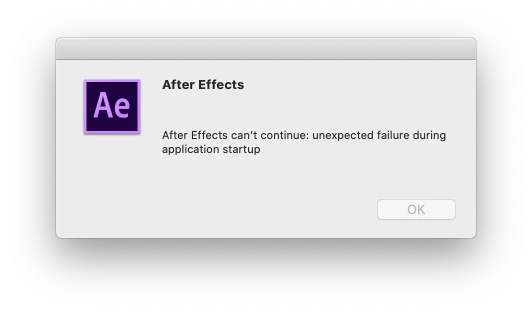
  3. Second overlays shows: "After Effects can't continue: unexpected failure during application startup"
 

Things I have tried so far, with no luck.

  • Uninstall/reinstall AE.
  • Downgrader to older verions of AE
  • Uninstall/reinstall CC desktop app
  • Remove everything Adobe using the Adobe Cleaner tool.


Hope someone can help me out.


This topic has been closed for replies.

1 reply

nishu_kush
Legend
March 19, 2020

Hi there,


Sorry for your issue. I see that you are not able to launch After Effects.

Could you check if you have Deep Freeze installed on your computer? If yes, remove it temporarily and check if it helps. Try giving Full Disk Access to After Effects and check if it brings any change. Here's how: https://macpaw.com/how-to/full-disk-access-mojave

Let us know how it goes.


Thanks,

Nishu

EsbenHeAuthor
Participant
March 19, 2020

Hi Nishu,

Thanks for getting back to me.

  1. I checked that I don't have Deep Freeze installed.
  2. I tried giving Full Disk Access to AE which havent' changed anything.
  3. I tried creating a new user on my Mac, and After Effects launched just fine with no errors. It would take days to set everything else up on that new user, so I hope there are other options.
  4. Additionally I tried:
    1. setting folder permissions.
    2. disabling font manager software and resetting to only having system fonts in FontBook.


Ironfeep
Participant
August 25, 2020

EsbenHe, I kept getting the same error message. I'm not sure if this has been resolved for you, but I had success by opening another, smaller AE project then importing the project I wanted to open but couldn't, into that project. Then instead of getting that same error message, it gave me this one about not being able to find a source layer. I had to "OK" through several of these messages and the project imported successfully. Then I just deleted out all the other bins and comps I didn't need. 


Hope this helps you or someone else.