


Participant
August 19, 2026
Answered

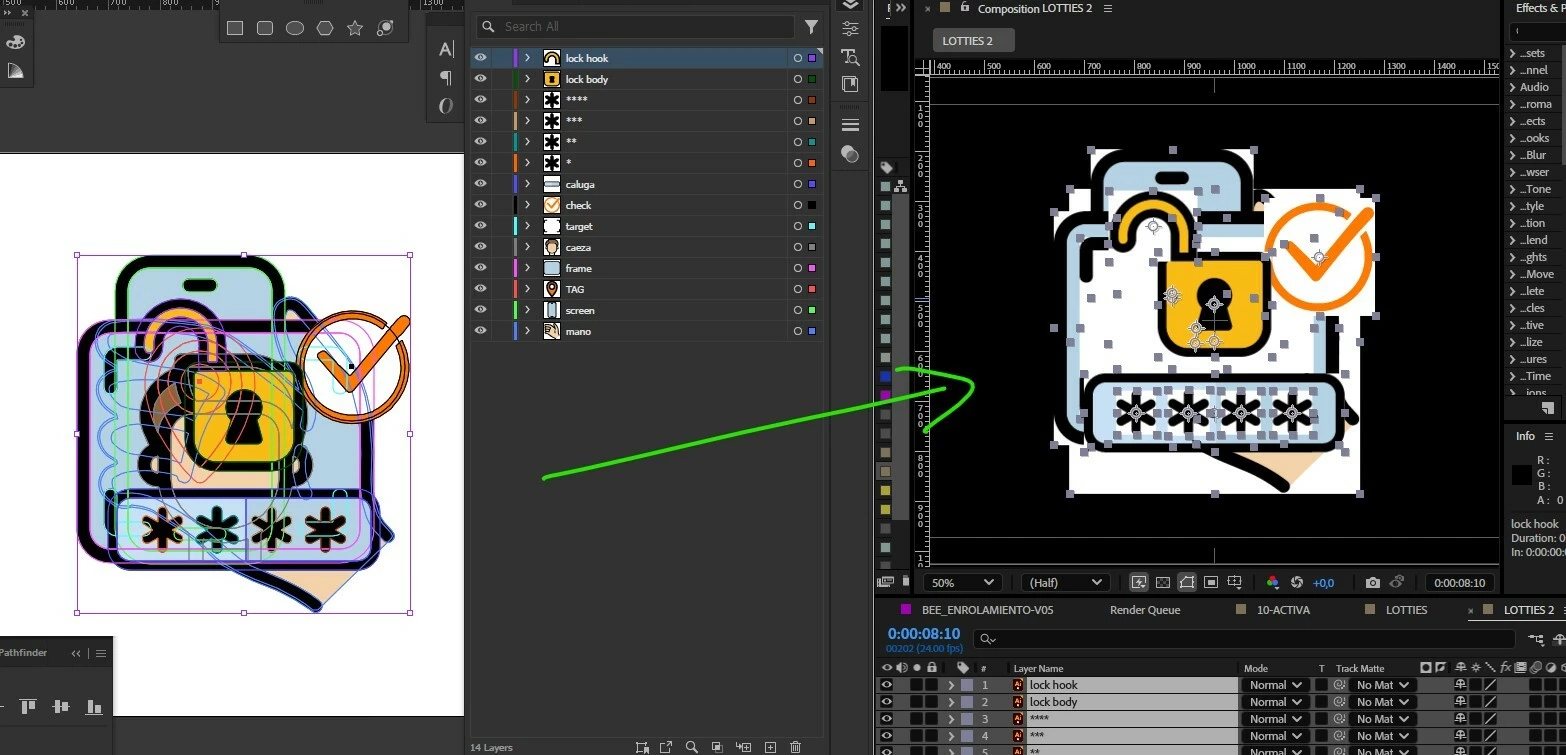
After import an Adobe Illustrator file, After effects displays the vector art with a white background

  • August 19, 2026
  • 5 replies
  • 42 views

After import an Adobe Illustrator file (30.7), After effects(25.0.0) displays the vector art with a white background
After effects shows me the vector art like a flattened image!
This has never happened to me before, and I need a solution.

 

Correct answer Nishu Kushwaha

Hi there, this is not a mystery. Your Illustrator artboard has a white background baked in, which gets carried over on import into After Effects.

In Illustrator: select your artboard using the Artboard tool, then go to the Properties panel and set the artboard background to transparent. Save the AI file and re-import it into AE.

Let us know if that works. Moving this thread from Bugs to Questions for troubleshooting.


Thanks,

Nishu

5 replies

Participant
August 20, 2026

Hi!
Thanks for your reply. Until now, I've been able to import Illustrator files into After Effects without any problems.
I've attached a screenshot showing the Illustrator file and the process of importing it into After Effects. I checked the “Create PDF-compatible file” option, and the result is the same.
I used another method (copy and paste to solids) to get the vectors so I could turn in the assignment.
What could be going on? It's a mystery.
Best regards!

Nishu Kushwaha
Community Manager
Nishu KushwahaCommunity ManagerCorrect answer
Community Manager
August 27, 2026

Hi there, this is not a mystery. Your Illustrator artboard has a white background baked in, which gets carried over on import into After Effects.

In Illustrator: select your artboard using the Artboard tool, then go to the Properties panel and set the artboard background to transparent. Save the AI file and re-import it into AE.

Let us know if that works. Moving this thread from Bugs to Questions for troubleshooting.


Thanks,

Nishu

Participant
August 27, 2026

Thank you for identifying the problem.


I was working on a client's file, which had a white background, and that changed my “default” setting for all future new documents!


All I had to do was create a new file with a transparent background, since Illustrator remembers the last setting I used, and my default setting reverted to transparent.


Community Manager
August 20, 2026

Hi michaelc,

Thanks for the post. Hi there,

Sorry for the trouble. In Illustrator, try resaving the file and make sure Create PDF Compatible File is enabled in the Illustrator Options dialog when you save the AI file.

Then import the file into After Effects again. If you need the Illustrator layers separately, choose Import As: Composition – Retain Layer Sizes rather than Footage.


If you're still getting a white background, could you post a screenshot of the artwork in Illustrator along with your Layers panel and the result you're seeing in After Effects? That should help us narrow down what's happening.

This video tutorial might also help:


Thanks,
Kevin