Inspiring
September 28, 2021
Answered

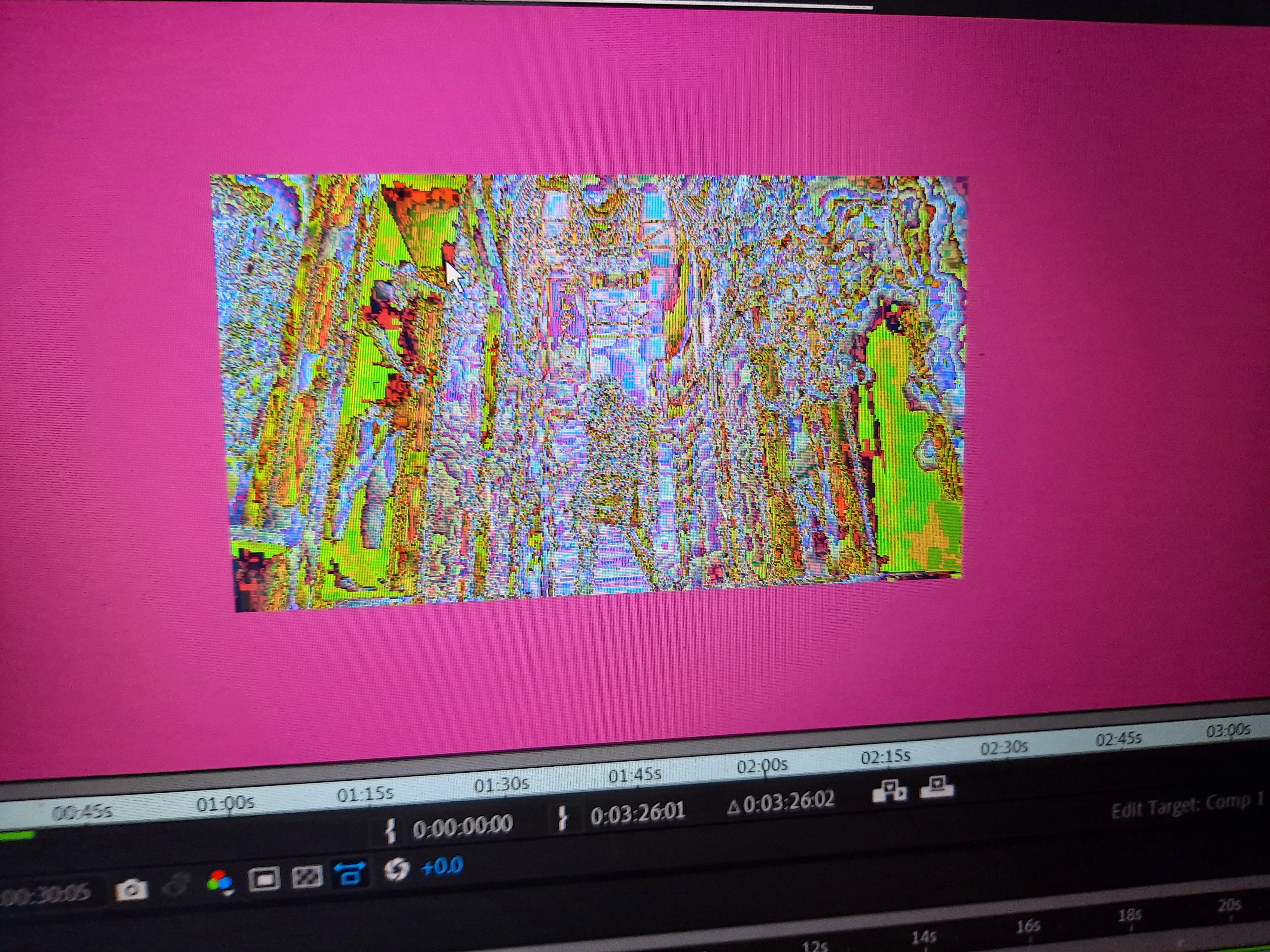
after importing a video it glitches (like the one on televisions)

  • September 28, 2021
  • 3 replies
  • 2028 views

Hello! I was importing clips earlier and I noticed that the background is purple and when I play the video it looks like this how do i fix it?
 

Correct answer Aimee5E6E

Let's eliminate some things:


  • In Composition > Composition Settings, what's the backgroud colour?
  • If you play a video outside of AE, does it play correctly?
  • What happens if you try to convert a video by adding to to Adobe Media Encoder and exporting it from there?
  • Have you set the project to Mercury software only? (under File... Project Settings)
  • When you say it happens on all the files, have you tried just downloading an image from the internet or are all these files coming from a particular source.  The second screenshot looks a little like it might have come from TikTok and I'm just trying to make sure this is occuring to all files.
  • What happens if you make a new comp and use a shape layer?  Does that render out and does that import?
  • Have you tried uninstalling After Effects and reinstalling it?


At the end of all that, my gut feeling is it's a corrupt install of AE or possibly just your media cache.


Hello! Thank you so much for all the help. It's all fixed now so what I did was changed the graphic settings for AE on high performance and that solved it.

3 replies

Kartika Rawat
Community Manager
Community Manager
September 29, 2021

Hi Aimee5E6E!

Sorry to see that. Let us know if suggestions provided by our experts help.


Thanks,

Kartika

Community Expert
September 28, 2021

I would guess that the source footage you are having problems with is an MP4 (MPEG) file that is possibly variable frame rate or has some compression errors in the original footage. I suggest that you use the Media Encoder to transcode the footage to a suitable production format like ProRez or DNxHR/HD. That usually solves the problem.

Aimee5E6EAuthor
Inspiring
September 29, 2021

Hello thank your for answering! but the thing is this is happening on all files I import of after effects.

Jose Panadero
Community Expert
Community Expert
September 29, 2021

Go to After Effects Preferences under Edit > Preferences > Import and disable hardware acceleration for decoding video. Then restar After Effects and try again.

nishu_kush
Legend
September 28, 2021

Hi Aimee5E6E,


Welcome to the community and sorry for your issue.

Does it happen with a particular footage or all the files that you import in After Effects? What are your system specifications (CPU, GPU, RAM, OS)?

Let us know, we're here to help.


Thanks,

Nishu

Aimee5E6EAuthor
Inspiring
September 29, 2021

Hello! Sorry for the late reply.
Yes this happends on all the files I import on AE 
System Specification : 
Processor: AMD Ryzen 5 3550H with Radeon Vega Mobile Gfx 2.10 GHz
GPU 0 : Radeon RX 560X Series
GPU 1: AMD Radeon (TM) Vega 8 Graphics
RAM: 16.0 GB
OS: Microsoft Windows 10 pro


Aimee5E6EAuthor
Inspiring
September 29, 2021

happens* sorry for the typo!