
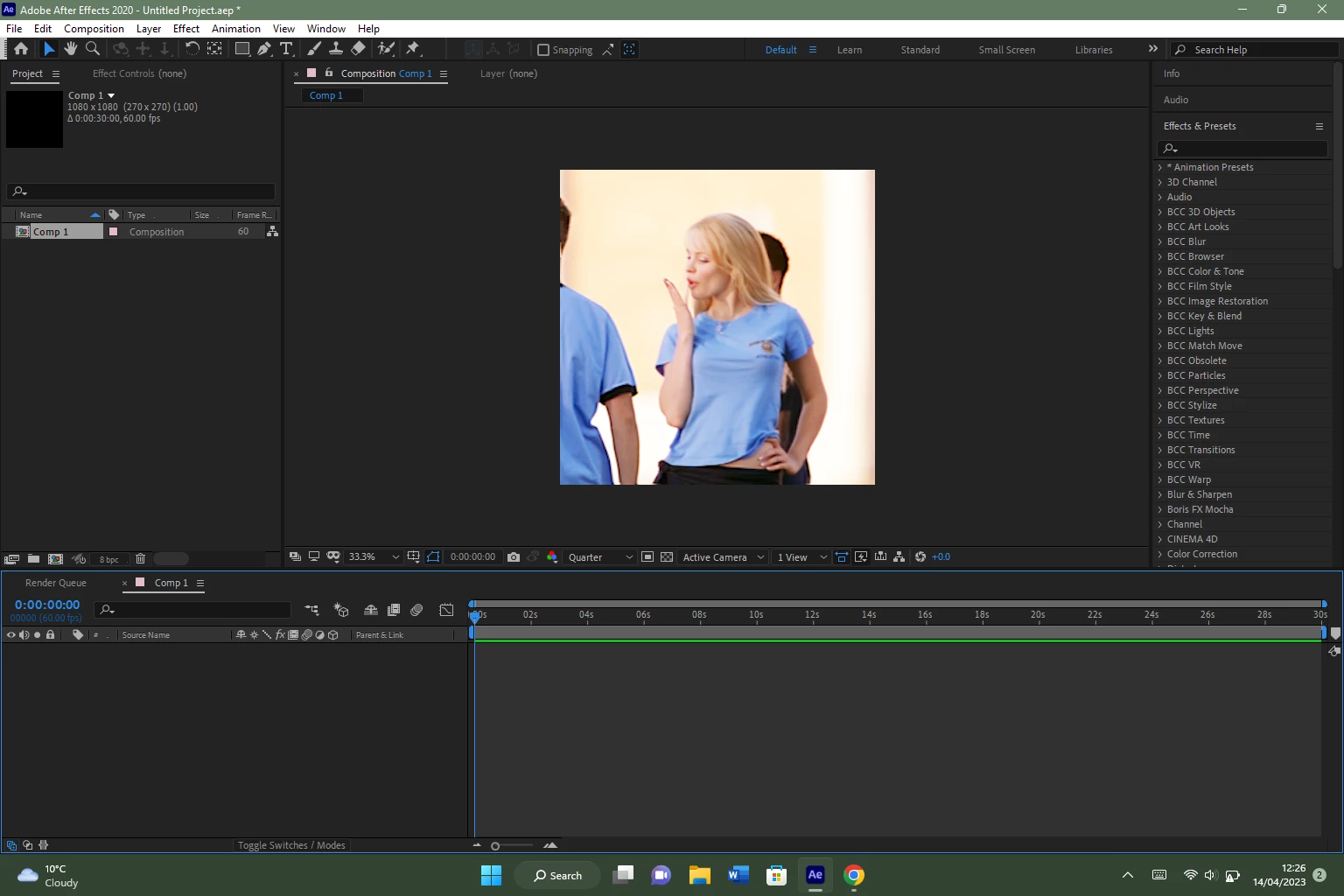
AfterEffects shows photo I've used previously in another project when there's nothing in my timeline
I use After Effects 2020 on Windows 11.
Anytime I open a new composition on After Effects with nothing in the timeline, or have a completely different photo or video clip in the timeline at 0% opacity, a frame from a seperate project shows up in my preview even though I just want the preview to be blank. I tried to live with it by just adding in a black solid to the timeline, but it is still quite annoying as I think it makes my project file larger and therefore takes longer to render.
I've deleted the projects that contained the video with this frame, and even deleted the application and redownloaded it but the image keeps displaying itself, as you can hopefully see below and yes, that is Regina George...:
I'm still quite new to using After Effects or contributing in this support community so I apologise if this whole post sounds confusing and badly worded - I hope I've included everything I need to.
 AdChoices