


Participating Frequently
January 27, 2024
Question

Aftereffects: universal setting issue?

  • January 27, 2024
  • 2 replies
  • 362 views

Hi,

I’m using an AE template as I’m a beginner on Aftereffects. I have two questions. 

(https://elements.envato.com/company-timeline-BSB8H6X)


  1. I’m extending some of the scenes to allow for more content and a longer video. 

When I extend the various scene compositions, I can move the ‘out’ animation key frames no problem. 


However there seems to be a opacity or dimming effect that simultaneously affecting a number of layers that I just can’t seem to find? When I go to effects control of the Control layer which includes universal branding like colours of universal assets, I don’t see anything controlling the strange dimming? 


Can anyone tell me what to check that may be causing this to affect so many layers? 


2. There is also a strange tinting affecting some images inside compositions that I cannot see how to turn off. Where should I be looking to troubleshoot? Attached is an image of the blue toning on a color image, which I'd like to get rid of.  I am in RGB color management. It feels like it's a template treatment, that I'd love to lose! Appreciate it. 
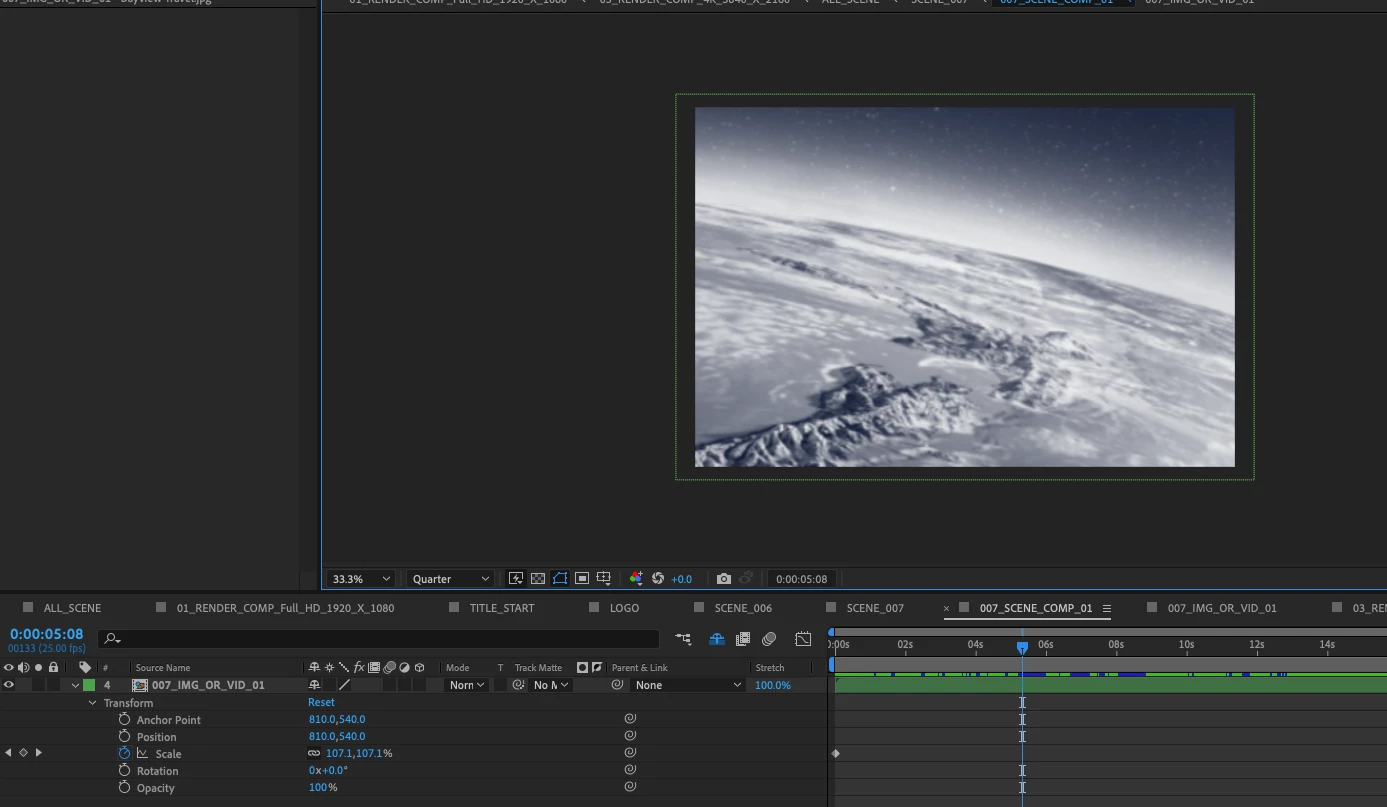
Thanks

Andrew

This topic has been closed for replies.

2 replies

Community Expert
January 28, 2024

The easiest way to figure out what is going on in a composition is to open the Composition/Flowchart from the menu, expand all of the layers and nested comps, and then double-click on the suspect layers in the Flowchart. This will open up the comp and select the layer. Pressing the 'u' key twice will reveal all modified properties on the layer. You should be able to spot some keyframes or expressions for opacity or an effect like Transform/Opacity somewhere in the comp. If that does not show up, look for a track matte or an animated mask opacity.

Participating Frequently
January 29, 2024
Thanks Rick. That's a good view.
On another note, why when I duplicate a Comp from the project panel would
it still change the original Comp? Could it be an expression I need to
delete, or perhaps something else?
Thanks
Andrew


[image: Mailtrack]
<>
Sender
notified by
Mailtrack
<>
01/29/24,
04:28:11 PM
Mylenium
Legend
January 27, 2024

Turn off the shy guy icon in the timeline. It's a common trick to obfuscate and hide stuff you aren't supposed to touch. You may want to read the online help on basics.


Mylenium

Participating Frequently
January 27, 2024

@Mylenium thanks for the tip. Whilst it showed an extra hidden layer, it was not affecting this effect.

An other tips welcome?

I have yet to find the potential cause through the tutorials.