This topic has been closed for replies.
Correct answer Rick Gerard

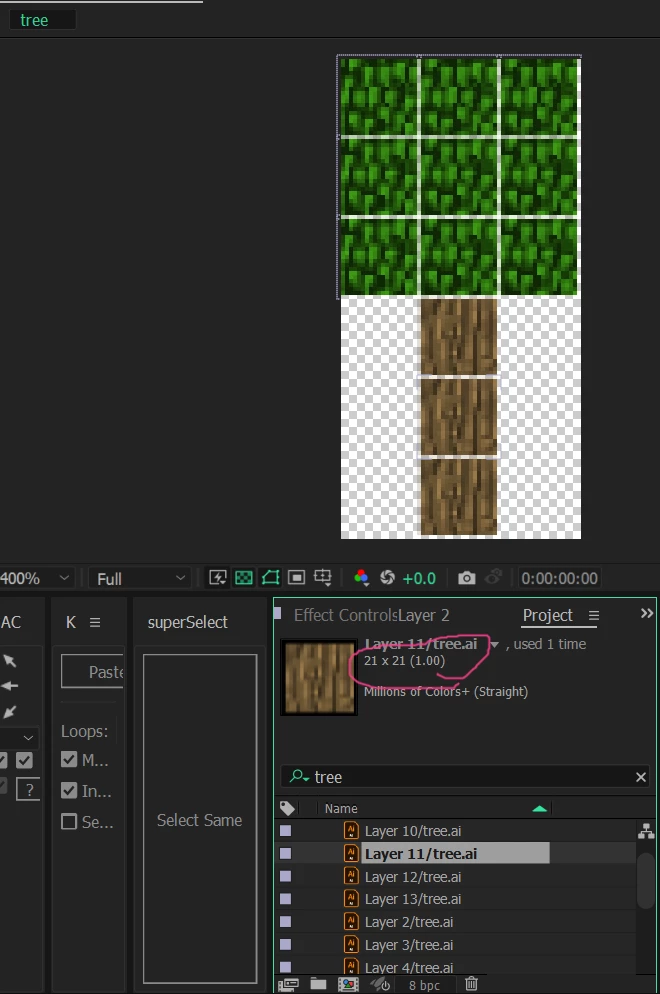
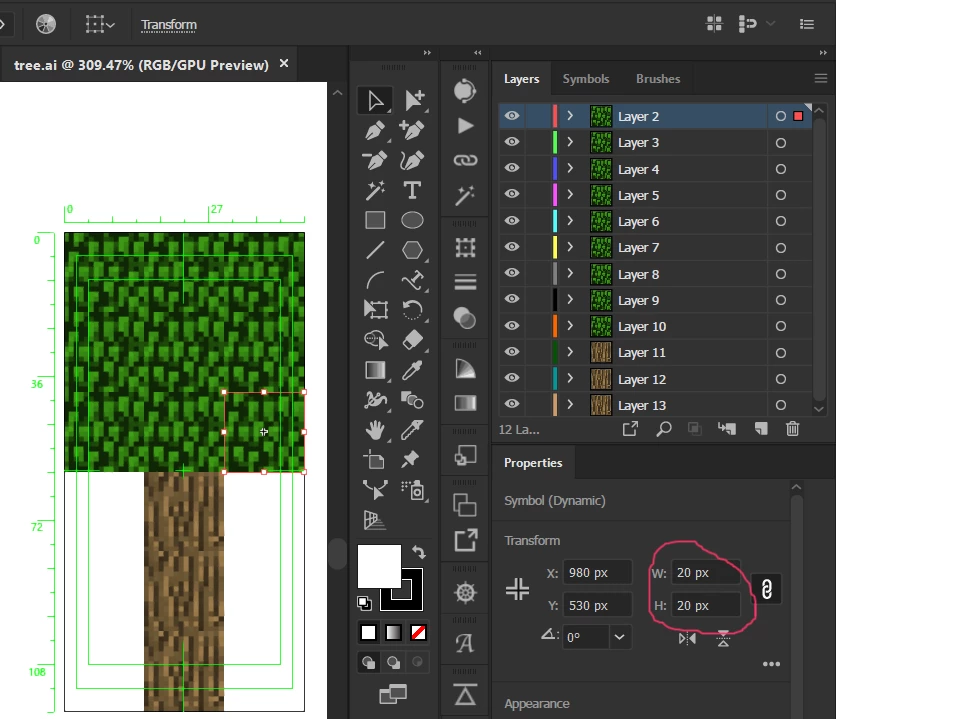
I checked your AI file. There are several problems. The first is that the Artboard containing the tree is only 60 X 120 pixels. That's just over 3.1% of an HD comp in width and almost useless for video. The second problem is that the two artboards are not properly lined up. You get better results if you delete the larger artboard. I found no problems at all by just deleting the second large artboard and importing the file as a composition retaining layer size.


I suggest that you work with an artboard that is the same frame size as a standard HD video and make everything a lot bigger. 


If your final output is an Animated Gif, then that 60 X 120-pixel gif is going to be very small on any modern display. There are a lot better tools for creating animated GIFs than After Effects. 
2 replies

Rick GerardCommunity ExpertCorrect answer
Community Expert
May 13, 2023

I checked your AI file. There are several problems. The first is that the Artboard containing the tree is only 60 X 120 pixels. That's just over 3.1% of an HD comp in width and almost useless for video. The second problem is that the two artboards are not properly lined up. You get better results if you delete the larger artboard. I found no problems at all by just deleting the second large artboard and importing the file as a composition retaining layer size.


I suggest that you work with an artboard that is the same frame size as a standard HD video and make everything a lot bigger. 


If your final output is an Animated Gif, then that 60 X 120-pixel gif is going to be very small on any modern display. There are a lot better tools for creating animated GIFs than After Effects. 
The_Kitty
The_KittyAuthor
Inspiring
May 13, 2023

Thank you very much, my problem has been fixed

Community Expert
May 13, 2023

Check the size of the Artboard in Illustrator. It must be an even number of pixels high and wide. Make sure that Snap To Pixel is turned on in Illustrator. When everything is checked and lined up, import the AI file as a comp retaining layer size, and open the comp. Everything should be aligned properly. If it is not, let us know.

The_Kitty
The_KittyAuthor
Inspiring
May 13, 2023

I tried it and it's still the same 😞