
nimrodz57372184
Participant
February 19, 2023
Question

Aliasing in MTS file

  • February 19, 2023
  • 1 reply
  • 358 views

I'm having some probelms with a footage I'v ereceived from a client.

It's an MTS container these are the codec details I got from VLC
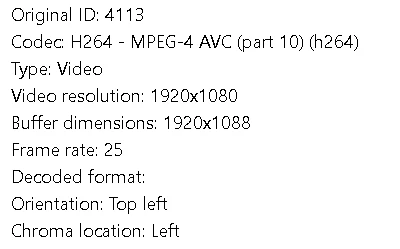
When I play the file in VLC or any other media player I get a good enough image:

But when I import the file to AE/PR or even Da Vinci, it automatically interprets the footage as interlaced with upper field first. This gives a satisfying image for the birds but aliased cables. If I manually change it to "no fields" the cables are fine but the birds are terrible....Any suggestions?


This topic has been closed for replies.

1 reply

Ishan Y
Inspiring
February 21, 2023

Hey,

Welcome to the community! Sorry for the issue. Is your source footage progressive or interlaced? Please share your source file properties from Premiere Pro (Project Panel > Right-click on media > Properties). If your file is interlaced, go to Clip > Video Options > Field Options, select Always Deinterlace and check if your preview is closer to what you see in VLC. VLC player has a built-in deinterlacing option that might explain the difference in the preview. Also, make sure that your media properties match your Sequence settings.


Thanks,

Ishan