Participant
January 8, 2023
Answered

All graphics black in AE

  • January 8, 2023
  • 3 replies
  • 443 views

Hello,

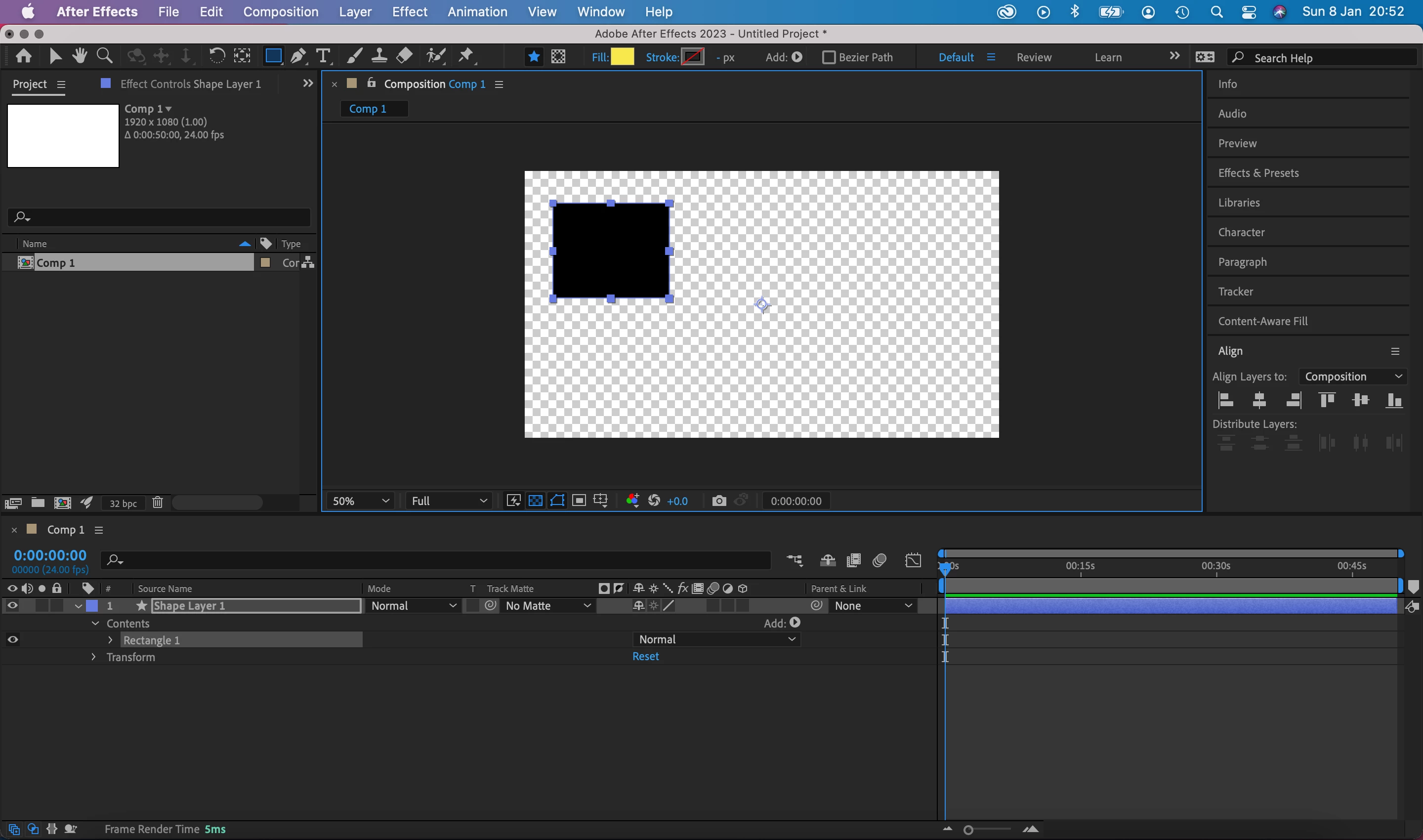
I have an issue in After Effects where any graphics I create or import are black even if a colour is selected.

As you can see in the screenshot below I have drawn a shape with the fill color set to yellow, but the shape is black. Same thing happens with text and any graphics that I import from Illustartor. When I'm working with multiple layers evrything is black so it's impossible to see what I'm doing. I'm hoping someone may have an idea what the issue may be.  


Thanks! 🙂
This topic has been closed for replies.
Correct answer Mylenium

I'm not a Mac guy, but in your case it would likely be best to just install AE 2022 where soem of that stuff still works. Sorry, forgot about that so early in the morning.


Install previous versions of your Creative Cloud apps


Mylenium

3 replies

Mylenium
MyleniumCorrect answer
Legend
January 9, 2023

I'm not a Mac guy, but in your case it would likely be best to just install AE 2022 where soem of that stuff still works. Sorry, forgot about that so early in the morning.


Install previous versions of your Creative Cloud apps


Mylenium

Participant
January 9, 2023

That's ok. You've been really helpful. Thanks! I'll try that a litlle later and see how it goes.

Mylenium
Legend
January 9, 2023

Your graphics hardware is outdated. Turn off GPU functions. Refer to the system requirements.


https://helpx.adobe.com/after-effects/system-requirements.html


Mylenium 


Participant
January 9, 2023

Thanks again for your reply Mylenium. Sorry I'm not an expert with AE - could you perhaps tell me how I turn of GPU functions? Is it something I need to do in Ae or in the Mac's system preferences? Is there anything you can point me to please? I haven't been able to find instructions online.

Mylenium
Legend
January 8, 2023

You are working in 32bpc mode and your hardware acceleration apparently isn't working correctly. Check the relevant settings, turn off GPU functions in the preferences, try 16bpc and 8bpc mode.


Mylenium 

Participant
January 8, 2023

Thanks for your reply Mylenium. 

I changed the settings as suggested to 16bpc and 8bpc in 'Project Settings' (see screenshot) but it didn't seem to work.

Forgot to mention, I get a message (screenshot below) when opening AE.

And not sure if it'll help, but below is GPU info