Participant
January 4, 2018
Answered

All Layers visible when in pause, only background shows when played

  • January 4, 2018
  • 2 replies
  • 1260 views

I am trying to make a composition with different layers, 1 background and 3 rotobrush masked out layers. When the composition is in pause everything is as it should be, but when I hit play only the background shows. I am fairly new to After Effects and am sort of riffing off what I know from Photoshop. I have tried changing the tracking modes and nothing seems to work. Any suggestions/corrections welcome!! Pi
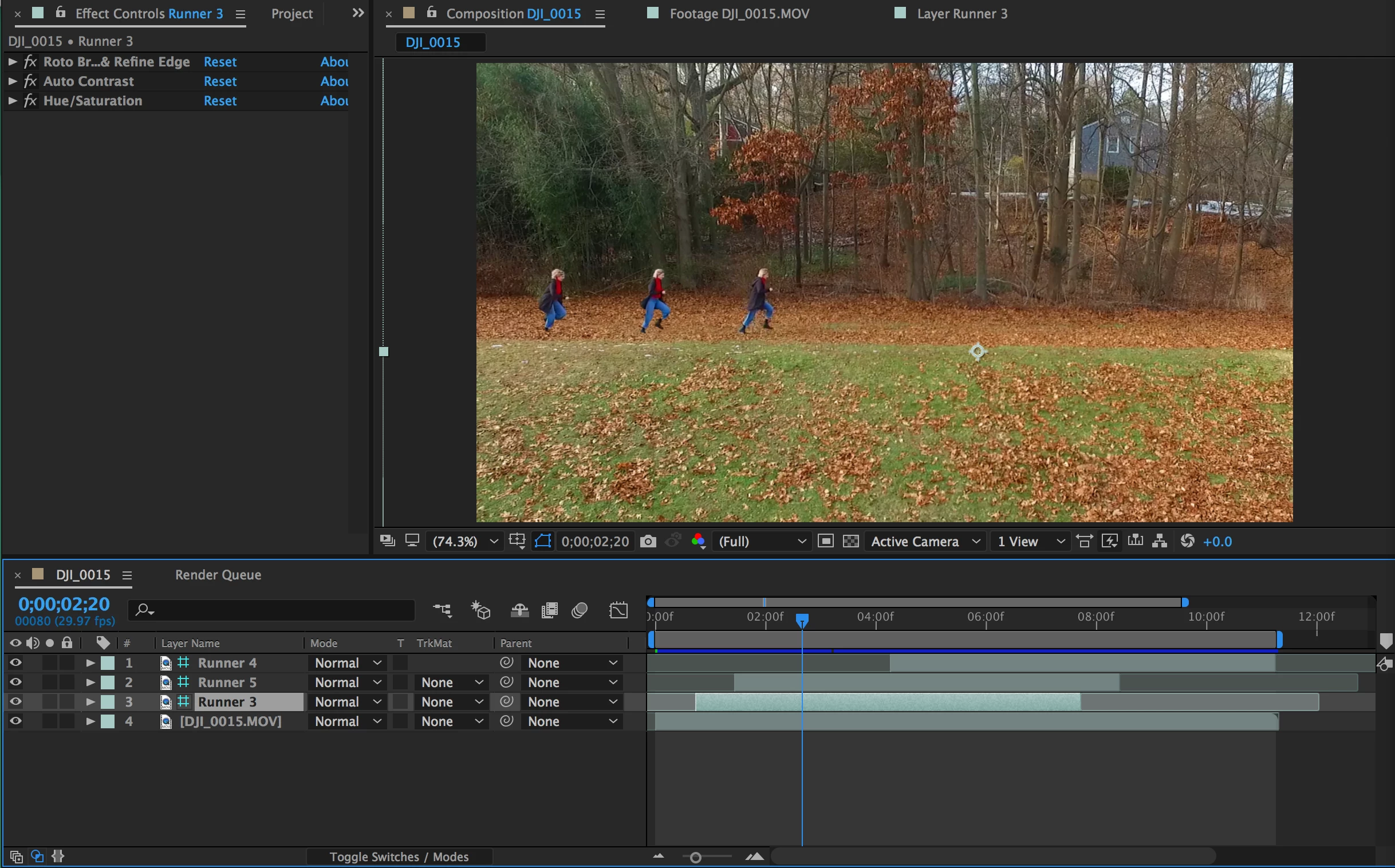
This is what I look like when it paused
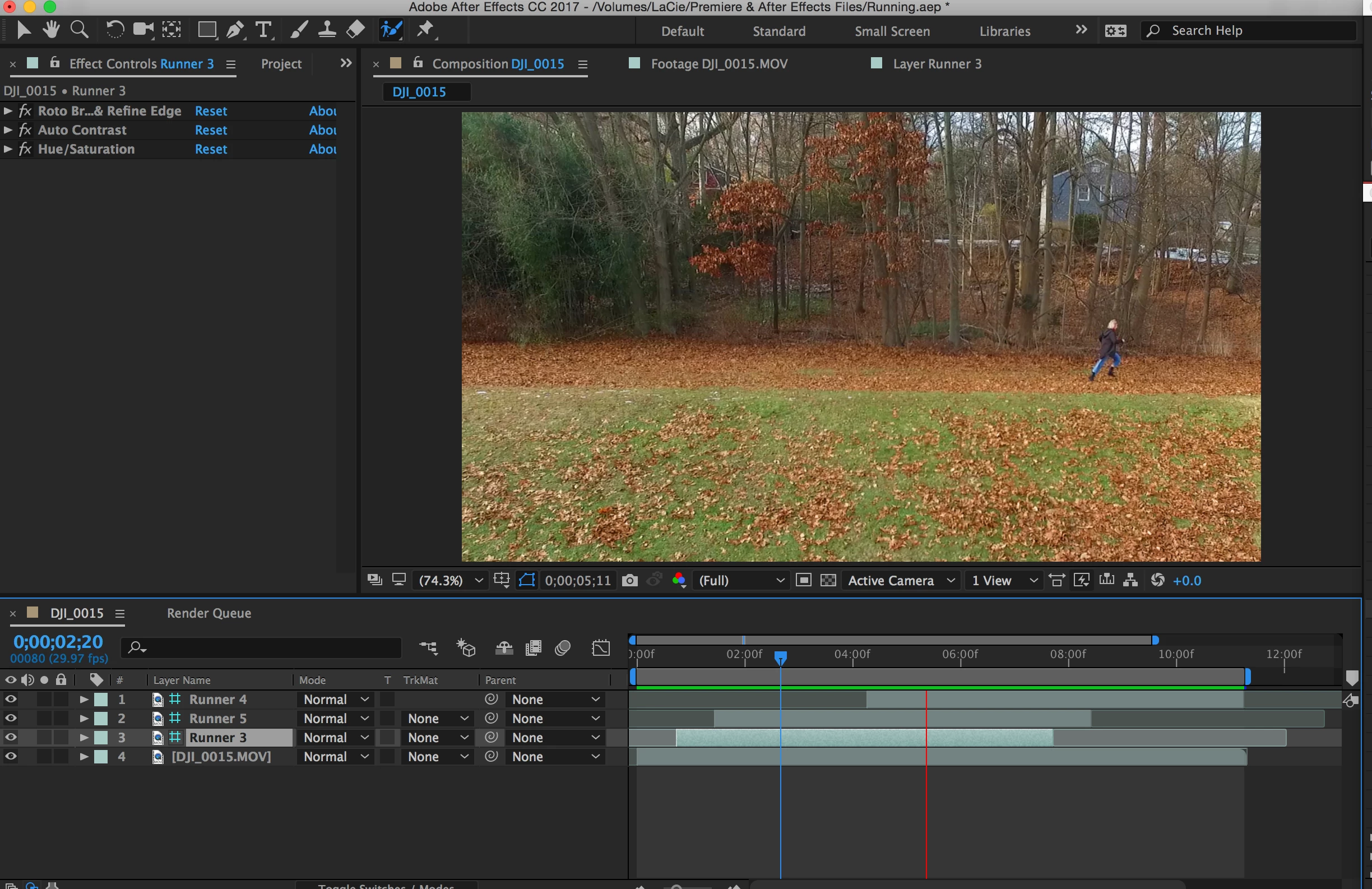
when I hit play everyone else goes away
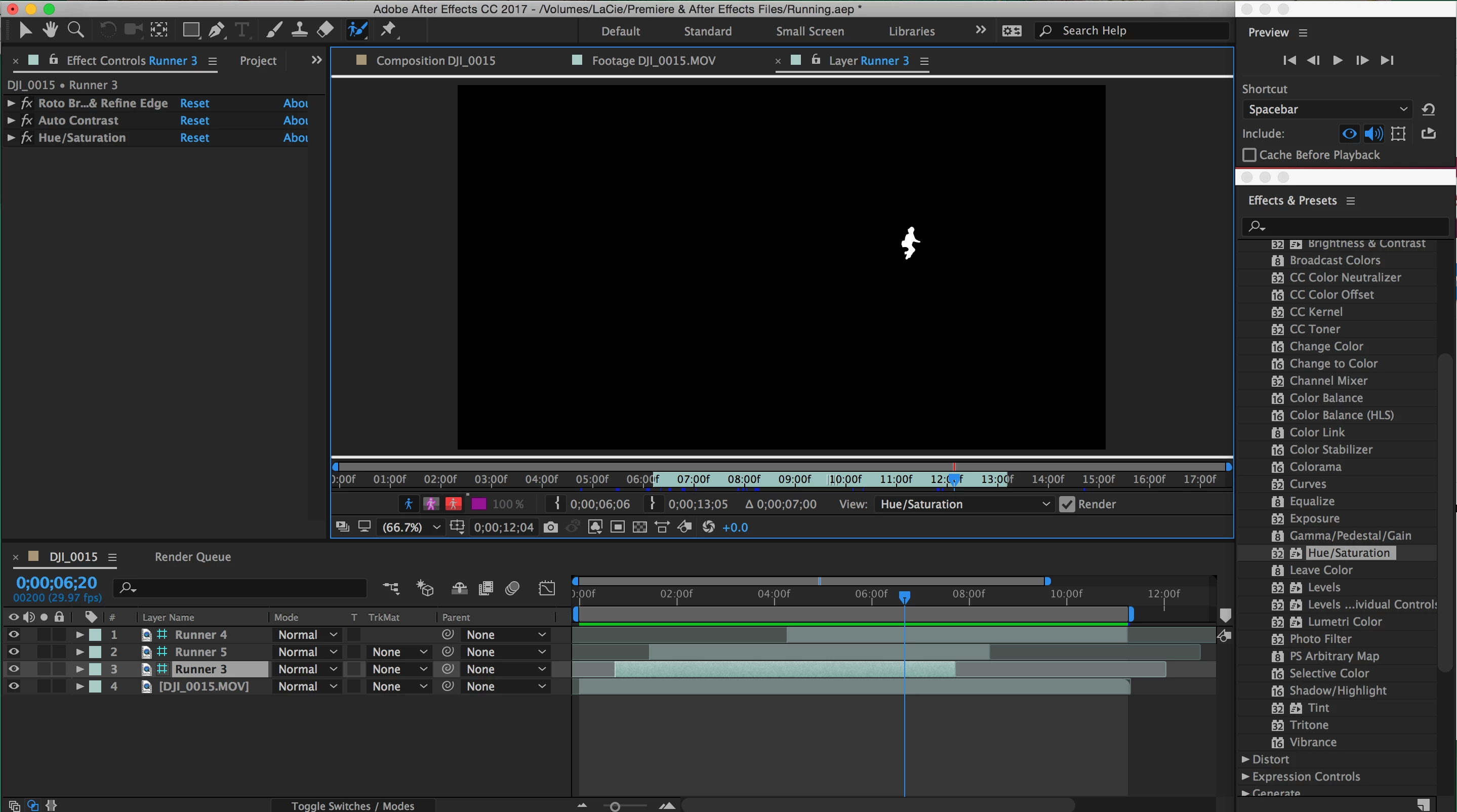
here is what one of the layers looks like in case I am misstepping in that area

This topic has been closed for replies.
Correct answer Dave_LaRonde

Simple -- you mistakenly made your disappearing layers into Guide Layers.  They're the ones with the cyan hashtag-looking switch.  Guide layers do not render.

Just turn that switch off and you're good to go.

2 replies

Participant
February 10, 2022

To anyone who faces the same issue:

Check your view option in the right bottom corner. You should have ACTIVE CAMERA on. 
I had "Front" and I couldn't see elements when paused. 


Dave_LaRonde
Dave_LaRondeCorrect answer
Inspiring
January 4, 2018

Simple -- you mistakenly made your disappearing layers into Guide Layers.  They're the ones with the cyan hashtag-looking switch.  Guide layers do not render.

Just turn that switch off and you're good to go.

Participant
January 5, 2018

Oh!! Thank you so much!!