
June 15, 2020
Pregunta

AME won’t open projects or render

  • June 15, 2020
  • 1 respuesta
  • 544 visualizaciones

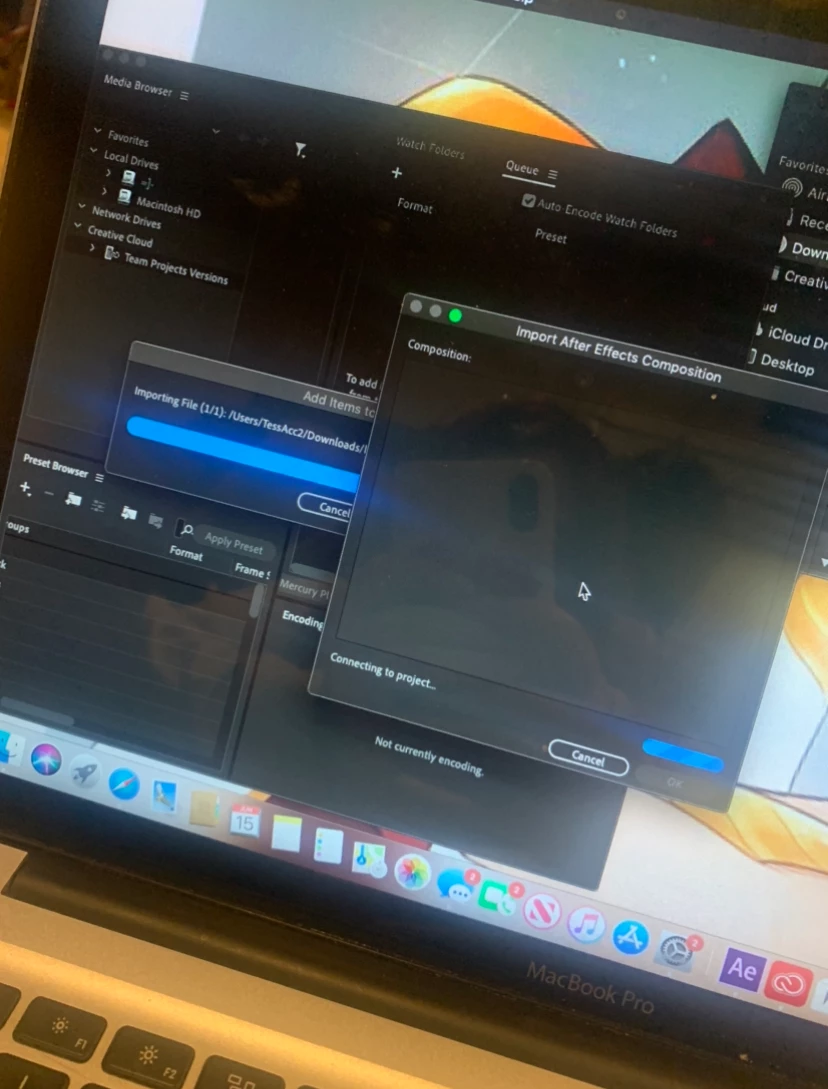
Whenever I export my project into AME, it only opens up but with none of the existing projects in the Queue. Then whenever I try to manually transport the project into AME it simply gets stuck here, nothing more happens it just loads for hours. So far I've wiped my computer as well as changed accounts and redownloaded AME as well as AE countless times. This was a last resort because I knew this would take awhile for anyone to reply but I thought I'd post this here to see if anyone had any ways or ideas on how I should fix it?
Este tema ha sido cerrado para respuestas.

1 respuesta

nishu_kush
Legend
June 19, 2020

Hi feistyaep,


I see that you're not able to export After Effects project using Media Encoder. Sorry about that. Please share the following information so that we can troubleshoot the issue properly.

Is it happening with more than one project? Are you using any third-party plug-ins in the Composition? If so, what happens if you remove them? Meanwhile, try updating your After Effects and Media Encoder to the latest and see if it helps.

Let us know how it goes.


Thanks,

Nishu

July 4, 2020

Hi! Thank you for replying and I apologize for my late response. Yes, it is happening with multiple aep files. I don't believe I am using any third party plugins no. I also am currently updated to the most recent version of After Effects and Adobe Media Encoder, however even in past versions I still seem to have the same issues. I'm not sure if this helps but in the corner of my screen whenever I open an aep file it says "display acceleration disabled". Now, what's weird is that on everything I've googled, it's not disabled. The box is clearly checked and not grated out, but it's almost like After Effects doesn't recognize that. Again, I don't know if that plays into my exporting issue at all, but I thought you should know that as well. 

nishu_kush
Legend
July 6, 2020

Thanks for sharing the details.

Please check out this article for suggestions on Display Acceleration Disabled. I don't think that Display Acceleration will affect Dynamic Link. However, firewall and antivirus does. Try disabling them and see if it help with the issue with Dynamic Link.

Let us know how it goes.


Thanks,

Nishu.