olllieelmes
Inspiring
November 12, 2021
Answered

An AE bug I've never been able to solve

  • November 12, 2021
  • 3 replies
  • 559 views

I've used AE for years but I've always come across the same issue without an explanation. 


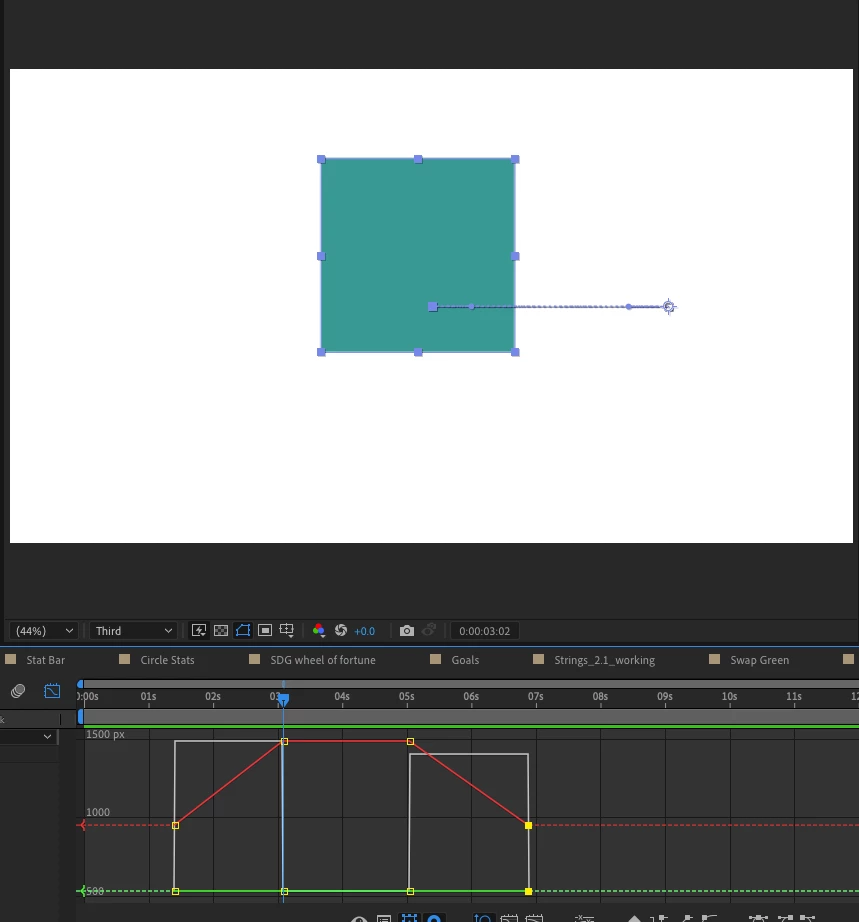
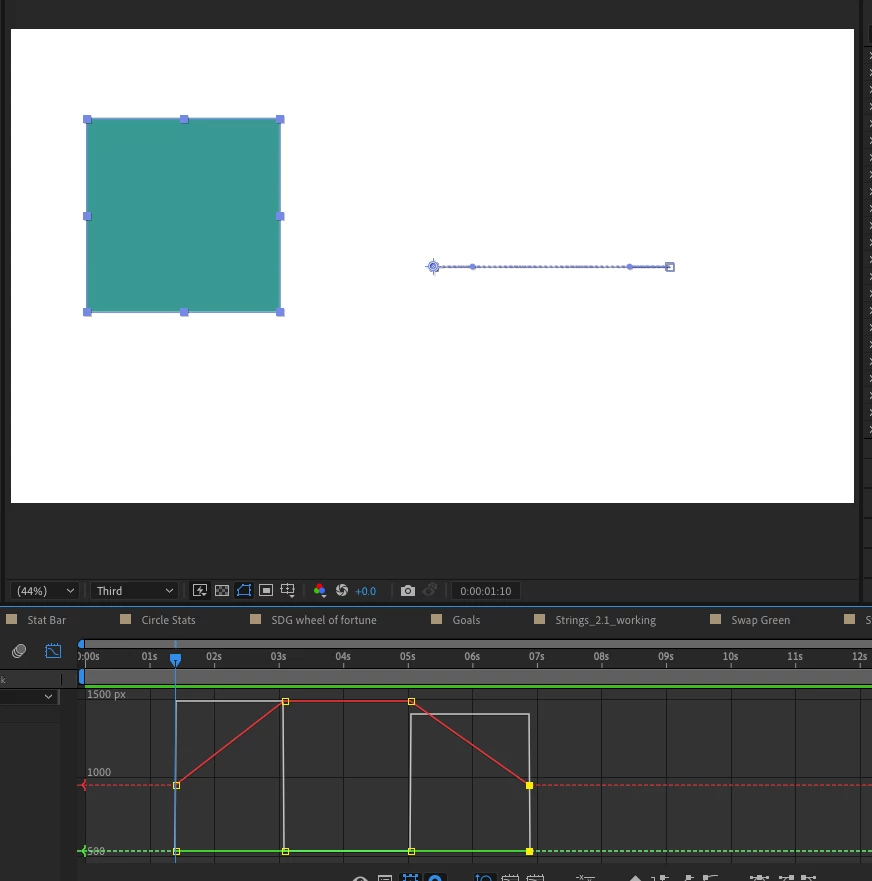
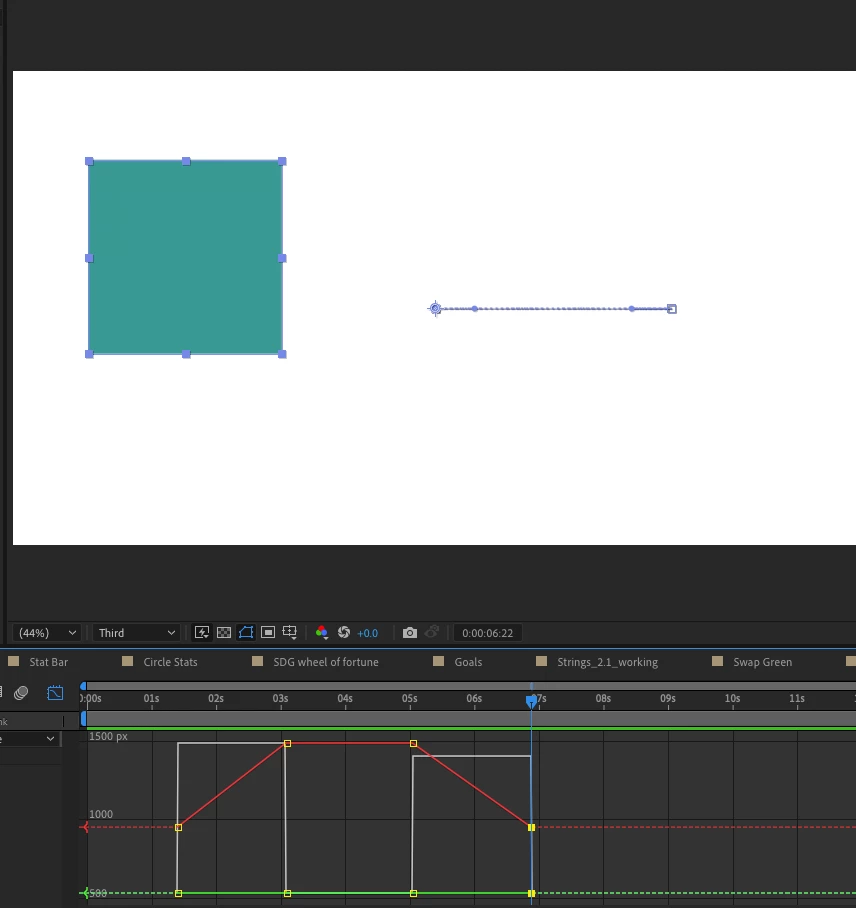
Say you have an object (see pics) and you move it right (making 2 key frames), then you want it to be still, so you copy and paste the same key frame. Now most of the time the object it still, as it should be, but sometimes the ojbect will move very slightly even though the key frames are not on easy ease and the 2 key frames are exactly the same! 


How can I stop this happening? This has always baffled me. 


I've attached an example... now here, the box moves as I want it to (I actually don't know what I do to cause this movement, so can't reinact it) but basically when it happens, there would be the slightest movement at 4 seconds.. 
This topic has been closed for replies.
Correct answer ShiveringCactus

As others have stated, AE is trying to move the layer between two keyframes which happen to have the same value, often this isn't an issue, but depending on the layer's movement, its temporal interpretation might be different to its spacial.  But there's a simple fix: 

On the resting keyframe, right-click on it in the timeline and choose Toggle Hold Keyframe.  AE will now lock this layer in place until the time indicator reaches another keyframe.

3 replies

ShiveringCactus
Community Expert
ShiveringCactusCommunity ExpertCorrect answer
Community Expert
November 17, 2021

As others have stated, AE is trying to move the layer between two keyframes which happen to have the same value, often this isn't an issue, but depending on the layer's movement, its temporal interpretation might be different to its spacial.  But there's a simple fix: 

On the resting keyframe, right-click on it in the timeline and choose Toggle Hold Keyframe.  AE will now lock this layer in place until the time indicator reaches another keyframe.

olllieelmes
Inspiring
November 17, 2021

Thank you, the toggle hold keyframe did the job! 

Meng Zhiqun
Inspiring
November 16, 2021

If you take a closer look at your object's position path, there are bezier handles. You can try selecting the position path or all the position keyframes and get to the pen tool, by pressing "g" and just click on the path to remove the bezier handles. This has helped me so far. If this doesn't work, you can try changing all of them to a linear interpolation.

Mylenium
Legend
November 12, 2021

Spatial and temporal are separate in AE. Just making spatial interpolation linear doesn't do the same for temporal inerpolation. That's all there is to say about the matter. I would suggest you re-read the pertinent sections of the online help.


Mylenium

olllieelmes
Inspiring
November 12, 2021

Any chance you could send me a link? 

Thanks

olllieelmes
Inspiring
November 12, 2021

 Here is an example of what I'm takling about.... I've circled the green position line, it has the slightest little rise which is enough to move my layers, when I need them to be fixed. How can I lock these key frames to create a dead straight line and therefore no movement. Many thanks