
Participant
August 16, 2021
Question

Anchor Point Tool not working in 3D

  • August 16, 2021
  • 5 replies
  • 1519 views

Hey everyone, 


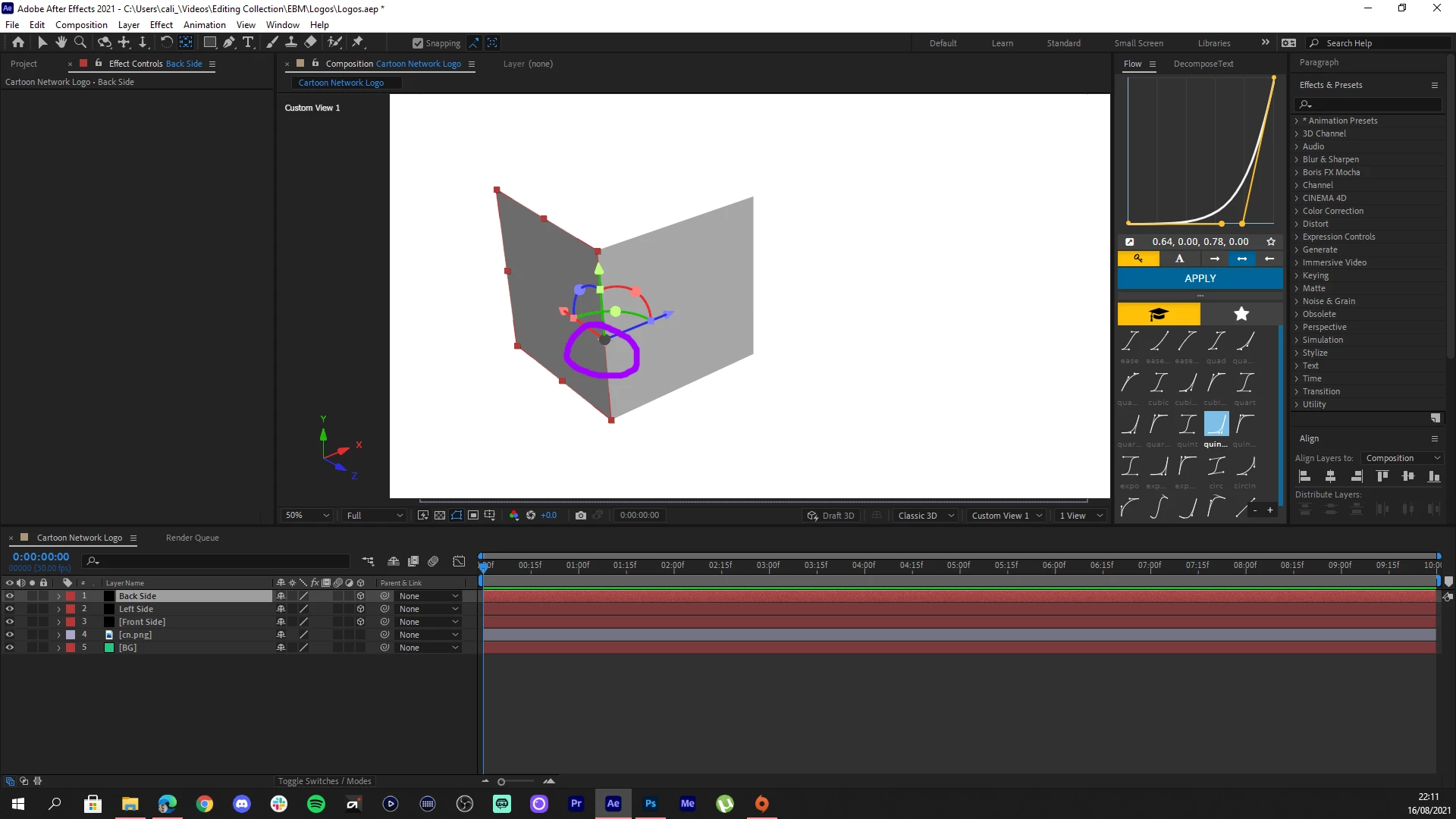
I'm trying to learn about animaton and using the 3D tools but I've run into a problem of not being able to move my anchor points. I'm trying to make a simple 3D cube and every tutorial I watch says to move the anchor point by oressing Y and then moving the anchor. I try doing this but when attempitng, the x z on the 3D mode is always on top of the anchor point so I can't actually move it.


If anyone can help me out, it'd be greatly appreciated.
This topic has been closed for replies.

5 replies

Participant
October 23, 2022

with the layer seleceted, and pan behind tool ON, turn the 3D off then back on. Was having a similar issue and this seemed to work for me. 


Participant
October 11, 2022

Been messing around and found a temporary solution, it's not the best but it's something.


Beside the Composition Tab, there is a drawer icon, click on it and go to "View Options...", there you can deselect "3D Transform Gizmos". Click Ok, and now the arrows will be missing and you will be only left with the anchor point to move around. When you're done moving it, you can enable the Gizmos again.

Known Participant
September 1, 2022

I'm having the same problem in 2D.

Participant
May 8, 2022

I am also experiencing the same frustrating experience.


Participant
May 6, 2022

Hi did you get this resolved? I am having the same issue wondering what process you did.