

Trevor.Dennis
Community Expert
Community Expert
June 25, 2025
Answered

Animate Behind a Stationary Mask

  • June 25, 2025
  • 1 reply
  • 257 views

I've used AE just once to animate a graphic for this promo eleven years ago.  After getting frustrated trying to persuade Photoshop to do what I want with a video timeline, I have bitten the bullet, and decided to get even more frustrated with AE.   This is for the SFTW threads that we run on the Photoshop forum.  


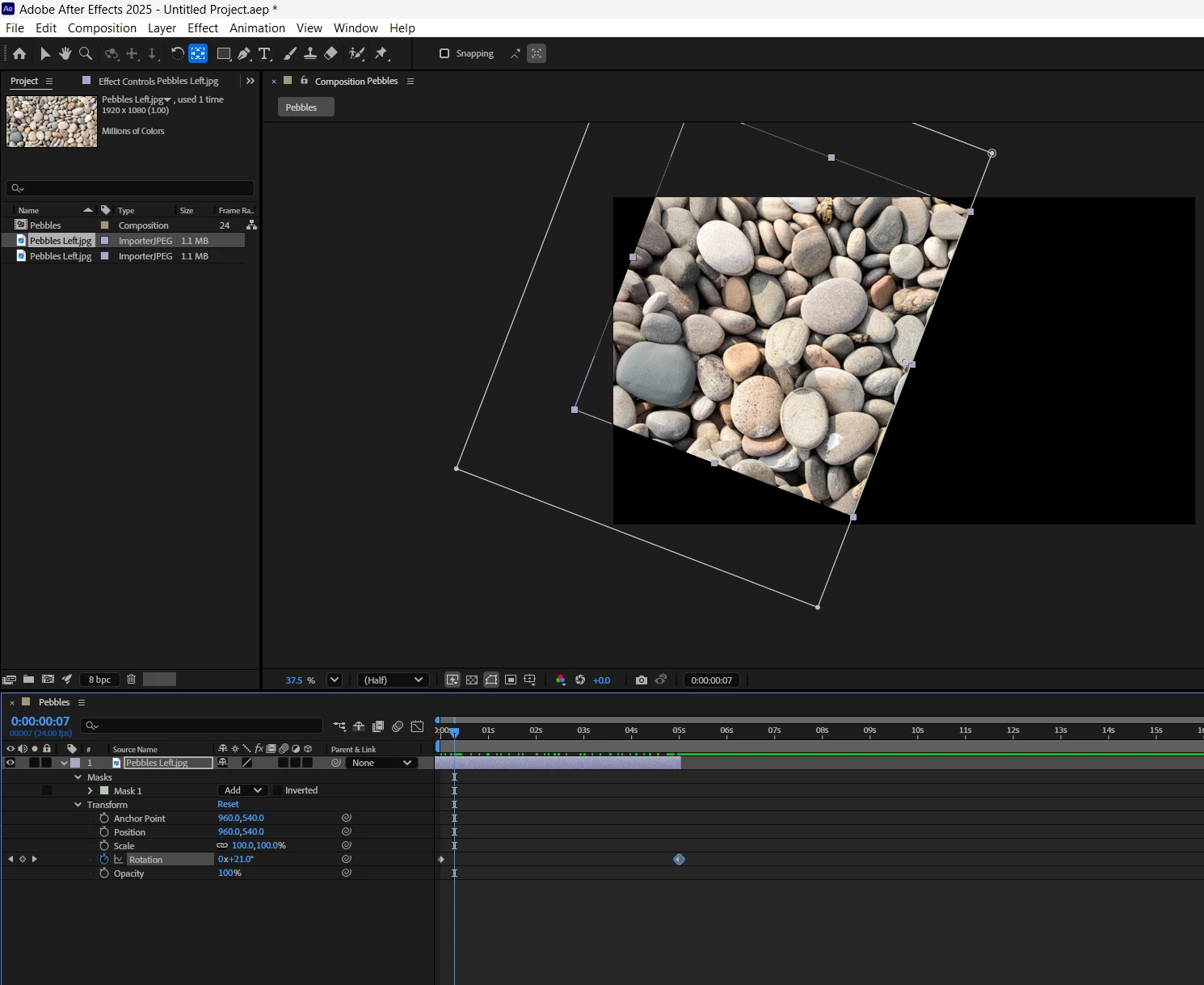
My idea is to make a kaleidoscope using four layers of the same still image with two of them mirrored, and mask the relevant quadrant of each layer.  My problem is that I can't get the mask to stay still while I rotate the image behind it.  Google mentioned the Pan Behind Anchor Point tool, but I I need to rotate rather than pan, and I'm not getting it anyway.


It must be doable. Can someone point me in the right direction?  Thanks.
 

BTW All are welcome to the SFTW threads, but I'm thinking that if you guys joined in, us Photoshop types would give up and go home.
Correct answer Trevor.Dennis

Yay!  I got it working. Thanks.  I'd found this video about using Track Matt, but the order was different to your screen shot, and I had to search for how to make that part of the timeline visible.  I think I need to take it down and put it together a few times to fix it in my head.  It gives you an idea of how complete beginners can find Adobe apps confusing at times. 


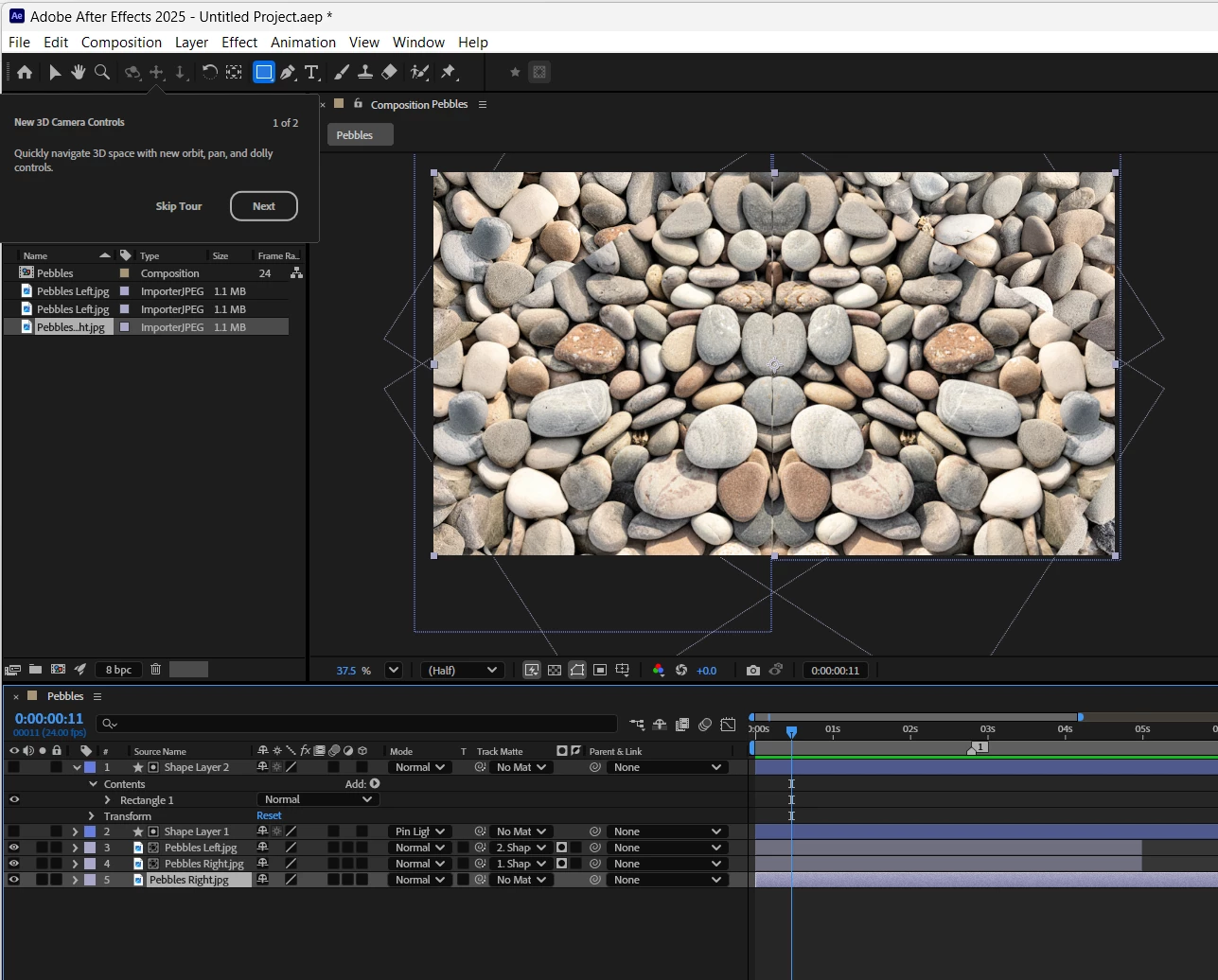
This is where I am right now.  You can see I created two track matts, one for each jpg layer.  I did look to see if I could use the same one and invert it, but I am not there yet.  


I initially sized the JPGs so that they would still fill the 1920 x 1080 frame when rotating, but they seemed to trim losing the outer pixels.  I'll keep trying, and asking Google for now though.


1 reply

ShiveringCactus
Community Expert
Community Expert
June 25, 2025

Can you use a track matte for the images instead of a mask.  If you're more familiar with Photoshop, the equivalent is an unlinked Layer Mask.

I'm not sure I fully grasp the image you're trying to create, but this screenshot shows one layer (Shape Layer 1) being used a track matte for the 4 layers underneath.  Ignore the CC Kaleida effect I've searched for, I was wondering if that would help too.


The Pan Behind Tool is a layer transform tool that allows you to adjust the anchor point of a layer rather than its position, so it can come in handy if you want to rotate an image around a specific point instead of its centre.


Trevor.Dennis
Community Expert
Trevor.DennisCommunity ExpertAuthorCorrect answer
Community Expert
June 25, 2025

Yay!  I got it working. Thanks.  I'd found this video about using Track Matt, but the order was different to your screen shot, and I had to search for how to make that part of the timeline visible.  I think I need to take it down and put it together a few times to fix it in my head.  It gives you an idea of how complete beginners can find Adobe apps confusing at times. 


This is where I am right now.  You can see I created two track matts, one for each jpg layer.  I did look to see if I could use the same one and invert it, but I am not there yet.  


I initially sized the JPGs so that they would still fill the 1920 x 1080 frame when rotating, but they seemed to trim losing the outer pixels.  I'll keep trying, and asking Google for now though.