


Participating Frequently
Mar 29, 2024 3:14 AM UTC
Answered

Animate multiple Objects along with a path without adding keyframe

Hi,
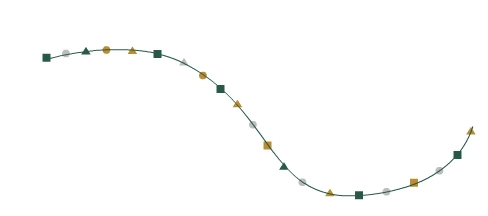
I am planning to create an animation in which several shapes such as circles, rectangles, and triangles move along a particular path. I want the shapes to follow the path automatically whenever I move the path of the shape layer, without having to add a keyframe manually. This is different from an orient path.
I'm expecting your valuable suggestions on this, Thanks !!
animation
This topic is closed to new replies. Start a new post to keep the conversation going.
Airweb_AECorrect answer
Legend
Mar 29, 2024 4:45 PM UTC

Yea, it's working now !!
I just want to bring to your attention that the code works perfectly fine if it involves only one layer. However, I am facing issues with the looping functionality when multiple objects are added, particularly with the start and end points. I am not sure if it's due to my lack of knowledge in scripting.
Thanks for your support @Airweb_AE . It means a lot.


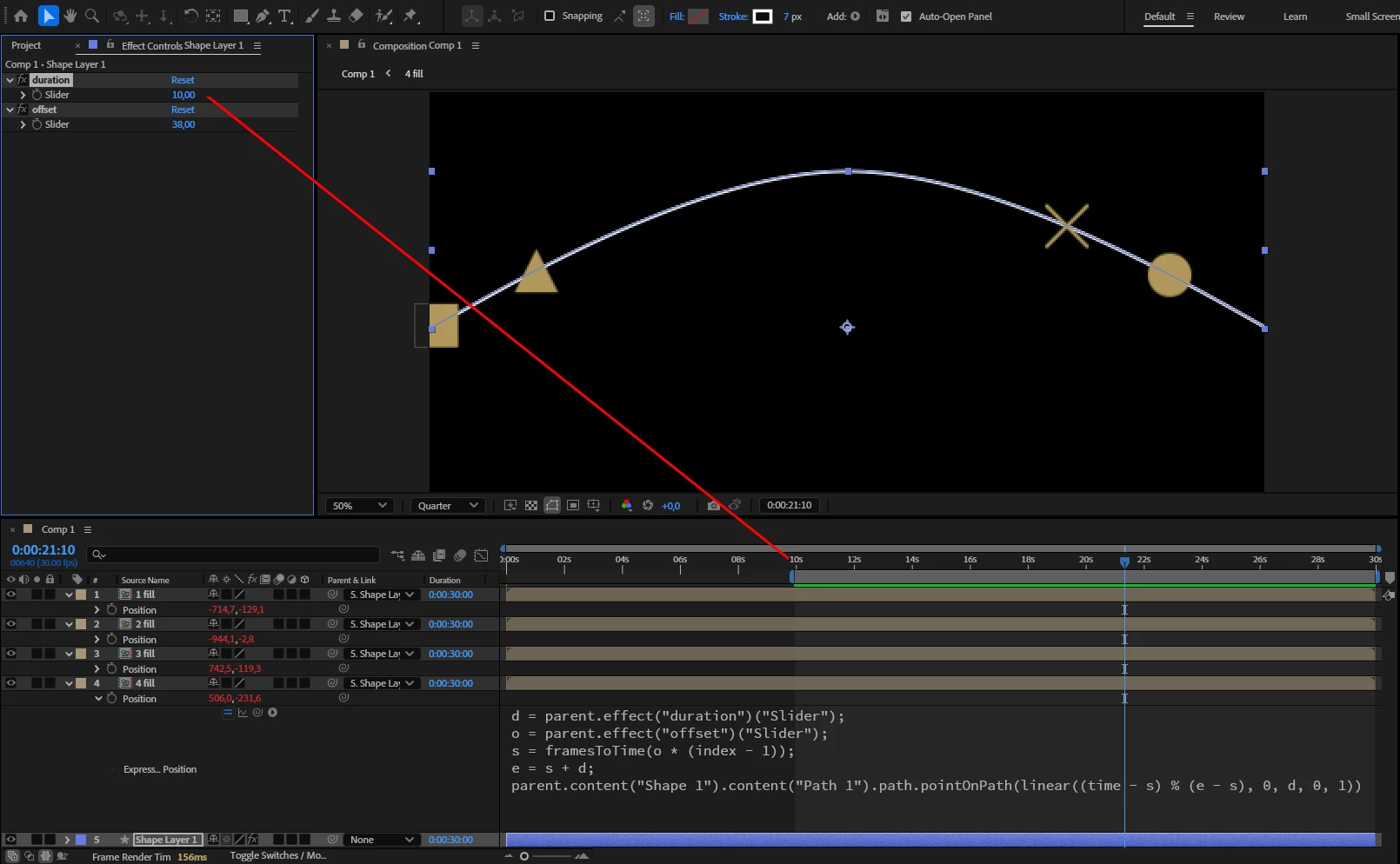
Try this expression and offset the work area start

d = parent.effect("duration")("Slider");
o = parent.effect("offset")("Slider");
s = framesToTime(o * (index - 1));
e = s + d;
parent.content("Shape 1").content("Path 1").path.pointOnPath(linear((time - s) % (e - s), 0, d, 0, 1))


8 replies

Legend
Mar 29, 2024 4:52 AM UTC

You can parent your shape layers to the path layer.

Add two slider controls (offset, duration) on the path layer

and apply this position expression to your shape layers:


d = parent.effect("duration")("Slider");
o = parent.effect("offset")("Slider");
s = o * (index-1);
e = s + d;
parent.content("Shape 1").content("Path 1").path.pointOnPath(linear(time, s, e, 0, 1))


Translate
Participating Frequently
Mar 29, 2024 11:33 AM UTC

Thanks much !!@Airweb_AE This will help me, but I still have doubts about how to turn it into a loop
Thanks again for your effort !!


Translate
Legend
Mar 29, 2024 12:10 PM UTC

Try this:

d = parent.effect("duration")("Slider");
o = parent.effect("offset")("Slider");
s = framesToTime(o * (index - 1));
e = s + d;
parent.content("Shape 1").content("Path 1").path.pointOnPath(linear((time - s) % (e - s), s, e, 0, 1))
Translate