

Leon2406
Participating Frequently
November 8, 2021
Answered

Animate position of an illustration in a locked mask?

  • November 8, 2021
  • 1 reply
  • 273 views

Hey guys,


I´ve an Illustrator layer I imported as composition into After Effects - all fine.


I´ve added a mask to the layer and now I want to animate the position of this layer but it should only be shown the area within the mask without moving the mask.


Shortly: The mask should be locked but the illustration not.

Simply like in Photoshop when you delete the staple between layer and mask.


I tried using a solid layer with a mask and alpha mask to get a clipping mask for the layer underneath, but unfortunately it didn´t work. Same with a shape layer.
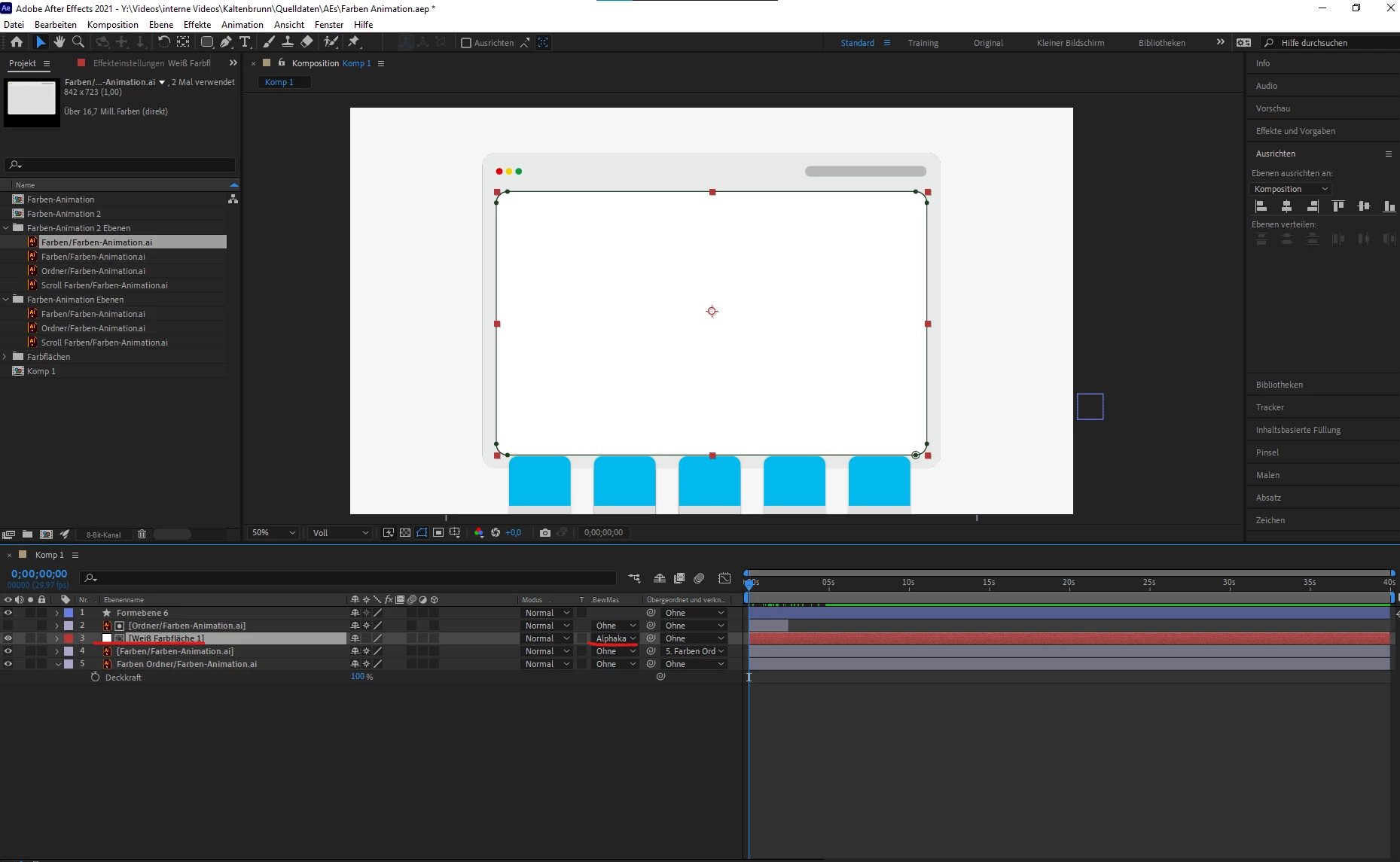
 

The blue boxes layer should only be shown in the area of the mask (solid) over it


Thank you for your help!


I have After Effects v.22.0

This topic has been closed for replies.
Correct answer Mylenium

Track Mattes will work just fine. You just have the order wrong. The matte goes above the layer to be masked, not beneath it. For multiple layers pre-compose them or create the mask on top of the comp and use the Stencil Alpha blending mode.


Mylenium

1 reply

Mylenium
MyleniumCorrect answer
Legend
November 8, 2021

Track Mattes will work just fine. You just have the order wrong. The matte goes above the layer to be masked, not beneath it. For multiple layers pre-compose them or create the mask on top of the comp and use the Stencil Alpha blending mode.


Mylenium

Leon2406
Leon2406Author
Participating Frequently
November 8, 2021

ah I´m so stupid. I put the matte on the solid layer not the illustration. I literally tried different solutions for like 1-2 hours... Big thanks man you saved me from struggling another 2 hours haha!!