Participant
December 13, 2022
Answered

Animating motion with expression sliders

  • December 13, 2022
  • 1 reply
  • 325 views

Hello,

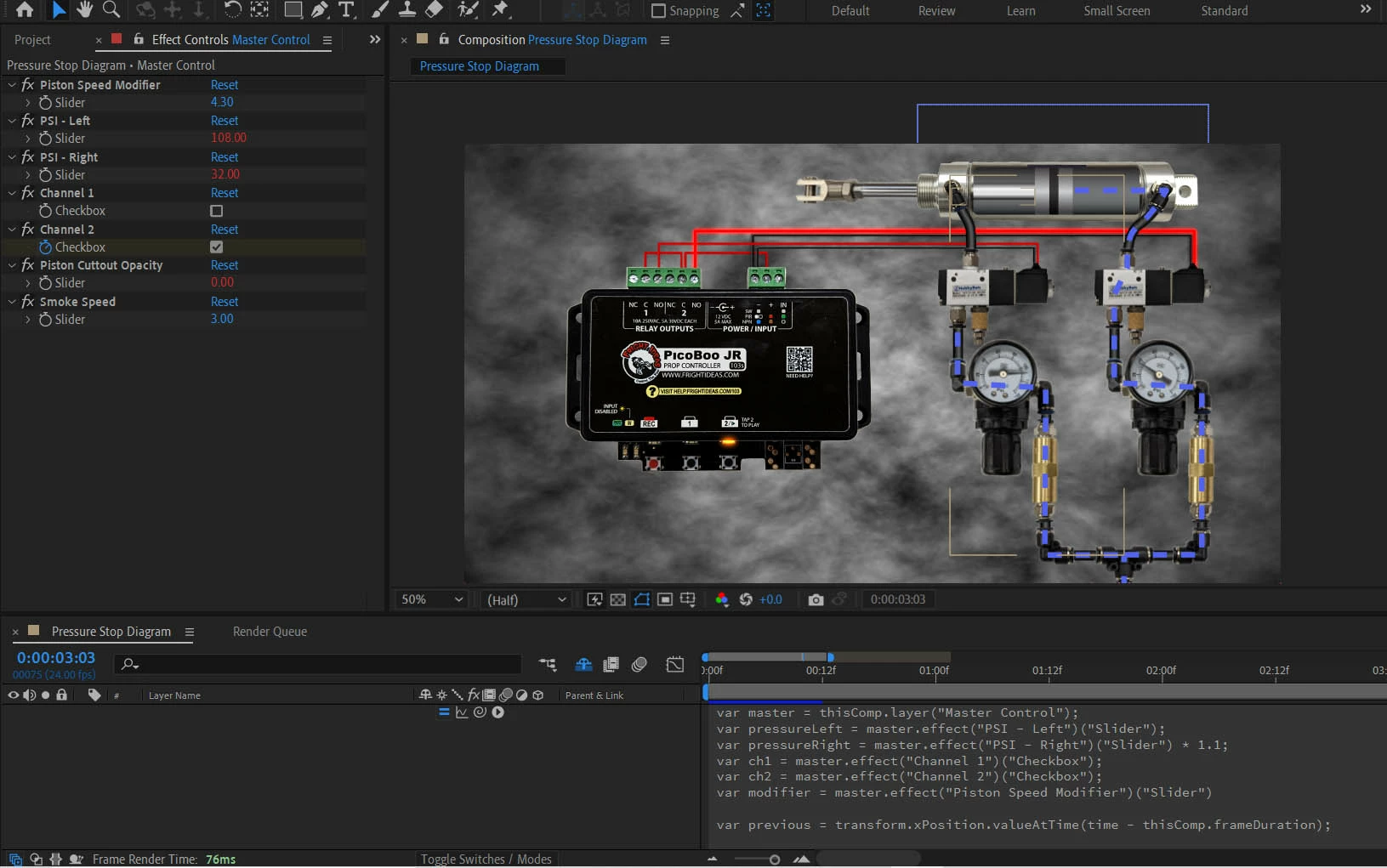
I'm trying to simulate a pnuematic piston system for a tutorial at work. The system is a piston with 2 valves triggered by a controller and fed by seperate pressure regulators.

There are quite a few moving parts, but the important bit is I'm trying animate just the PSI sliders (effectively my speed) and Channel # checkboxes (on/off switches for each direction of motion).

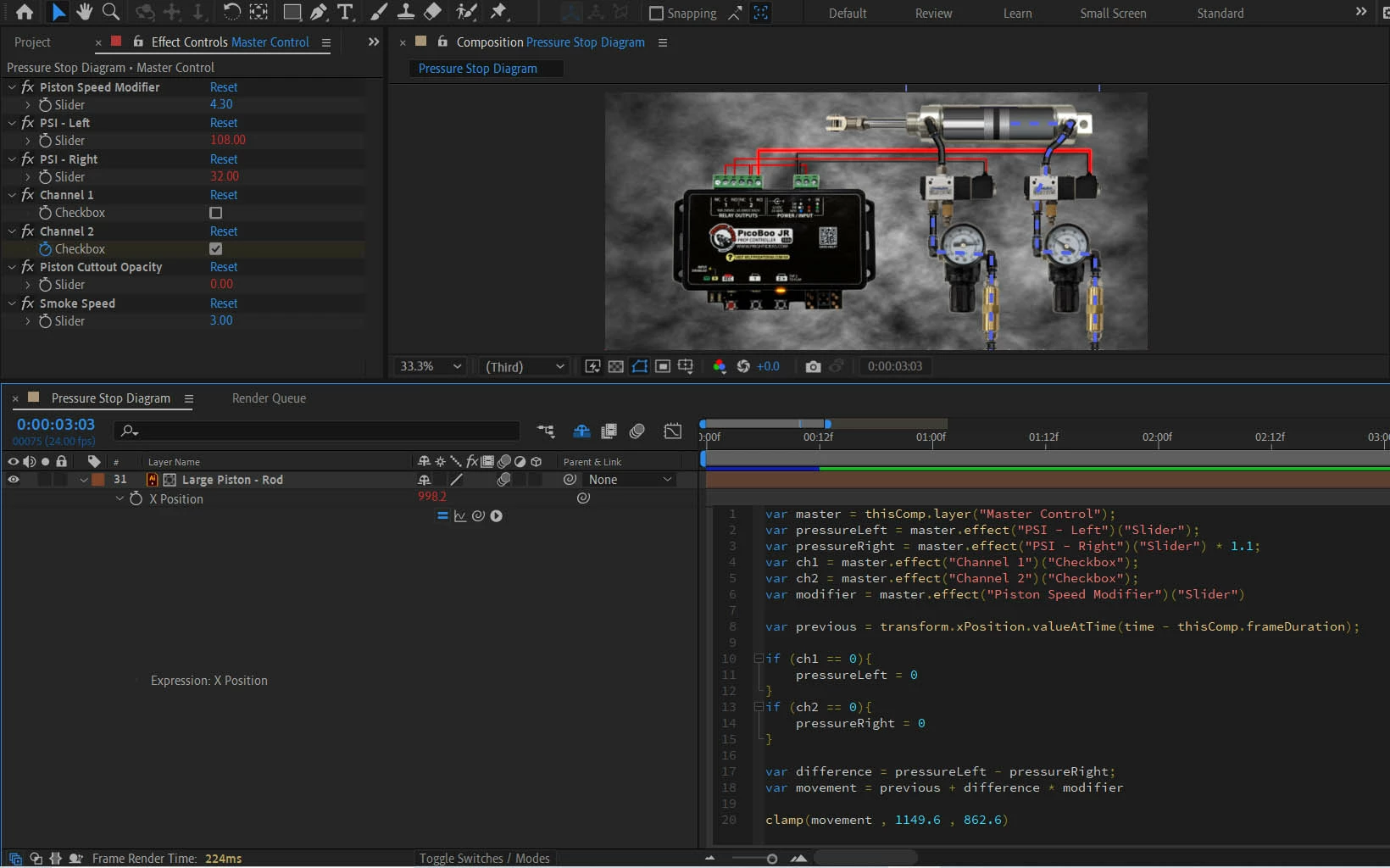
I'm looking it the x position of the poston from one previous frame. When I trigger one of the check boxes it moves correctly for one frame and then freezes in that spot. If I key it on, then off, it goes back to its original position. I feel like looking for the previous frame value always just finds the original value.

Any suggestions?


Thanks!


var master = thisComp.layer("Master Control");
var pressureLeft = master.effect("PSI - Left")("Slider");
var pressureRight = master.effect("PSI - Right")("Slider") * 1.1;
var ch1 = master.effect("Channel 1")("Checkbox");
var ch2 = master.effect("Channel 2")("Checkbox");
var modifier = master.effect("Piston Speed Modifier")("Slider")

var previous = transform.xPosition.valueAtTime(time - thisComp.frameDuration);

if (ch1 == 0){
pressureLeft = 0
}
if (ch2 == 0){
pressureRight = 0
}

var difference = pressureLeft - pressureRight;
var movement = previous + difference * modifier


clamp(movement , 1149.6 , 862.6)
 

This topic has been closed for replies.
Correct answer Dan Ebberts

I haven't tested this at all, but if you wanted a full-blown accumulator, that lets you animate all the controls, it would look something like this:


var master = thisComp.layer("Master Control");
var pressureLeft = master.effect("PSI - Left")("Slider");
var pressureRight = master.effect("PSI - Right")("Slider");
var ch1 = master.effect("Channel 1")("Checkbox");
var ch2 = master.effect("Channel 2")("Checkbox");
var modifier = master.effect("Piston Speed Modifier")("Slider");

t = inPoint;
accum = 0;
while (t <= time){
  pL = ch1.valueAtTime(t) ? pressureLeft.valueAtTime(t) : 0;
  pR = ch2.valueAtTime(t) ? pressureRight.valueAtTime(t)*1.1 : 0;
  accum += (pL - pR)*modifier.valueAtTime(t);
  t += thisComp.frameDuration;
}
clamp(value + accum, 1149.6 , 862.6)


You could simplify things somewhat if your sliders are static.

1 reply

Dan Ebberts
Community Expert
Community Expert
December 13, 2022

When an expression references the current, past, or future value of the property the expression is applied to, it gets the pre-expression value (i.e. the keyframed or static value of the property--as if the expression didn't exist). So if you need the value the expression calculated on the previous frame, you need to recreate that value. The difficulty in doing that varies, depending on exactly what you're trying to do and what you have to work with. It sounds like you might need to start at time = 0, and calculate all previous motion based on the keyframed values of your checkboxes and your slider settings. A little tricky to set up, if you're not used to doing it.

Dan Ebberts
Community Expert
Dan EbbertsCommunity ExpertCorrect answer
Community Expert
December 13, 2022

I haven't tested this at all, but if you wanted a full-blown accumulator, that lets you animate all the controls, it would look something like this:


var master = thisComp.layer("Master Control");
var pressureLeft = master.effect("PSI - Left")("Slider");
var pressureRight = master.effect("PSI - Right")("Slider");
var ch1 = master.effect("Channel 1")("Checkbox");
var ch2 = master.effect("Channel 2")("Checkbox");
var modifier = master.effect("Piston Speed Modifier")("Slider");

t = inPoint;
accum = 0;
while (t <= time){
  pL = ch1.valueAtTime(t) ? pressureLeft.valueAtTime(t) : 0;
  pR = ch2.valueAtTime(t) ? pressureRight.valueAtTime(t)*1.1 : 0;
  accum += (pL - pR)*modifier.valueAtTime(t);
  t += thisComp.frameDuration;
}
clamp(value + accum, 1149.6 , 862.6)


You could simplify things somewhat if your sliders are static.

Participant
January 5, 2023

Hey!

Just realized I never responded to this, but your code worked perfectly when I pasted it in.

Thanks!

-Josh