
Participant
September 26, 2024
Question

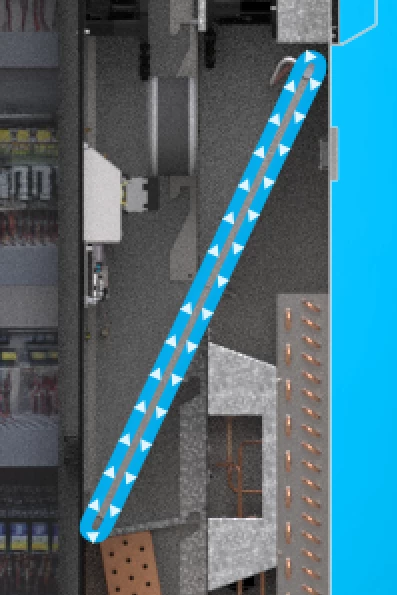
Animating triangles along a path, equally spaced, looping.

  • September 26, 2024
  • 1 reply
  • 511 views

Hi There,

Looking for some advice on the best way to achieve the below. I want the triangles to move along the path and be equally spaced and loop infinitely. I have them moving along the path but I'm having trouble finding the best way to ensure they are equally spaced (other than manually seperating them individually in a pre comp) is there an expression or a tutorial for how to achieve this.

Thanks very much in advance!


This topic has been closed for replies.

1 reply

Dan Ebberts
Community Expert
Community Expert
September 26, 2024

It's hard to say exactly, not knowing how you have things set up, but try this to get some ideas. Use the pen tool to draw your path. Then create one of your triangle layers (above the path layer in the timeline layer stack). Add this position expression to the triangles's position:

L = thisComp.layer("Shape Layer 1");
nTriangles = L.index - 1;
myNum = index;
loop = 5; // time to loop path (seconds)
path = L.content("Shape 1").content("Path 1").path
t = (time%loop)/loop;
myPct = (myNum-1)/nTriangles;
p = (myPct + t)%1;
L.toComp(path.pointOnPath(p));

Then duplicate the triangle layer a bunch of times.


Participant
September 30, 2024

Thanks Dan! This appears to be working, I can just duplicate the layer many times and it will populate the track with as many arrows I need. There is one missing though, do you know why that might be?

Dan Ebberts
Community Expert
Community Expert
September 30, 2024

Hmmm. Maybe one of them doesn't have the expression (my guess would be Layer 1). In any case, I'd try selecting the layers, one at a time, in the timeline to find out which layer it is, and where it is.