


Participant
January 8, 2024
Answered

Animating Vector Lines with Trim Paths

  • January 8, 2024
  • 2 replies
  • 796 views

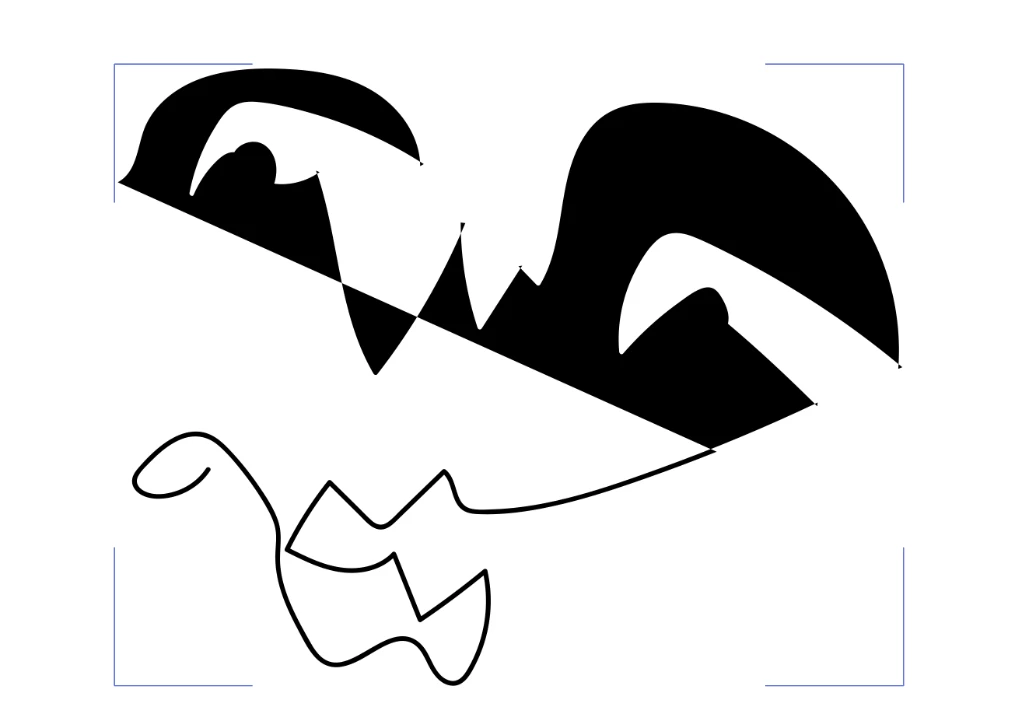
Hi, I am trying to do an extremely simple animation of a single line drawing from Illustrator. I have figured out to do it when I use the pen tool (Image A)- however I would prefer to use lines created drawing freestyle. However when I import a freestyle line to After effects, it does not register the correct path. Is there any easy way to fix this?


Image A
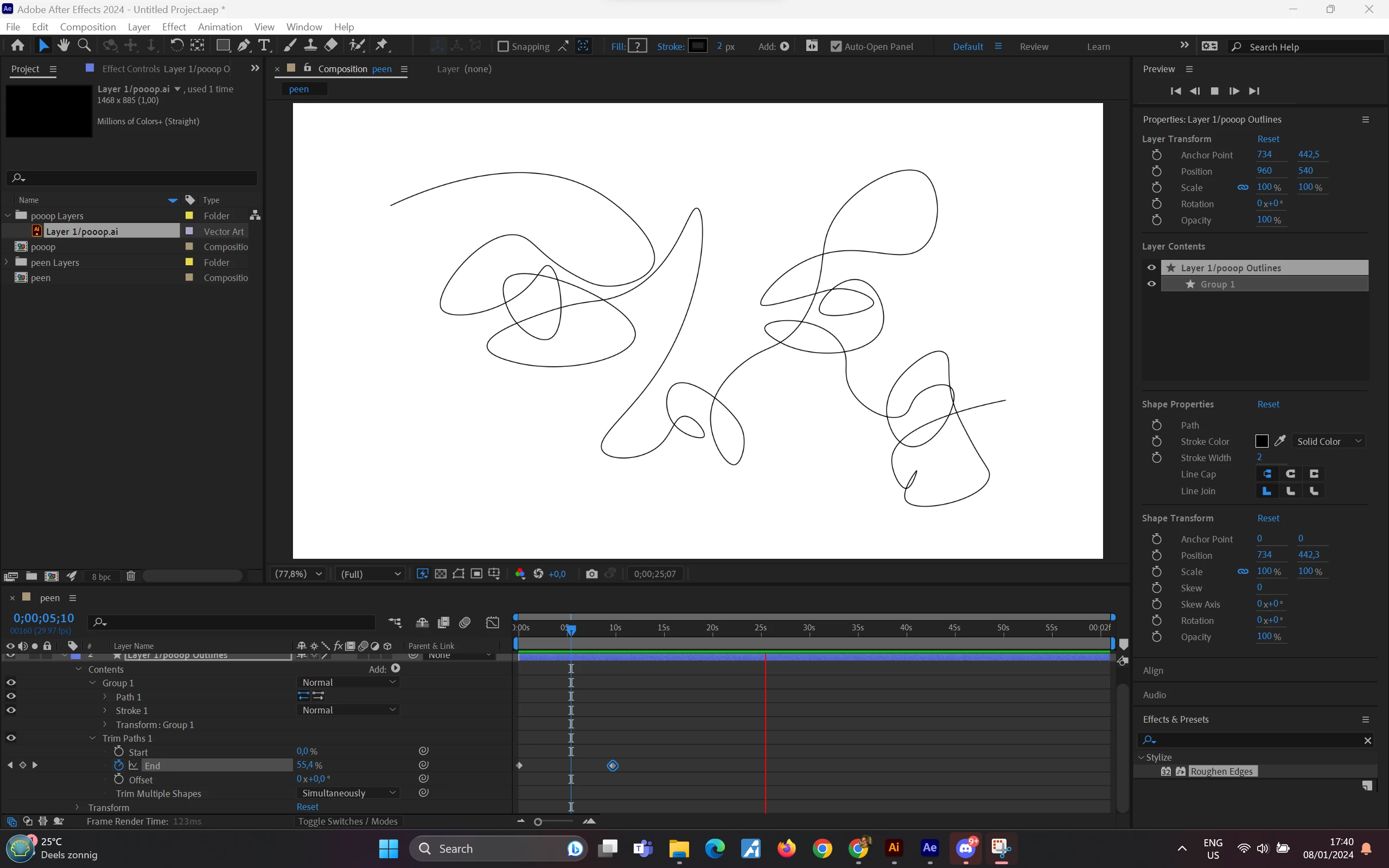
 

Image B


Correct answer Rick Gerard

If you want to convert a vector path (Illustrator layer) to a shape path, it cannot have a brush applied. If a brush is applied, you get a closed path with a fill that looks like the original line. Trim Paths does not work on a fill; it only works on a stroke.


Your Image B looks like the created path has a fill applied, not a stroke, and it is out of position. That tells me you moved the original vector layer before you converted it to a shape layer.

2 replies

Participant
April 13, 2025
Roland Kahlenberg
Legend
April 14, 2025

Lottie Labs is another option - https://www.lottielab.com/animation-features

Very Advanced After Effects Training | Adaptive & Responsive Toolkits | Intelligent Design Assets (IDAs) | MoGraph Design System DEV
Rick GerardCommunity ExpertCorrect answer
Community Expert
January 8, 2024

If you want to convert a vector path (Illustrator layer) to a shape path, it cannot have a brush applied. If a brush is applied, you get a closed path with a fill that looks like the original line. Trim Paths does not work on a fill; it only works on a stroke.


Your Image B looks like the created path has a fill applied, not a stroke, and it is out of position. That tells me you moved the original vector layer before you converted it to a shape layer.

Loud_FroAuthor
Participant
January 9, 2024

Thank you so much!