

Animating vertex points between keyframes
Please bear with me as this may sound very confusing. I would also like to stress that I have used AE before many times, just never for animation of this kind.
I am used to animating using a software called Anime Studio Pro 8. It has been my go-to software since I first became interested in learning how to animate. When I first opened After Effects, I was ecstatic as it looked like I could use it to animate in a very similar way to Anime Studio Pro. It has been a few years since then and I have finally decided to try out my way of animating using After Effects instead of ASP. To make it easier on myself, I am simply recreating a past animation that I created in ASP. I created my character in After Effects using many layers that each contain many shapes. I have named these layers accordingly as I did in ASP (i.e. head, arms, body, etc.).
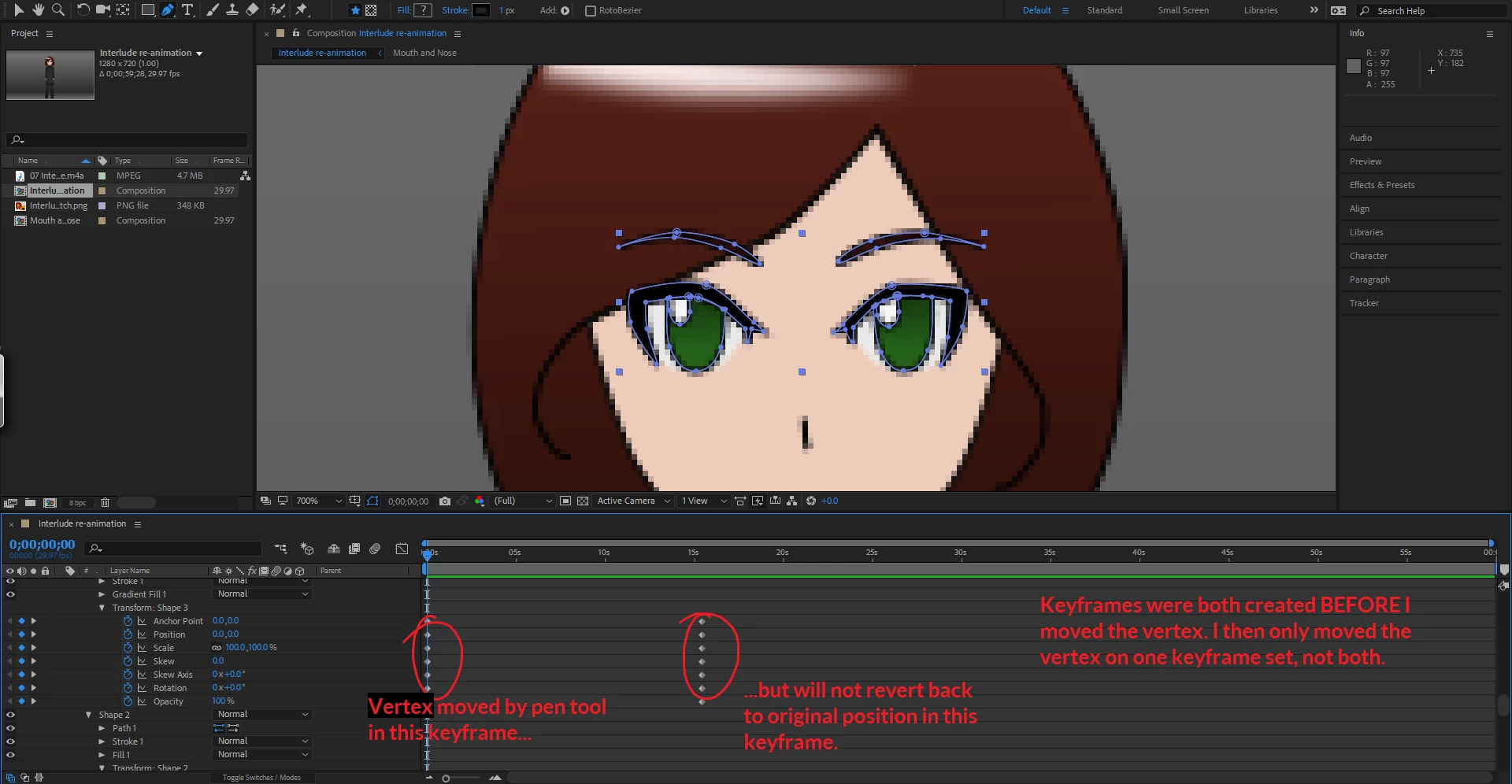
The problem began when I started trying to animate the character. I created two keyframe sets to be at two certain times of the animation (see picture below). Both of these keyframe sets were the EXACT same. Nothing had moved or changed in the middle of my placing them at their specific times. Once they were placed, I clicked on a vertex point on the shape of the character's eye and began to move it so that it looked like her eye was closing, and when I dragged the bar to the following keyframe set (the vertex's original position) it didn't move back to it's original position. It stayed in the spot where I moved it, which is not what happens in Anime Studio Pro 8. In ASP 8, if you move a vertex in between keyframes, it will morph back into whatever position it was in for the second keyframe, making animation significantly easier.
What's more, I decided to test moving the position of the shape on the first keyframe set, and when I dragged the bar it moved back to its original position for the second keyframe set. So AE is working just fine, there is simply something I'm missing when it comes to animating using the vertexes of a shape.
I am very confused and can't find any forums or videos to help me on the matter because I don't even know what to call such a problem. Any help would be greatly appreciated. Thank you very much!
Also, I did take short videos of what I am talking about, but the forum won't let me upload videos to this question and I don't feel like uploading them to my YouTube channel unless absolutely necessary. Please let me know if you would like to see videos of what I'm talking about.
 AdChoices