Participant
December 10, 2017
Answered

Any way I can have an object came out from a layer mask

  • December 10, 2017
  • 2 replies
  • 306 views

  let's say a ball   jumps around,  the motion happens from the inside of a circle.  At the end  the ball  will came out from the  circle (which in this case is the mask). Ive trying to do this but the ball remains inside the mask.

In this case the object goes inside the mask
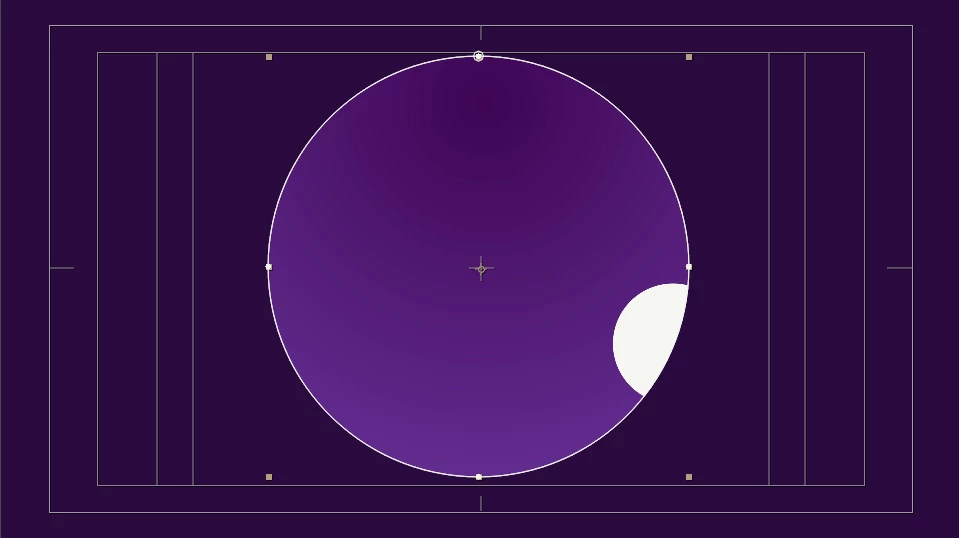
but i wan to make a motion inside the mask and at the end came out from it
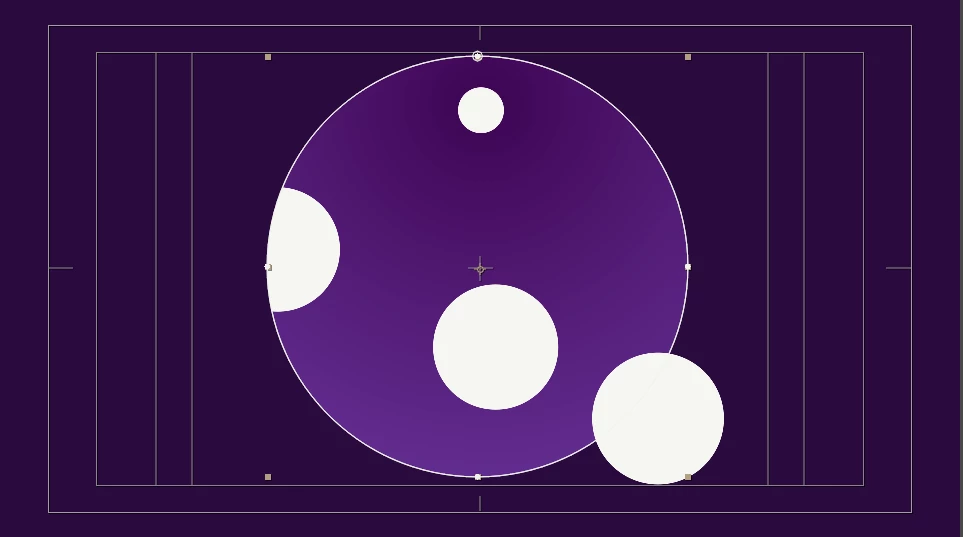
Thanks for your help

    This topic has been closed for replies.
    Correct answer Rick Gerard

    It's just layers or 3D. The easiest way to do that is to have the hole in a 3D layer and have the white circle a 3D layer then move one through the other and adjust the camera position to get the look you like.

    If you want to stick to 2D layers then you have one layer below the layer with the hole and one above, then you just adjust the in point of the layer on top to make it move through the hole.

    I hope you followed that.

    2 replies

    Mylenium
    Legend
    December 10, 2017

    I don't see the problem. You'd simply use duplicate layers and hard cuts. The rest is merely a matter of stacking order, with teh ball that is coming out obviously having to be on top whereas the other stuff is beneath your track matte/ stencil layer.

    Mylenium

    imeilfx
    Inspiring
    December 10, 2017

    We need bit more information to be able to help you. Is that masked circle a single layer (movie clip), is that a precomposition of some sort of animation made in AE? Without knowing exact setup that you are working on - we can't help.

    Rick GerardCommunity ExpertCorrect answer
    Community Expert
    December 10, 2017

    It's just layers or 3D. The easiest way to do that is to have the hole in a 3D layer and have the white circle a 3D layer then move one through the other and adjust the camera position to get the look you like.

    If you want to stick to 2D layers then you have one layer below the layer with the hole and one above, then you just adjust the in point of the layer on top to make it move through the hole.

    I hope you followed that.