jcalcina
Inspiring
July 26, 2023
Answered

Anyone know the method of animation at 6:29

  • July 26, 2023
  • 1 reply
  • 353 views

https://www.youtube.com/watch?v=FAyG4WNOiWI


At 6:29, Chris references animating with path keyframes, such as the Disney dog example. 

The dog appears to be looping around a path.


Are there several different dog shapefiles doing this? 


Can't find anything similar to this method except animating along path which isn't helpful.

This topic has been closed for replies.
Correct answer Rick Gerard

Each part of the dog is a separate path. If a null was added to each point, then you could animate the position of the nulls to change the path. When animating position, if the first and last keyframes are identical, a simple loopOut() expression will repeat the action. 


I you were to recreate the dog's front right leg, attach a null to each point using the Window/Create Nulls From Paths/Points Follow Nulls script. You could then add a new null for the top of the leg, the knee, and the foot and position them over the correct parts. You could then select all of the nulls on the top of the leg and parent them to the Top of leg null and repeat the procedure for the knee and the foot. 


You could clean up the timeline by making all of the nulls created by the script shy layers and turning off their visibility, then just animate the position, scale, and rotation of each of the nulls to make the leg move. If you set a keyframe for the foot moving to the most forward position, then one for the most backward position, then copied the first keyframe and pasted it in ahead of the second keyframe, a simple loopOut expression would make the leg move continuously.
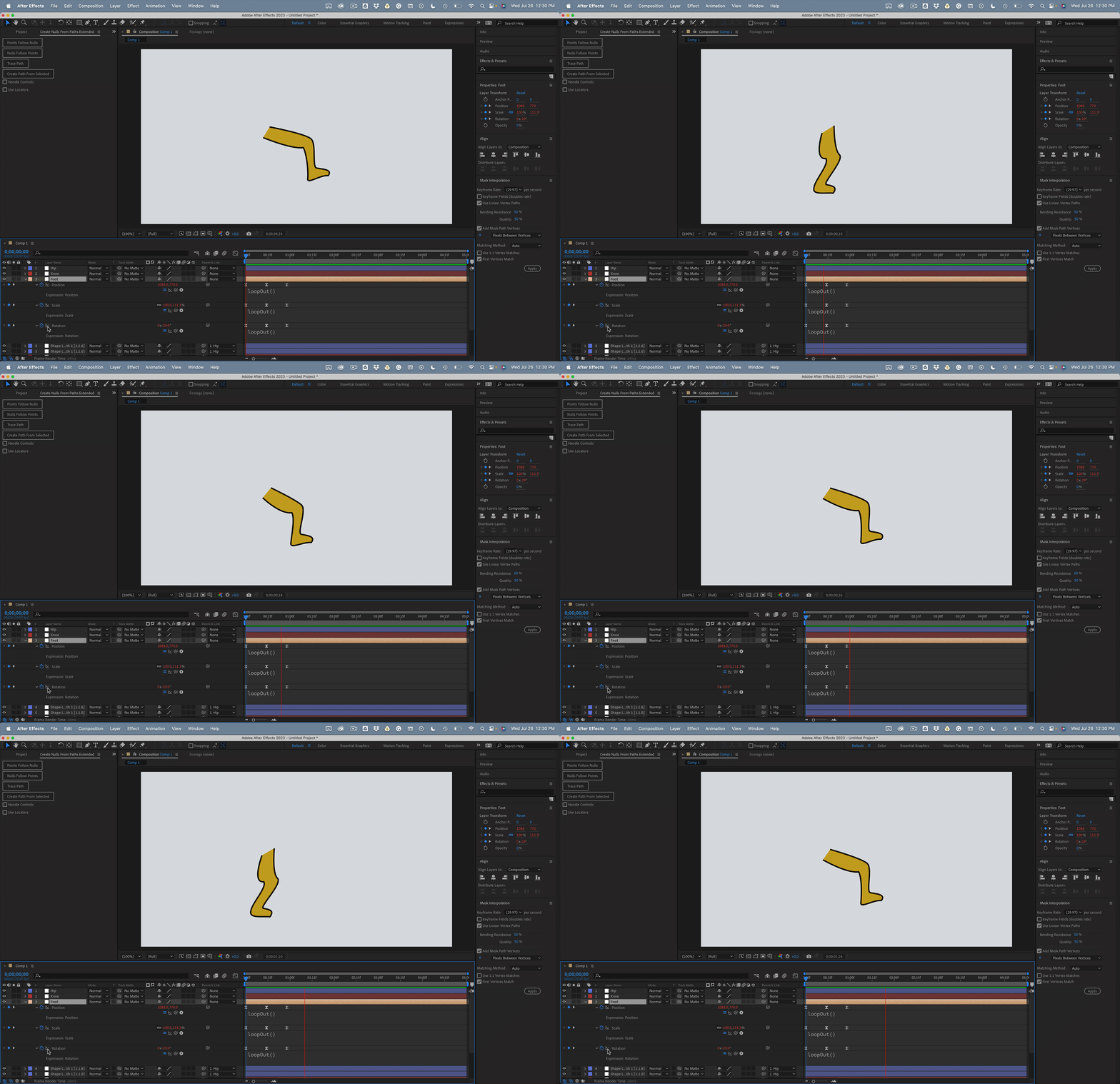
 

Take a look at the file I uploaded. Took me about 5 minutes.

1 reply

Rick GerardCommunity ExpertCorrect answer
Community Expert
July 26, 2023

Each part of the dog is a separate path. If a null was added to each point, then you could animate the position of the nulls to change the path. When animating position, if the first and last keyframes are identical, a simple loopOut() expression will repeat the action. 


I you were to recreate the dog's front right leg, attach a null to each point using the Window/Create Nulls From Paths/Points Follow Nulls script. You could then add a new null for the top of the leg, the knee, and the foot and position them over the correct parts. You could then select all of the nulls on the top of the leg and parent them to the Top of leg null and repeat the procedure for the knee and the foot. 


You could clean up the timeline by making all of the nulls created by the script shy layers and turning off their visibility, then just animate the position, scale, and rotation of each of the nulls to make the leg move. If you set a keyframe for the foot moving to the most forward position, then one for the most backward position, then copied the first keyframe and pasted it in ahead of the second keyframe, a simple loopOut expression would make the leg move continuously.


Take a look at the file I uploaded. Took me about 5 minutes.
jcalcina
jcalcinaAuthor
Inspiring
July 26, 2023

Thank you. Very interesting.

jcalcina
jcalcinaAuthor
Inspiring
July 26, 2023

Clarification for anyone who views this: Time was supposed to be 0:29 in the video.