Participating Frequently
December 17, 2017
Answered

Apply spatial interpolation methods,Will affects the motion path?

  • December 17, 2017
  • 1 reply
  • 283 views

Hello ,

When I apply one of the spatial interpolation methods (Linear, Bezier, Continuous Bezier, and Auto Bezier ) to any 2 keyframes the motion path between them by default distribute  the frames equally on the motion path ? "or the distribute will affect the speed : acceleration , deceleration"

And does it will effect the graph editor curve ?

Thank you

    This topic has been closed for replies.
    Correct answer Roei Tzoref

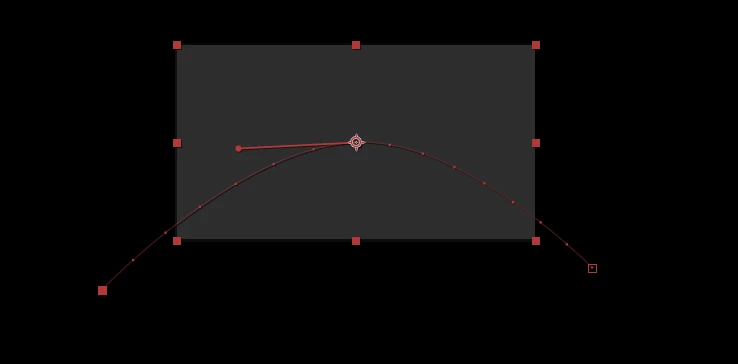
    if it's only 2 keyframes, changing the interpolation without extracting the handles will not change speed or the motion path. if you do extract the motion keyframe handles, or add more keyframes that are not on a straight line, then you can affect speed and motion path because the element is having more distance between keyframes. but no affect on acceleration or deceleration - affecting speed using the motion path is limited.
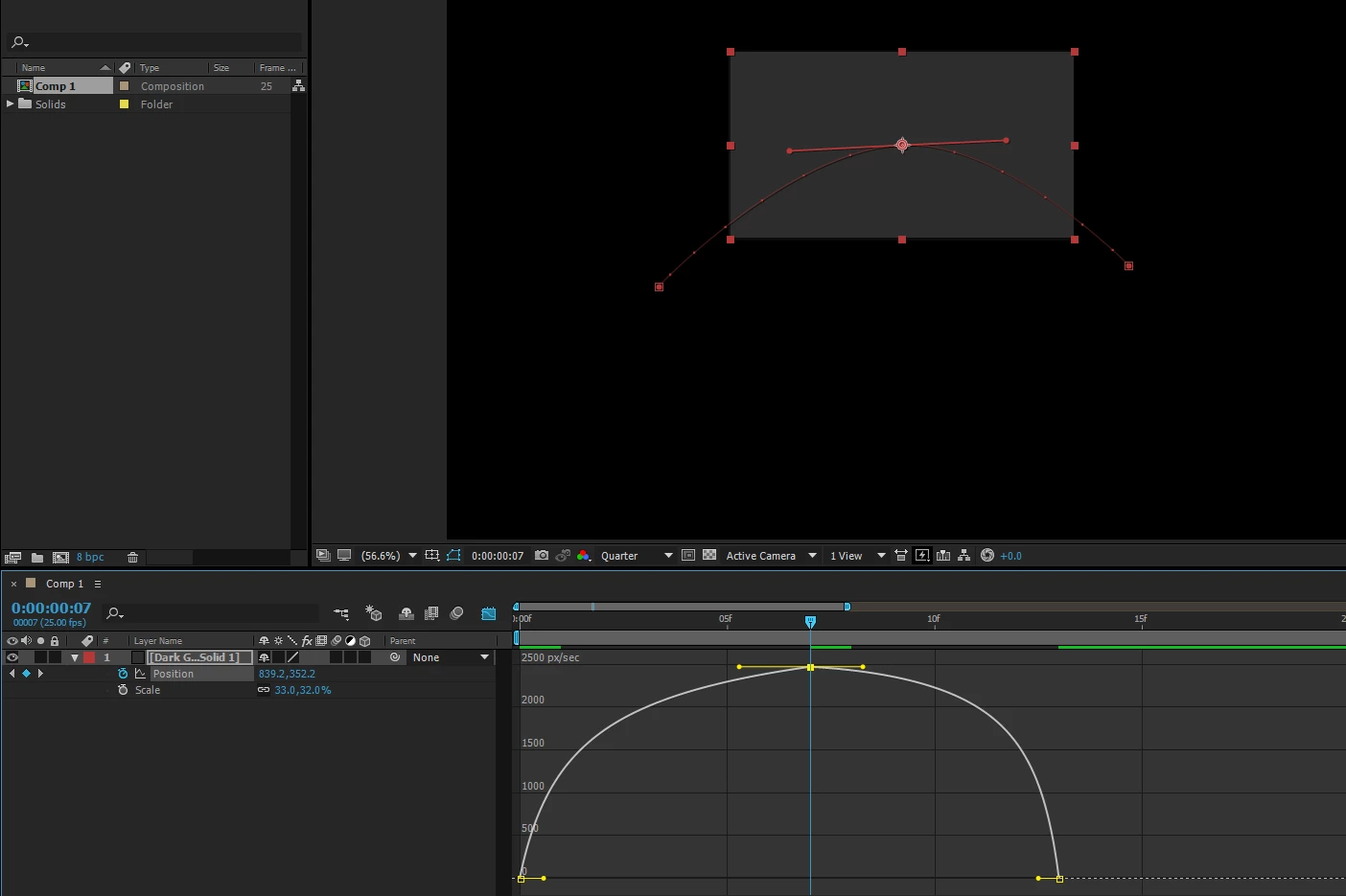
    if you want to really affect speed - acceleration or deceleration. you need to affect the temporal interpolation as well. things will be more clear if you examine the graph editor and watch the speed graph. here's how it looks when I extract the handles in the graph editor.
    for the most control though, you can affect the spatial interpolation as well as temporal interpolation at the same time, then use the value graph but you need to separate dimensions first for position transform


    1 reply

    Roei Tzoref
    Roei TzorefCorrect answer
    Legend
    December 17, 2017

    if it's only 2 keyframes, changing the interpolation without extracting the handles will not change speed or the motion path. if you do extract the motion keyframe handles, or add more keyframes that are not on a straight line, then you can affect speed and motion path because the element is having more distance between keyframes. but no affect on acceleration or deceleration - affecting speed using the motion path is limited.

    if you want to really affect speed - acceleration or deceleration. you need to affect the temporal interpolation as well. things will be more clear if you examine the graph editor and watch the speed graph. here's how it looks when I extract the handles in the graph editor.

    for the most control though, you can affect the spatial interpolation as well as temporal interpolation at the same time, then use the value graph but you need to separate dimensions first for position transform