Answered
Attach point is drifting inside track box
I'm stabilizing using stabilize motion, and I'm doing this frame by frame. But the attach point inside the tracker is drifting from frame to frame. How to avoid this?
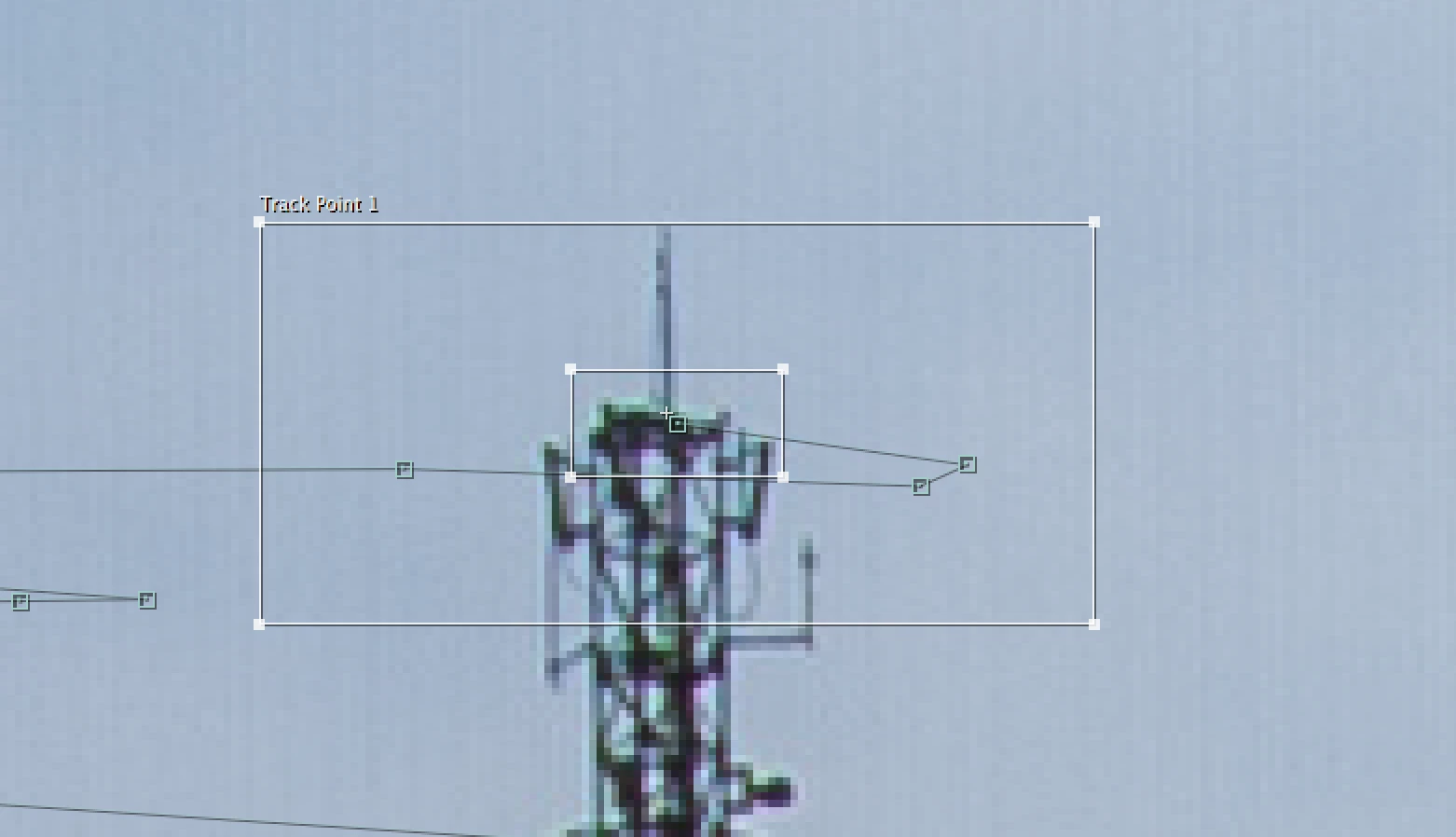
I'm stabilizing using stabilize motion, and I'm doing this frame by frame. But the attach point inside the tracker is drifting from frame to frame. How to avoid this?
Honestly, I have been reading about motion tracking, but I'm having trouble relating the text to what I challenge with. Therefor I'm having some trouble understanding everything.
But, both distinct and smaller search regions are good advices. I'll try some more.
But why is the the attach point drifting? Is there an easy answer to it?
Motion Tracking in AE relies on tracking a detail area and it needs to be sufficiently large and have significant areas of a high degree of detail. Personally I think are not tracking enough detail. You are tracking all of the pixels in the inner box.
The attach point does not need to be in the tracking area if the detail you are searching is the same distance from the camera as the attach point.
The search area needs to be large enough to keep the tracker, the inner box, inside the outer box in the next frame. Your search area is big enough that the top of the tower could move almost twice it's width to the left and right in a single frame. judging by the distance between keyframes this antenna is moving around a lot so your search area is probably about the right size. I don't see the keyframe on the left ??? but the distance between the next two keyframes shows me that the tracking box is about the right size. I would have made the search area about as big as the red box.
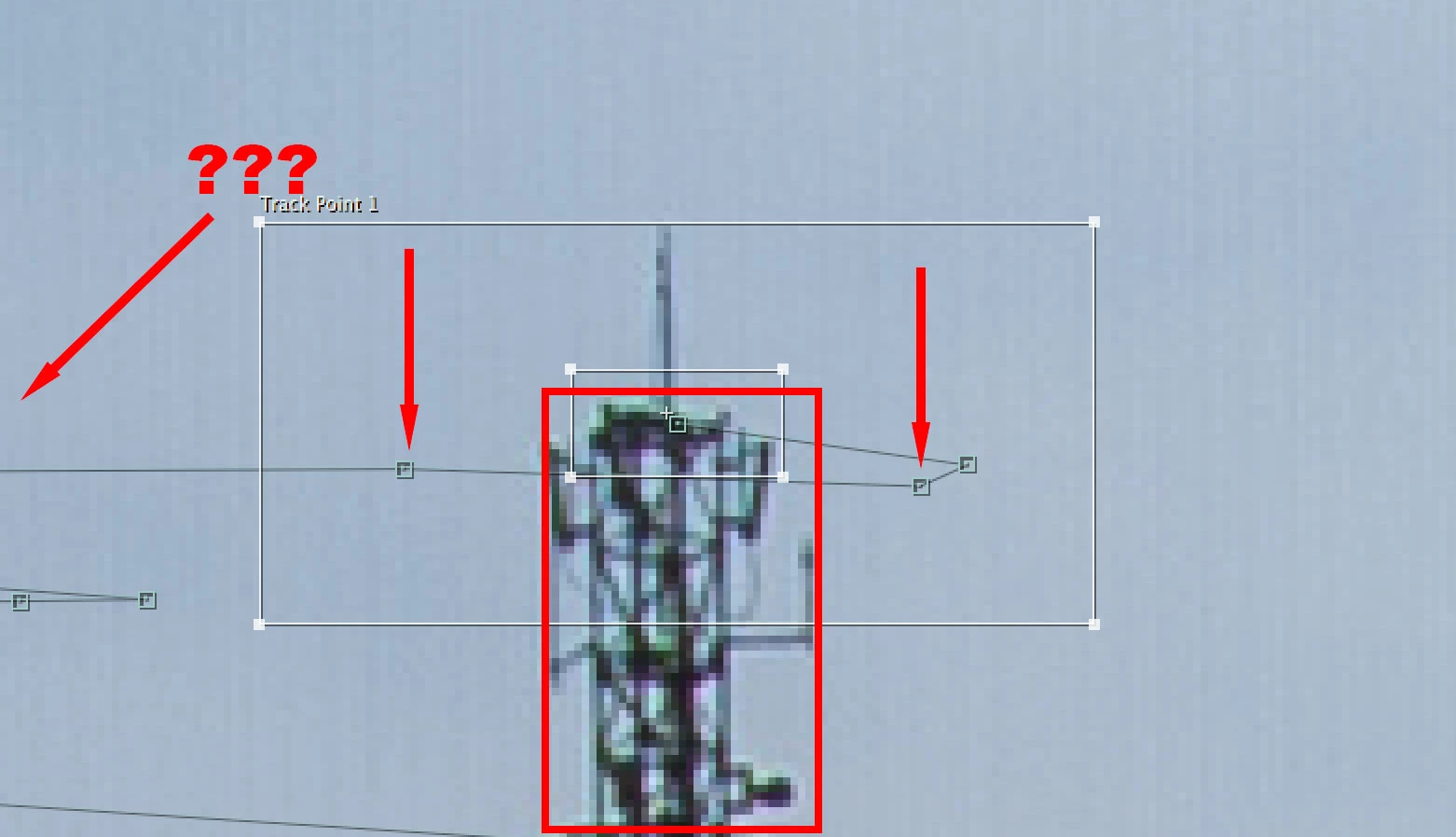
Here's the other problem that I see that may be causing your attach point to drift a bit. Because the vertical lines are very thin the aliasing around them will make them shift a bit on the pixel grid. By making the tracking area larger you are reducing the potential error but the motion blur that may be in the other frames could be throwing things off. It's kind of hard to tell because you didn't tells us what the Magnification Factor for the Layer Panel is but a close up look at what you are tracking reveals a lot.

If you check the colors and the edges inside your search area and compare them frame by frame you will probably see see a lot of changes in each frame. I suspect this is from a consumer camera and that it is MPEG compressed. The lens is probably not that good either and the detail level in the camera may be set too high. The inconsistency inside the small tracking area is why your attach point jumps around. The more pixels you have to average the more steady the track will be.
Also, and this is a final point I will make, If you have a few frames where the attach point just falls out of position it's perfectly OK to delete those keyframes and make adjustments. There is no rule that you have to have tracking keyframes on every frame. You can easily average movement, especially jittery movement by simply deleting a group of keyframes and adding a couple of corrections manually. The only way to judge if your tracking is successful is to attach the artwork or element you are going to use to the track point and see how it looks with the comp at 100% Magnification factor, the resolution set to full and playing back at full frame rate.
I hope these suggestions help you understand how tracking works. If you are free to give us a link to 30 or 40 frames of the original footage where you are having problems I'll be glad to give the track a try and let you know what I think. Depending on what the shot looks like you might be better off tracking a good portion of the antenna in Mocha so there are a lot more pixels to average.
Already have an account? Login
Enter your E-mail address. We'll send you an e-mail with instructions to reset your password.
 AdChoices