
Participant
July 6, 2024
Question

Audio not working in after affect effect CC

  • July 6, 2024
  • 1 reply
  • 273 views

I have checked all the option for the audio to play when preview.

1) Audio "ON" in Comp
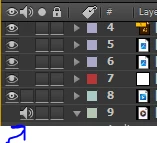
2) Audio "ON" in preview
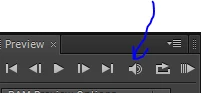
3)Audio selection in preference --> Audio hardware (no device class section)
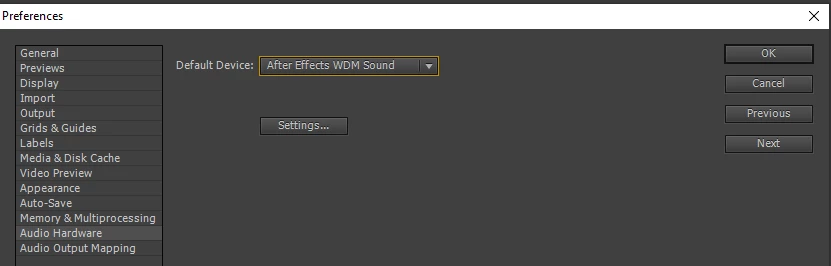
I do not have option as device class (below image is from the youtube for reference)

https://www.youtube.com/watch?v=wgaRxWi3Zn4
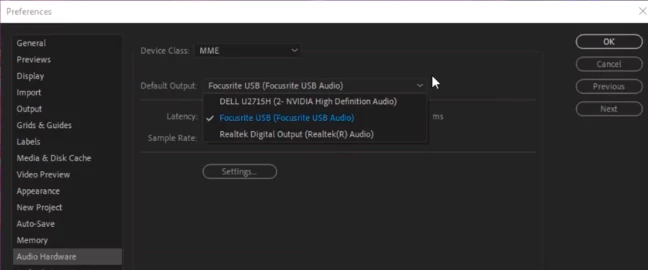
 

What could be the problem for not have the devie class section? How can I correct it?


This topic has been closed for replies.

1 reply

Community Expert
July 7, 2024

This is probably a setting in Windows. I'd right click on the audio icon by the clock  near the task bar if available and check settings. Also typ audio settings in Windows and see if you can troubleshoot from there.

Participant
July 9, 2024

Thanks for the feednack. If I RAM preview and then play, the audio works.

Its irritation for syncronizing the contnet with audio (evertime i need to RAM preview).