Here's what a screenshot with modified properties looks like:
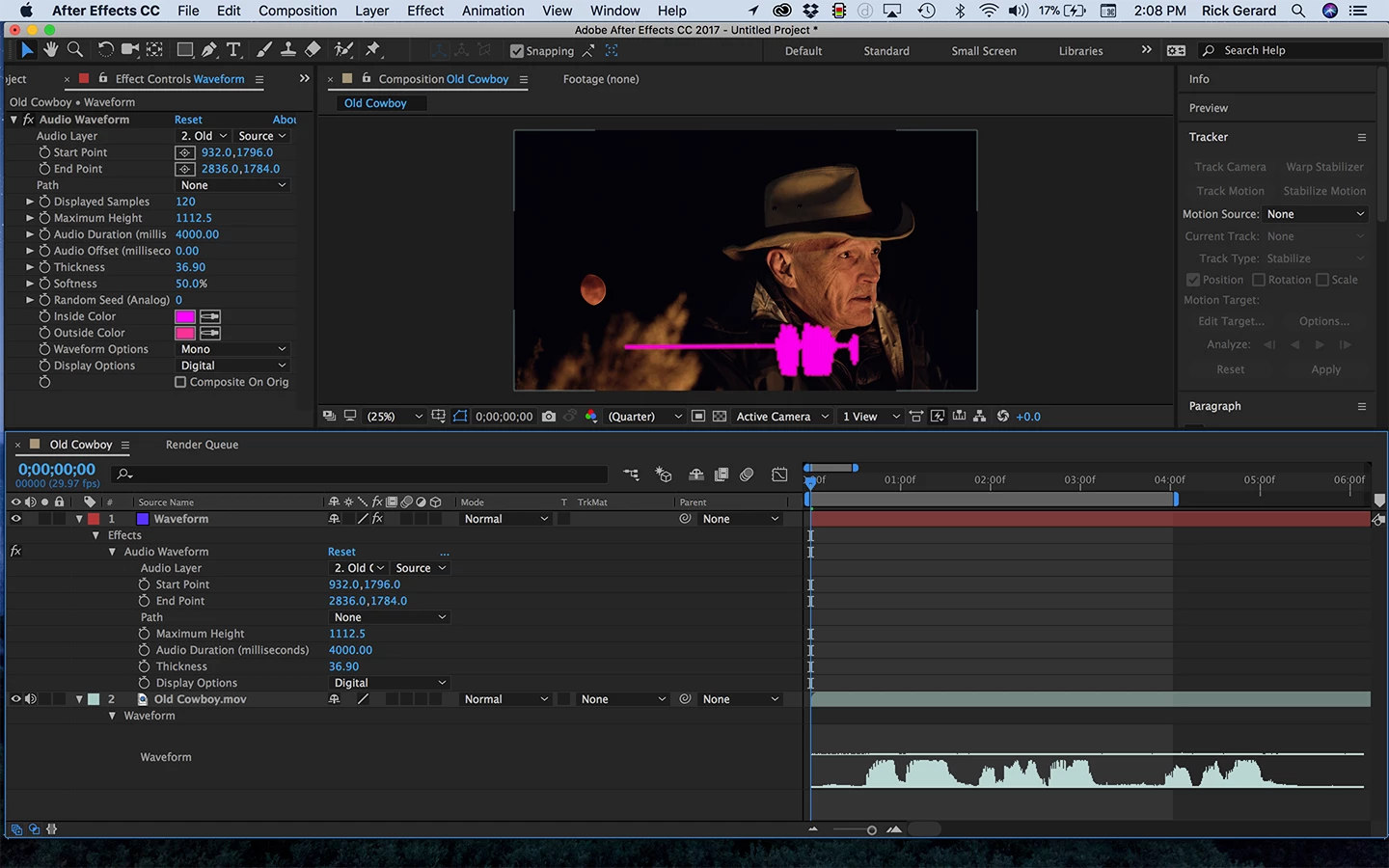
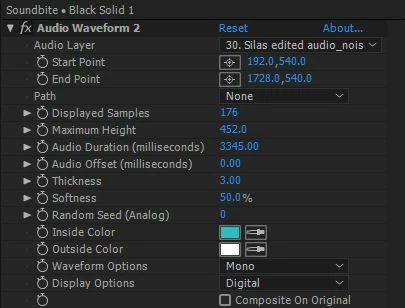
As you can see in the timeline I modified the start and end point, maximum height, audio duration, thickness and display options. My screenshot shows the same problem that you are seeing, no audio at the current time but a waveform generated. The clue is audio duration. It is set to 4000 milliseconds which is 4 seconds. Note that the rendered audio waveform looks just like the first 4 seconds of my audio track. Your audio duration is set to 3345 which is a little more than 3 seconds and your waveform looks like it is a pretty good representation of the first 3 seconds of your audio track. If you first screenshot had shown the modified properties of your layer the solution would have jumped right out at anyone that understands how Audio Waveform works.
Right-click on the modified audio duration and reset it and your problem goes away. The shape of the waveform may not be to your liking so you can adjust the audio duration to get a better shape. If you really want a sample duration of 3 seconds then you can adjust the timing by sliding the audio offset in a negative direction. Audio waveform creates a moving waveform that corresponds to the next x seconds where x is the audio duration. If you just want the line to change shape but stay where it is on the screen you need to use audio spectrum.




 AdChoices